Studiovbm
Participating Frequently
April 29, 2019
Answered

Select and mask tool acting as Eraser tool in Photoshop CC 2019

  • April 29, 2019
  • 1 reply
  • 447 views

Since the last update the tool select and mask does not work properly. The tool to refine the edge acts like a eraser tool.

I instored photoshop 2017 and here it is working ok.

What can I do?

Message was edited by: Akash Sharma
    This topic has been closed for replies.
    Correct answer Akash Sharma

    Hi Studiovbm,

    Sorry that the "Select and Mask" tool is acting as the Eraser tool in Photoshop CC after the latest app update.

    Could you please take a look at the below possible causes and let us know if the suggestions help in resolving the issue?

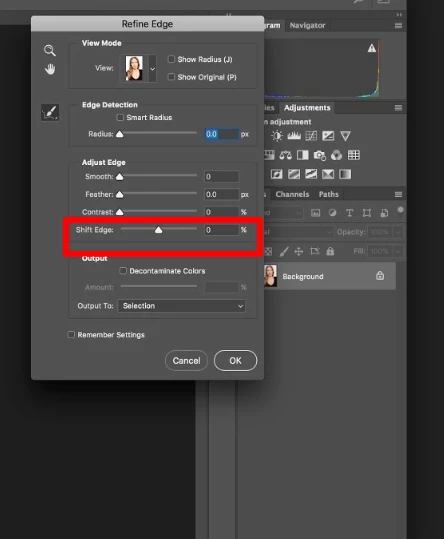
    • Please check that "Shift Edge" is set to 0 in the Refine Edge menu.

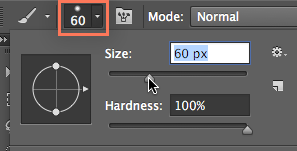
    • Check that the brush size is neither very small or large.

    Image result for brush size photoshop

    Thanks,

    Akash

    1 reply

    Akash Sharma
    Akash SharmaCorrect answer
    Legend
    April 29, 2019

    Hi Studiovbm,

    Sorry that the "Select and Mask" tool is acting as the Eraser tool in Photoshop CC after the latest app update.

    Could you please take a look at the below possible causes and let us know if the suggestions help in resolving the issue?

    • Please check that "Shift Edge" is set to 0 in the Refine Edge menu.

    • Check that the brush size is neither very small or large.

    Image result for brush size photoshop

    Thanks,

    Akash

    Studiovbm
    StudiovbmAuthor
    Participating Frequently
    April 29, 2019

    Thank you very much for the solution. It works!

    Akash Sharma
    Legend
    April 29, 2019

    Thanks for the update. Glad to know it helped.

    Feel free to get back to us if you have additional query or issue regarding the product.

    ~Akash