Participant
December 24, 2019
Answered

Select and Mask Transparency or opacity slider not visible Photoshop 21.0.2

  • December 24, 2019
  • 3 replies
  • 2020 views

Hi Everyone,

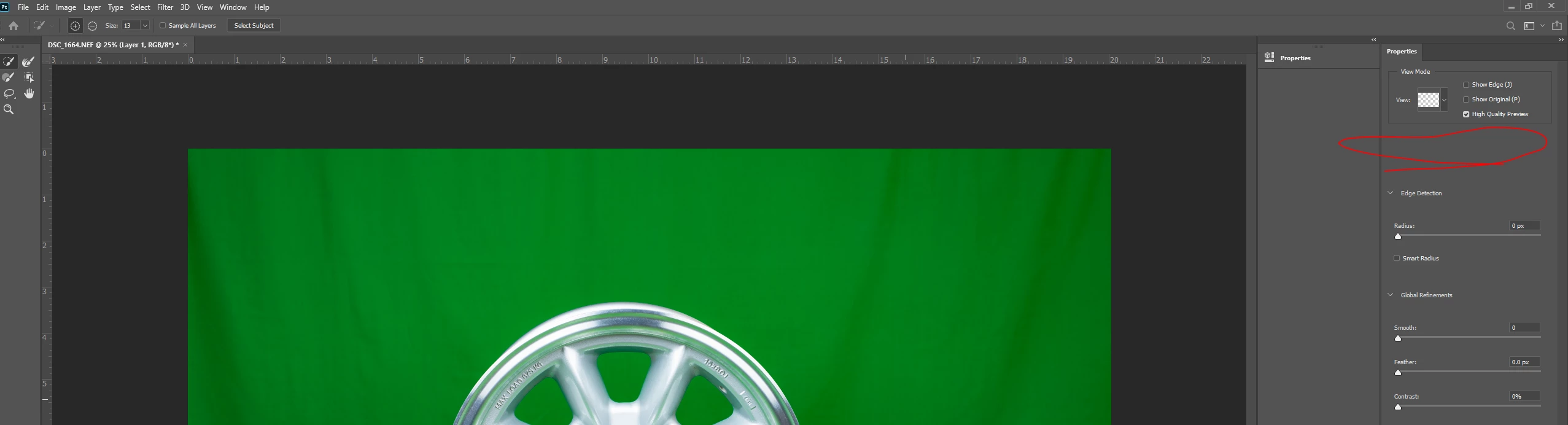
I am using the latest version of Photoshop CC 21.0.2 release. I have a strange issue, where I could not see the Transparency or opacity slider when I wanted to select and mask.


Any help is appreciated.


Regards

Sudhakar
This topic has been closed for replies.
Correct answer Jeff Arola

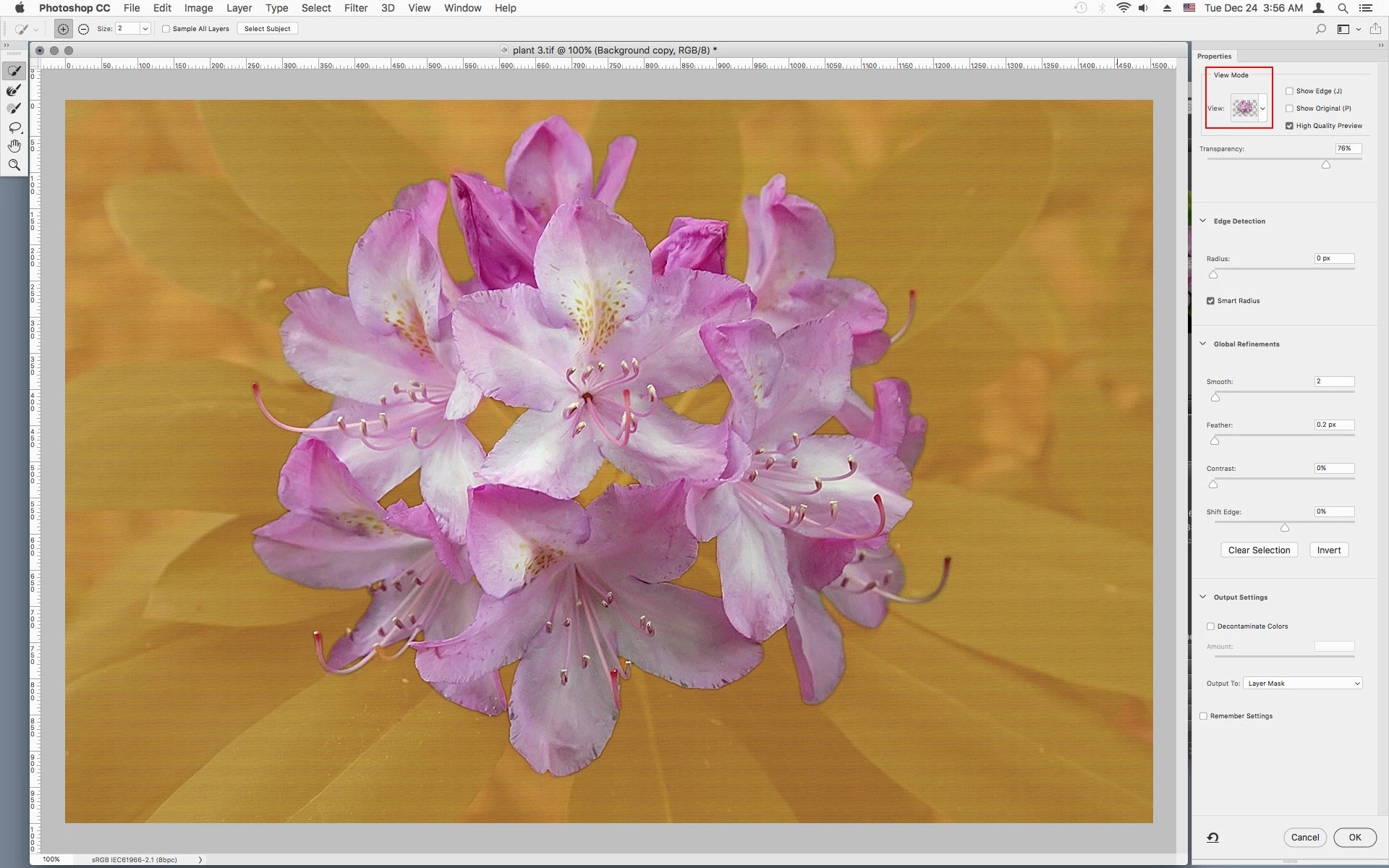
It depends on the View Mode.


3 replies

Jeff Arola
Community Expert
Jeff ArolaCommunity ExpertCorrect answer
Community Expert
December 24, 2019

It depends on the View Mode.


Akash Sharma
Legend
December 24, 2019

Hi Sudhakar, 


Sorry that the Transparency or Opacity sliders do not show up while you're trying to use Select and Mask in Photoshop 21.0.2.


Are you facing this issue with all the images you work with? The screenshot you've shared is a bit pixelated so I could not interpret what exactly could be causing the issue, would it be possible for you to share a video/screen recording of the same? Also, is your video card driver up to date? The Select and Mask results utilize the GPU so that might be a root cause. 


Thanks,

Akash

December 24, 2019

Hi

Have you tried resetting your Photoshop preferences, you may want to backup your settings beforehand

https://helpx.adobe.com/ie/photoshop/using/preset-migration.html