
SuzanneTour
Inspiring
July 14, 2019
解決済み

Select and Mask Views Don't Show Hidden Areas - Photoshop 20.0.5 macOS Mojave

  • July 14, 2019
  • 返信数 2.
  • 1050 ビュー

I do composites. I use S&M to cut away parts of the top layer to reveal the underlying image. Both layers are currently in Normal blend mode. I open S&M and use Overlay view and the Quick Selection tool, then output to a Layer Mask to evaluate my progress. When I reenter S&M to continue the selection process, none of  S&M's views let the underlying layer show through (so I can see what to select next), even though the Overlay layer opacity is ~50%.

Just noticed! Output Settings (just above Decontaminate Colors checkbox, near bottom of S&M panel) is MISSING.
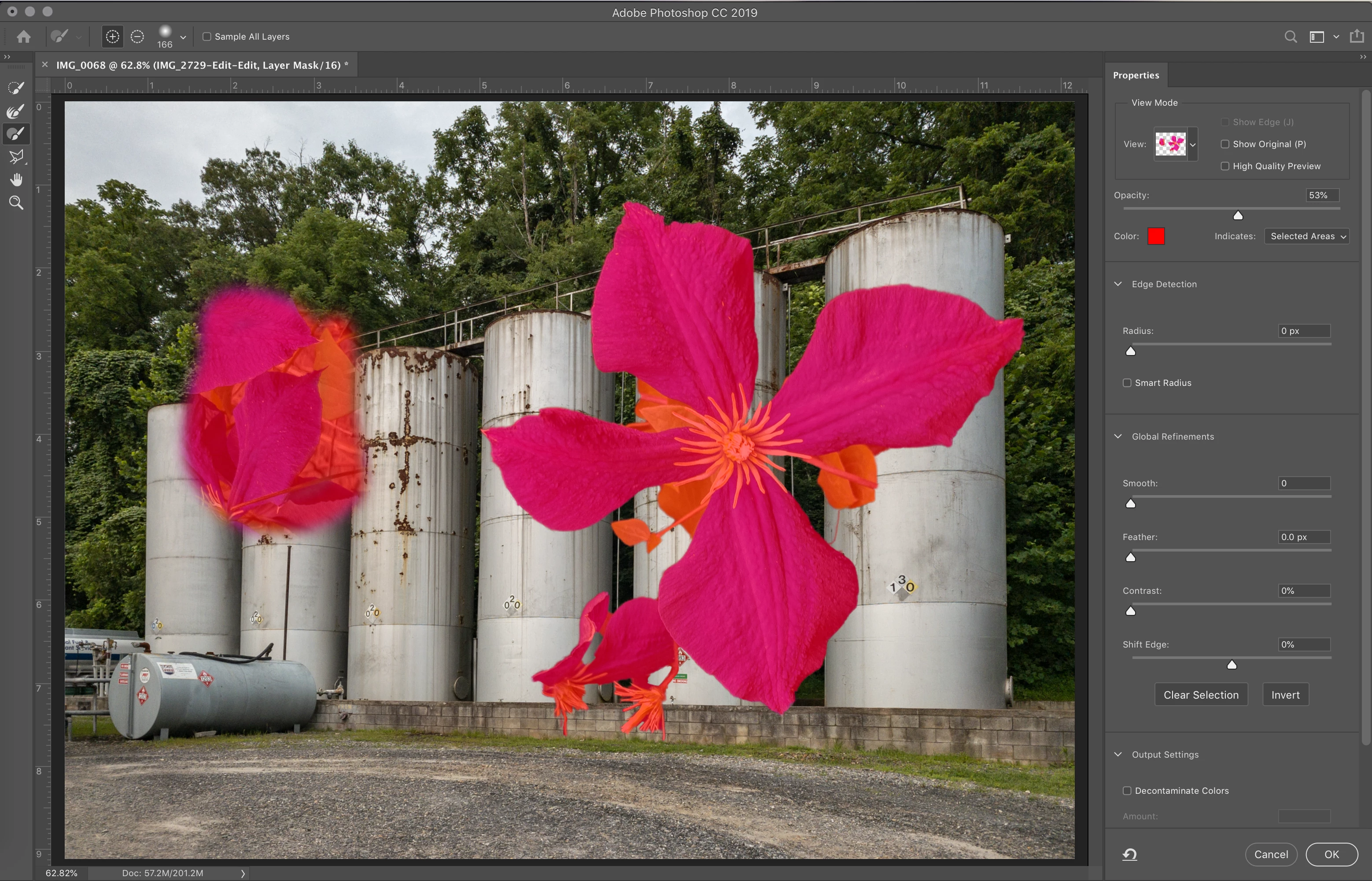
If I paint/select in any area of the red overlay, the hidden parts of the image show up, but I can't select what I can't see. See my screenshot: I drew a big blobby area on the left side to show how the masked parts of this layer are still there, just not showing through in any of the S&M View options (Overlay, Onion Skin, Layers). Also included: a screenshot of the image when NOT in S&M. It looks normal to me.
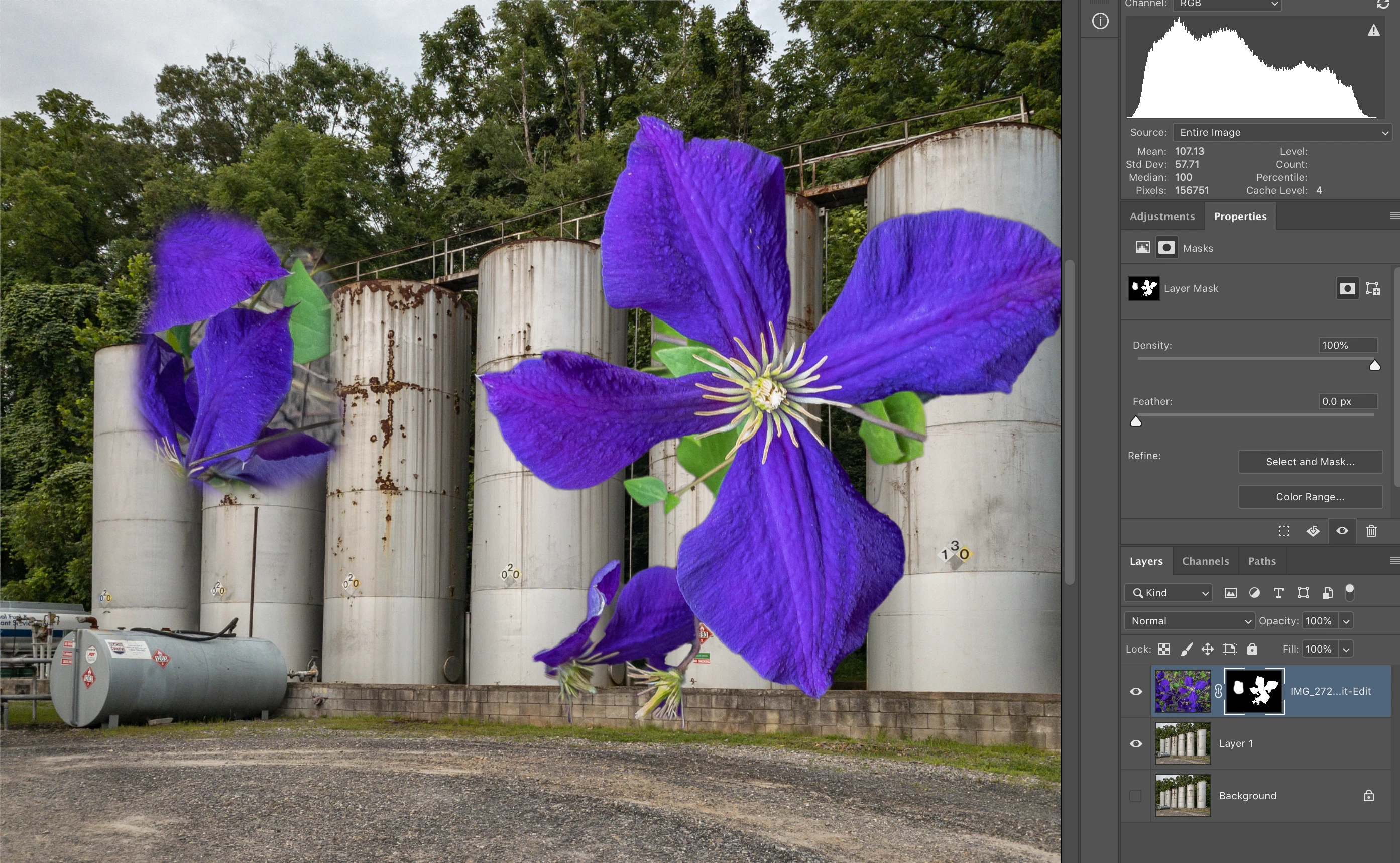
Here's what I've done so far:

  • Reset the S&M panel
  • Reset all tools
  • Restarted PS and LR
  • Done a lot of online research

Please help if you can.

Mac OS Mojave (latest) and PS/LR CC 2019 (also up to date).

{Thread renamed by moderator}

このトピックへの返信は締め切られました。
解決に役立った回答 SuzanneTour

I said it was fixed too soon.

As soon as I started trying to modify my mask (View: Overlay), I noticed that the + and - were doing the opposite of what they should have been doing. And then after leaving Select & Mask (to evaluate the effect) and then returning to S&M, the original problem began again.

Note to helpful people: The View opacities are not the problem. I have reset PS Preferences.

Ugh!


I see now that I probably started the issue when I was learning about "choking" a mask, and getting into the alpha channel of the mask.

I found the answer by following one of those related posts Adobe suggests on the right side of the screen. C.Pfaffenbilcher offered several fixes in his 2017 post; most I didn't need to do. But his last suggestion did the trick. Here it is:

返信数 2

Sahil.Chawla
Adobe Employee
Adobe Employee
July 15, 2019

Hi Suzanne,

That does not sound good, let's make it right.

Could you please try Melissa's suggestion and let us know if it helps?

Note: Make sure that you back up all your custom presets, brushes and actions before restoring Photoshop's preferences. Migrate presets, actions, and settings

Also, does it happen with all images or some specific images?

If resetting the preferences does not help, then try reinstalling Photoshop and see how it goes.

Regards,
Sahil

SuzanneTour
SuzanneTour作成者
Inspiring
July 15, 2019

MelissaPiccone's suggestion/link did the trick!

I have a lot of trouble with PS and LR CC 2019. Like, PS's home screen rarely if ever shows my most recent project. It seems stuck in some era about a month ago. Even then, only the source files, not the edited composite TIFs, are displayed. It's very weird, and I'm starting to consider stopped using Lr and only use PS's Camera Raw to edit my DNGs before tackling them in PS. (I've done screen sharing with Adobe four different times on this problem. Average call length: 40-60 minutes. They all change various things, but never the same things.)

Anyway, thanks for offering to help. Gonna zip both Settings files (the 2018 and the 2019) now and send them off to feedback.photoshop.com .

Long-time analog photographer, now fully digital.
Mike_Gondek10189183
Community Expert
Community Expert
July 15, 2019

Turn off dark mode in Mojave, if that does not help install High Sierra.

melissapiccone
Community Expert
Community Expert
July 14, 2019

Did you reset the preferences?

Preferences in Photoshop

Melissa Piccone | Adobe Trainer | Online Courses Author | Fine Artist
SuzanneTour
SuzanneTour作成者
Inspiring
July 15, 2019

Julianne Kost's video on how to reset PS Settings was so very helpful! The S&M Views now display what's being masked out. Thank you!

I plan to zip the settings file and send it to Adobe for their engineers. (Actually, I found one for PS CC 2018 and another for PS CC 2019). I have a lot of trouble with PS and LR CC!

Long-time analog photographer, now fully digital.