
Select and Mask vs. Refine Edge keyboard operation
Hello,
I am facing a move from CS6 to CC at work. I've looked into an important part of my day to day which is Refine Edge known as Select and Mask workspace in CC. I would love to embrace the change (if only to deny the thought that I'm really to old for changes).
I can retrain my muscle memory for the new preview shortcuts, I think. Nevertheless, I have encountered problems I can't seem to be able to overcome:
1. Is there a keyboard shortcut to focus the first entry field in the Select and Mask workspace?
2. Relatedly, why isn't there an Auto-Select Parameter option in Select and Mask? Am I missing something?
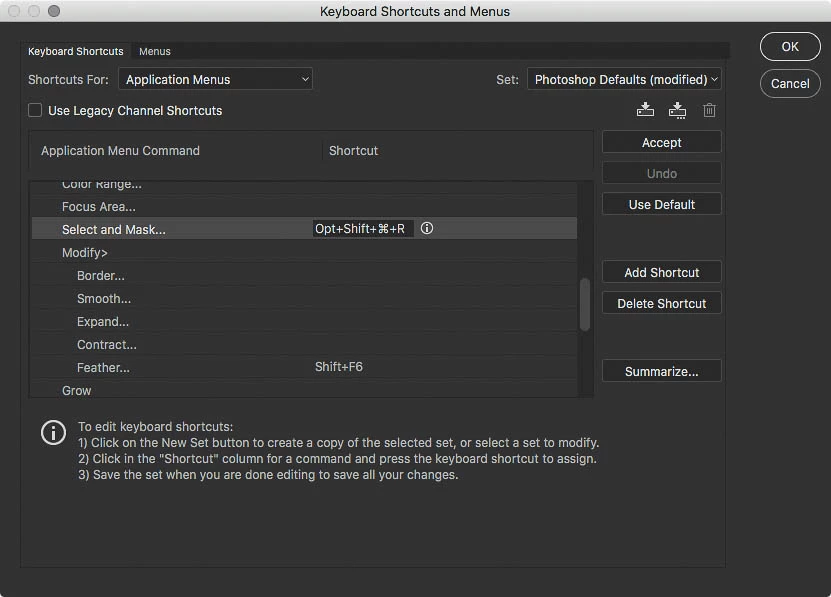
3. There is a way to get to the old Refine Edge UI (which I would be forced to go back to if pts. 1-2 can't be resolved) by holding a Shift key while selecting Select and Mask from the Select menu. Is there a way to assign a keyboard shortcut to evoke Refine Edge without resorting to using a mouse (Shift+Cmd[Ctrl]+Alt does not work)?
Not being able to use the keyboard slows me down too much.
Thank you.
Regards
m.
 AdChoices