bartonlew
Legend
January 4, 2023
Answered

select area for clone stamp source

  • January 4, 2023
  • 2 replies
  • 356 views

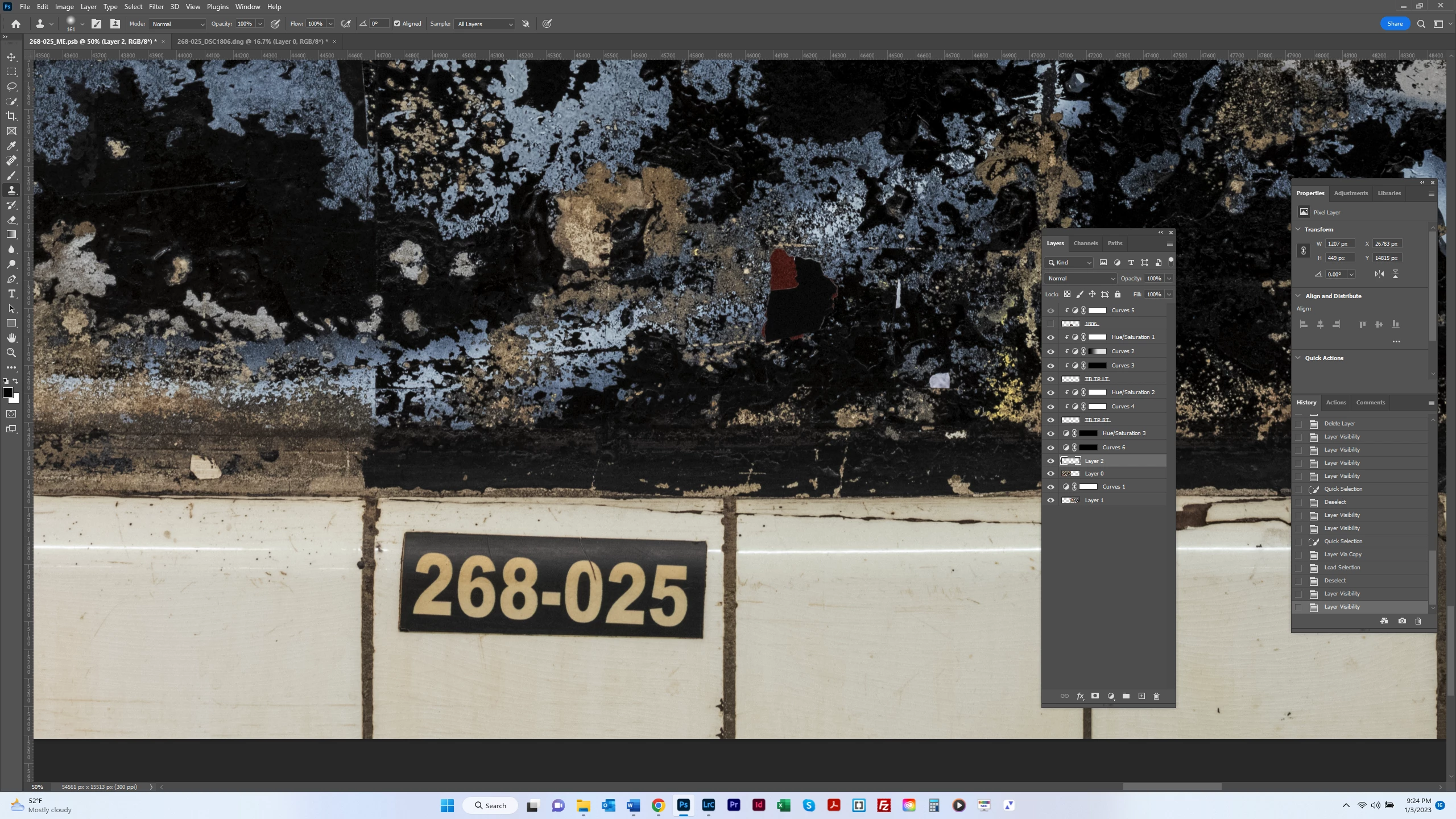
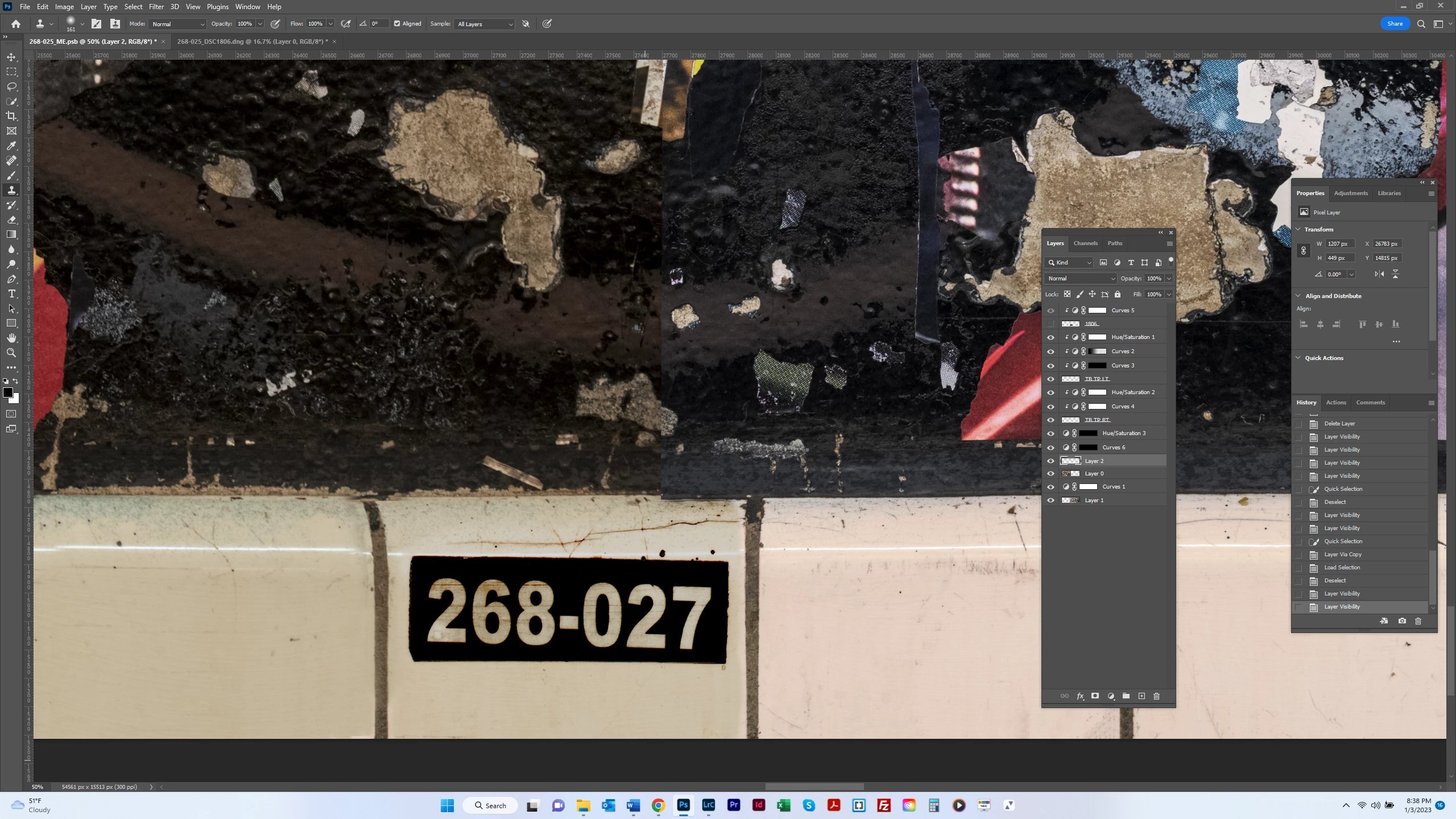
I want to replace the black background in the 6-digit tag below with black from another tag which is not crushing the shadows (see 2d screenshot).  Using the clone stamp tool, how can I copy black only from the tag in the 2d screenshot to paint over the black in the tag in the 1st screenshot?  For the target layer, I have a layer which is the entire tag (background plus numbers) and a layer above it which is the numbers only.  So I can paint on the lower layer without affecting the numbers.  But I'm not sure how to select the black only in the source.  Thanks.


This topic has been closed for replies.
Correct answer Mylenium

You can't islate the color, but you could of course use blending modes like Screen and add to copy the texture. Don't be too picky about the numbers. You can always clean it up later. Just clone everything to its own new layer.


Mylenium

2 replies

bartonlew
bartonlewAuthor
Legend
January 5, 2023

Thanks.  I of course have heard of Blending modes but I am unfamiliar with this tool/concept.  So I will start diving into some tutorials.  Thank you.  

Mylenium
MyleniumCorrect answer
Legend
January 4, 2023

You can't islate the color, but you could of course use blending modes like Screen and add to copy the texture. Don't be too picky about the numbers. You can always clean it up later. Just clone everything to its own new layer.


Mylenium