Participant
October 13, 2021
Question

select clipping mask area

  • October 13, 2021
  • 3 replies
  • 202 views

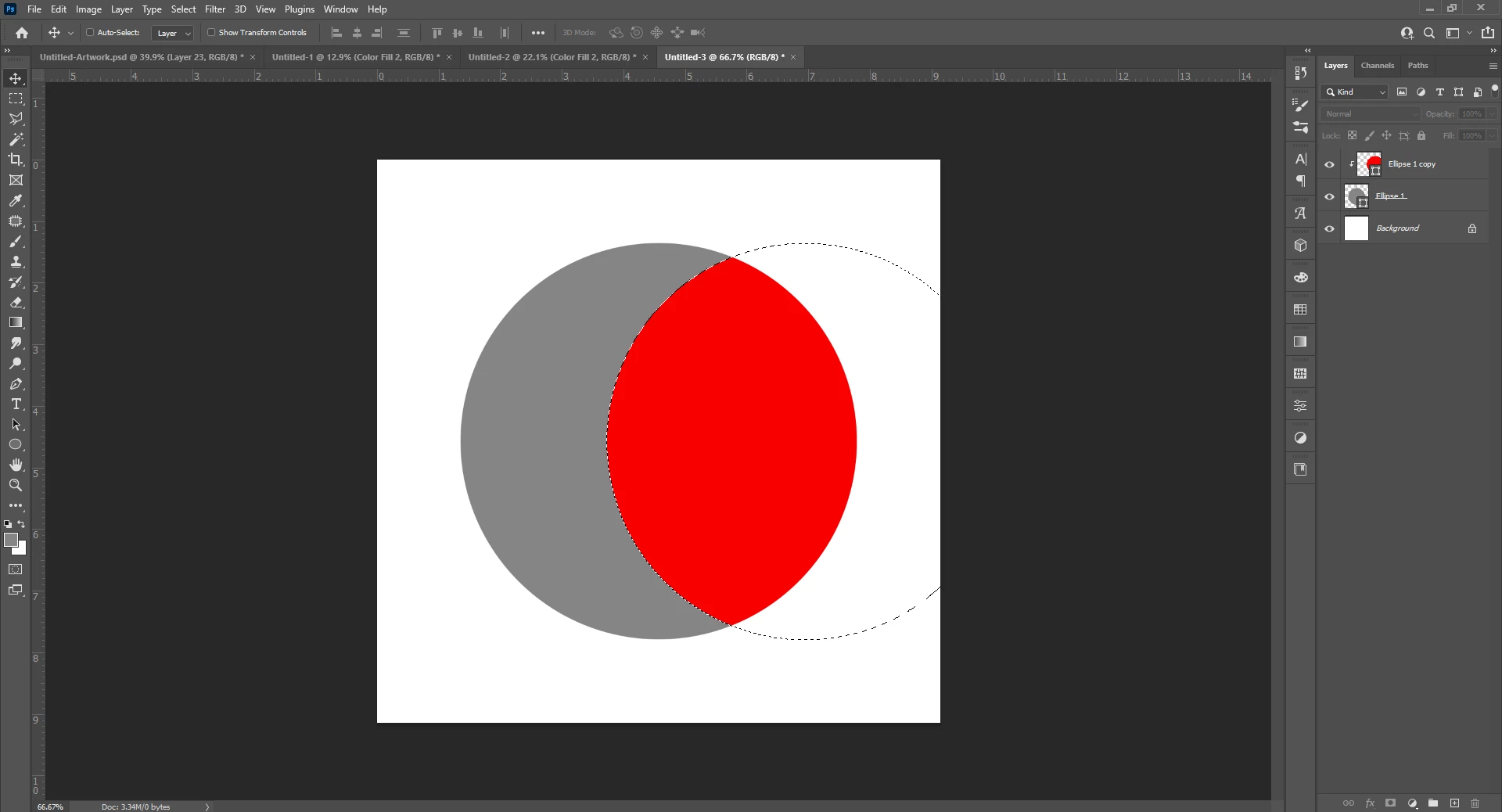
how can I select only the clipping mask? I want to select only the red part (not the gray and not the white. how do I do it? 
This topic has been closed for replies.

3 replies

Trevor.Dennis
Community Expert
Community Expert
October 14, 2021

As these are Shape layers you can get a precise selection of the intersecing area.


Unclip the red ellipse from the grey elipse

Select the Shape Selection tool (black arrow)

Select the grey ellipse layer and copy (Ctrl C)

Now select the red ellipse layer and paste (Ctrl V)

Set Path Options to Intersect Shape Areas in the Options bar 


Merge Shape Components and you are done. Plus you still have a vector graphic.

Earth Oliver
Legend
October 13, 2021

Use selection keyboard mods on the layers: alt-click the grey layer to select it, then ctrl-alt-shift the red layer to subtract the grey.

JJMack
Community Expert
Community Expert
October 13, 2021

Like this Magic wand intersect.

It is also possible toe select the white area and the gray area.

At least three clicks are required.

It is also possible to select that gray area and also possible to select the white area.  However, the clipping mask is the full circle gray area. You can select that also. The red area is the area of the layer that was not clipped by the  clipping mask.  The white area is the layer area part that was clipped by the clipping mask

JJMack