
Participant
April 30, 2022
Question

Select Subject Error

  • April 30, 2022
  • 2 replies
  • 650 views

I need help please i try to use "subject" but it doesn't work for Photoshop CC2018 this message appears :" Photoshop could not complete the command subject because haven't found the file"  idk what's going on
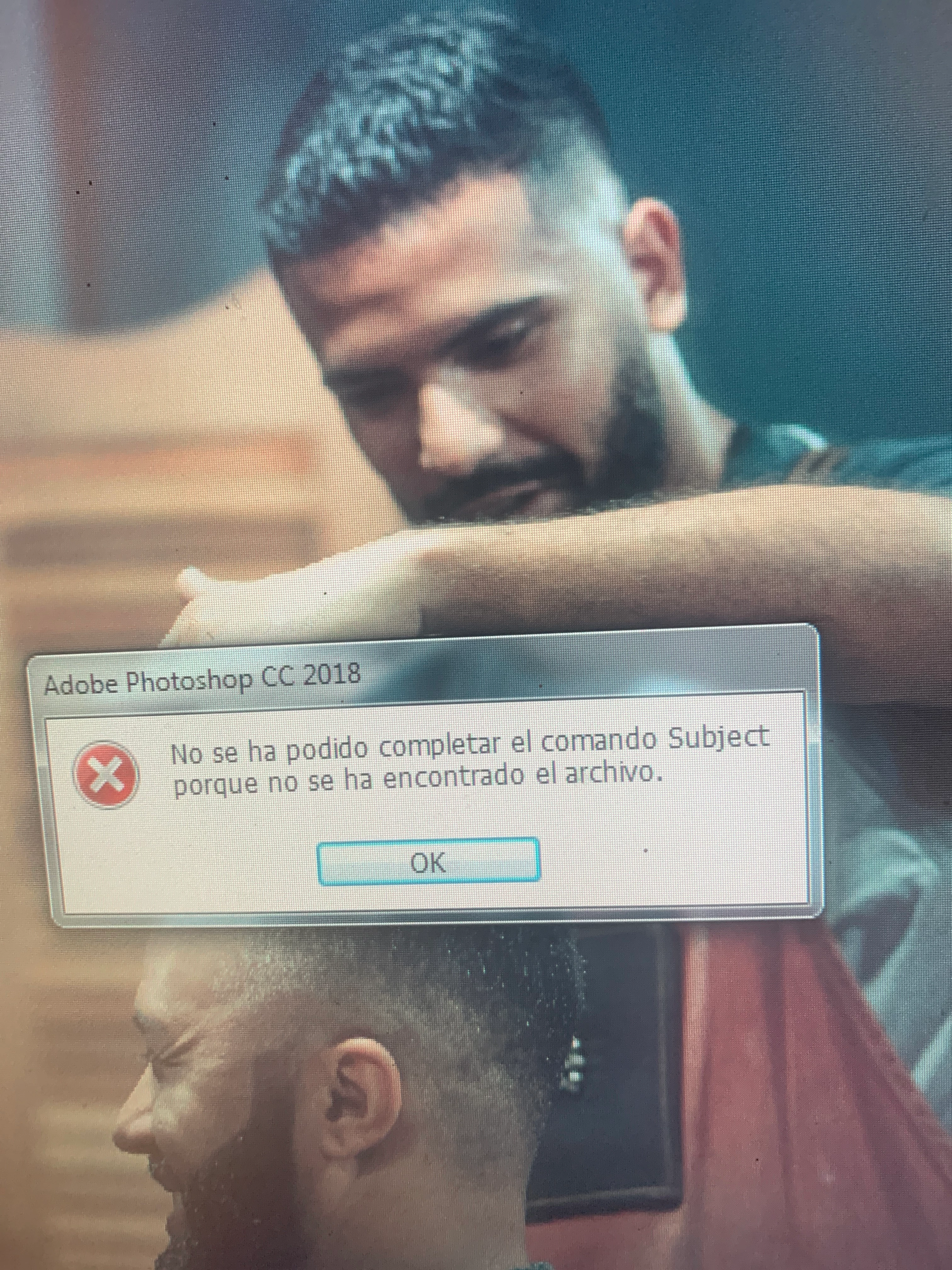
 

{Title edited by Moderator}


This topic has been closed for replies.

2 replies

c.pfaffenbichler
Community Expert
Community Expert
May 2, 2022

I need help please i try to use "subject" but it doesn't work for Photoshop CC2018 

Do you mean Select > Subject? 

Had that already been introduced in 2018? 


Edit: 

Could you please post screenshots with the pertinent Panels (Toolbar, Layers, Options Bar, …) and the menu item visible? 

https://www.take-a-screenshot.org

jane-e
Community Expert
Community Expert
May 2, 2022


@c.pfaffenbichler wrote:

I need help please i try to use "subject" but it doesn't work for Photoshop CC2018 

Do you mean Select > Subject? 

Had that already been introduced in 2018? 


I had to Google it, but yes, Select Subject was introduced in 2018.


This thread from 2018 covers some issues a few users had four years ago.

https://community.adobe.com/t5/photoshop-ecosystem-discussions/photoshop-cc-2018-features-missing/m-p/9694422


The error message says, "Subject", not "Select Subject".


@Nalo24264124b7c0 , Please clarify your issues so we can better assist.


Jane


Ranjisha Sengupta
Legend
May 2, 2022

Hi there,


We're sorry to hear about the trouble with Photoshop 2018. We're here to help. 

Would you mind updating Photoshop to the latest version? Which version of Windows are you using? Is it happening with all the files? What are your system specifications?

Where are the images located?

Try to reset Photoshop Preferences back to default;

Steps:

To re-create the preferences files for Photoshop, start the application while holding down Ctrl+Alt+Shift (Windows). Then, click Yes to the message, "Delete the Adobe Photoshop Settings file?"

Please keep a backup of the existing Photoshop preferences if you have any custom brushes, actions, and workspace: https://adobe.ly/2vNz6FG.


Let us know if this helps.


Thanks.

Ranjisha