

Mike_Gondek10189183
Community Expert
Community Expert
December 18, 2018
Question

Select Subject Fail on what should be easy

  • December 18, 2018
  • 4 replies
  • 680 views

Try Running Select Subject  & Refine Edge Brush on a snippet of  image below.
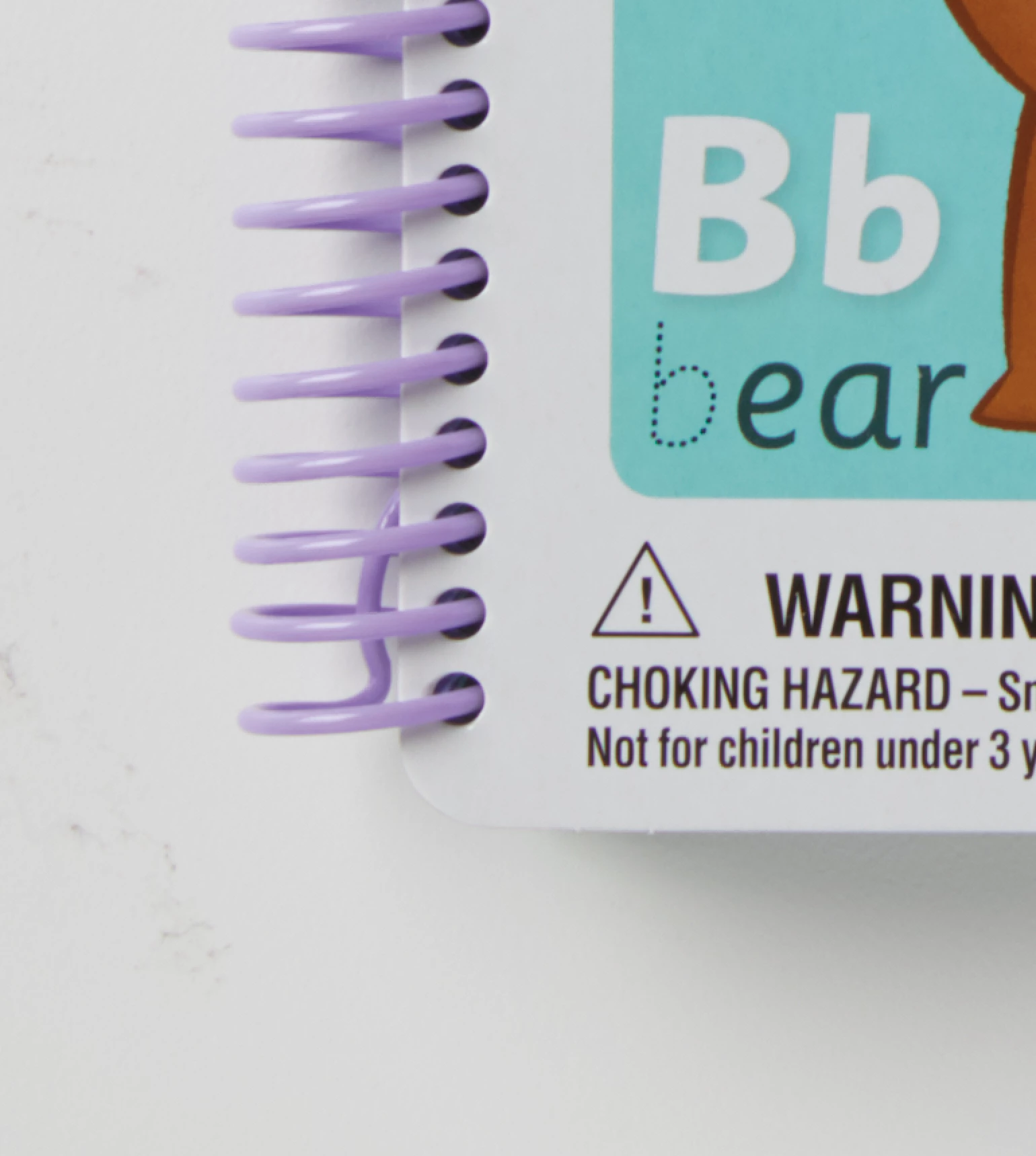
The result I get is like this ( solid fill of green is there to help show resutls better).
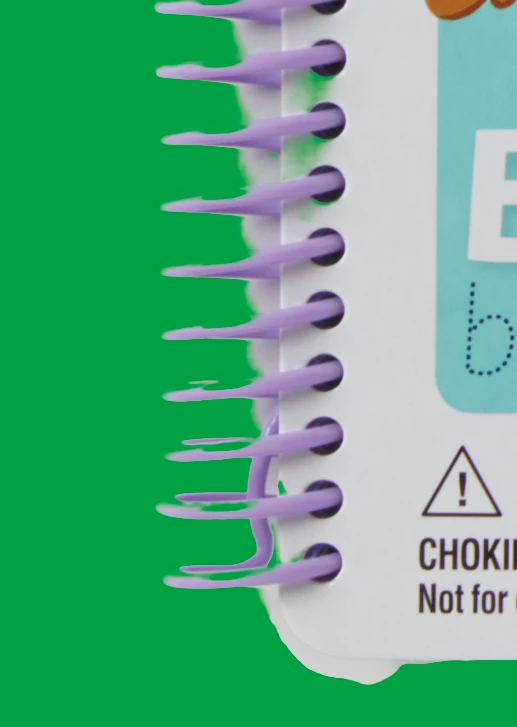
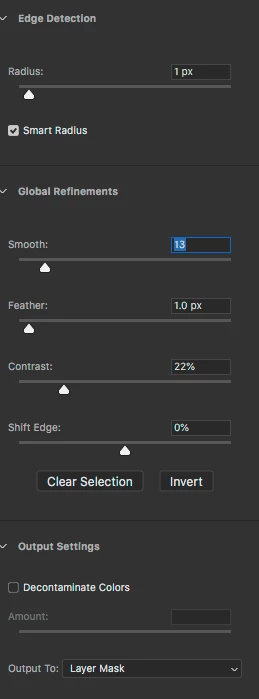
I tried various settings, but this is down the middle of what I usually use.
No rush to be first one to answer, I realize is an advanced question, and looking to use select subject more. On metaliic items there is little hope, but this one should I believe there is a chance.

    This topic has been closed for replies.

    4 replies

    Silkrooster
    Legend
    December 18, 2018

    Sometimes I start with color select then use the refine mask feature. It may even help to select the opposite then invert the mask.

    D Fosse
    Community Expert
    Community Expert
    December 18, 2018

    I frankly don't see why this "should be easy". There are very close tones here, especially since the violet color of the spiral binding spills into both background and cover by reflection. Some of those shadows are identical to the binding itself.

    Furthermore, one can assume that the Select Subject algorithm looks for precisely that: a high-contrast subject against a low-contrast surrounding background.

    Trevor.Dennis
    Community Expert
    Community Expert
    December 18, 2018

    I agree with Dag.  That just isn't an easy subject, and especially the soft gradient of the shadow behind the spline.

    This is what I got with S&M with those hard edges created by the brush tool inside S&M.  I don't normally work this way, preferring tpo clean up with a layer mask, but I tried to be as complete as I could inside S&M.

    It's worth remembering that you can still use the Shift tool inside S&M to make straight lines.

    You'd think there'd be an alpha channel solution, but the mauve spline turns out to be too vague to make that work.  This was the bes I could do with a green channel copy.

    It's not even a particularly easy job for a clipping mask.  Not at that size at least.  I messed up forgetting that I'd reset Preferences yesterday, and still had vector tools snap to grid enabled, which does not allow for the best point positioning.

    One more idea for a quick and easy, and really clean, selection of that spline, is to use Quick Mask.

    A fully hard brush the same diameter as the spline thickness, and Shift click from the outside to half way, and then to the cover.

    An easy clean up and job done.

    Mike_Gondek10189183
    Community Expert
    Community Expert
    December 18, 2018

    Thanks all for your replies, sorry I was not able to check in earlier.

    Good to hear Dave say that refine edge brush tool is best for hair, fur, cloth and that is how I also normally utilize refine edge. None of he others retouchers use select and mask here.

    I got the 8 notebooks done. Basically drew a pen path around the rectangular notebook, then with a brush same size as spline pathed singed spline —which Dennis suggested.

    Reason I wishfully thought this example might be possible  in S & M, flashes correct result flash at times, but the end results gets worse.

    Refine edge works best to for me riding along top edge of fur, with brush  size of variability you want it to sample from. I do find unorthodox usages such as fixing the top half of the high contrast object below, by using refine edge brush stoking in the direction of the red arrow, instead of the quick select tool with minus held down. The bottom half with shadow will need to use a traditional method an nto S & M.

    The shadow is always there and a nuiisisance, and  floating a copy of a dummy layer to try and remove shadow with curves, dodge, gives a rough edge. Select color range also fails on selecting the purple, as I get a rough edge. We are supposed to move in the building with photographer in spring, so will try asking for an extra shot using an extra light to take out shadow, which will overexpose, but with tripod should be able to use one image for exposure, and second for mask.

    davescm
    Community Expert
    Community Expert
    December 18, 2018

    Hi Mike

    I would not use the refine edge brush at all on that subject. I keep it for soft edges (hair, fur, cloth etc). For hard edges in Select and Mask I would use a combination of further clicks with the quick select tool and then the brush tool in S&M.

    For the best selection of that subject though I would use the pen tool and a vector mask for a nice crisp edge :

    Dave

    Silkrooster
    Legend
    December 18, 2018

    Have you tried clicking again to select a shadow area. Just click once. You can then use the modifier keys to remove if it selects too much.

    Silkrooster
    Legend
    December 18, 2018

    Sorry if my answer sounds a bit for a beginner, I didn't see the ACP icon. I always assume beginner until I am told other wise.