Select value every time I change switch tool or create layer mask.
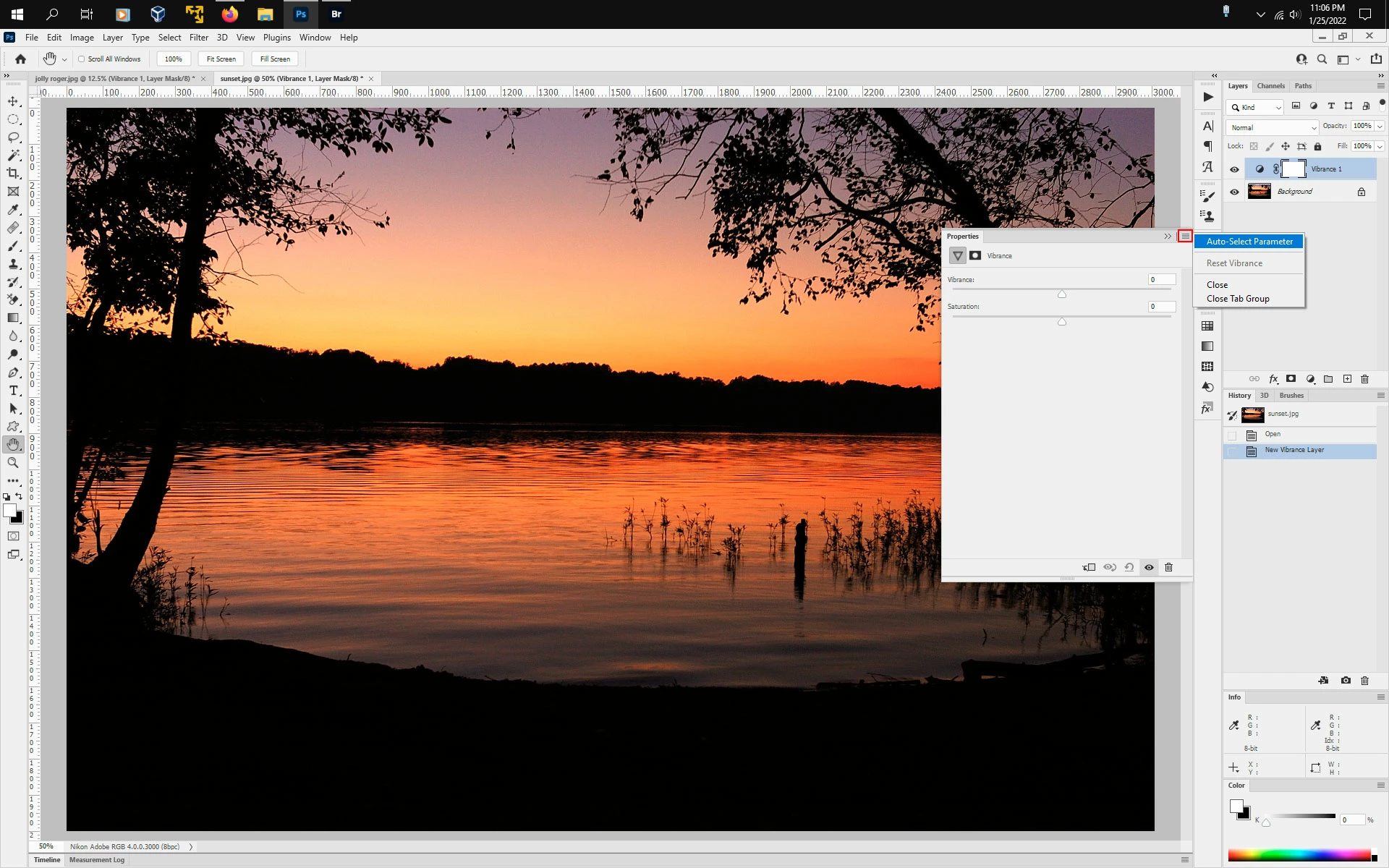
Everytime I change to a tool that has a value, it auto-selects the value and I have to press enter or change the value. This happens as well when creating a mask or anything with a value of some sort. It auto-selects ita dn I have to press enter a million times while editinbg. It's pretty frustrating and I'm not sure how to turn it off.
An example would be if I open a vibrance layer, the vibrance value is at 0, but it's been preselected waiting for me to press enter to keep it at 0 or change the value. So if I wanted to create a vibrance layer and then another type of layer I would have to press enter immediately after creating that layer. This becomes annoying when your editing hundreds of photos with several layers and tools with values.
 AdChoices