
Participant
June 29, 2021
Answered

selection mouse completely wrong

  • June 29, 2021
  • 3 replies
  • 389 views

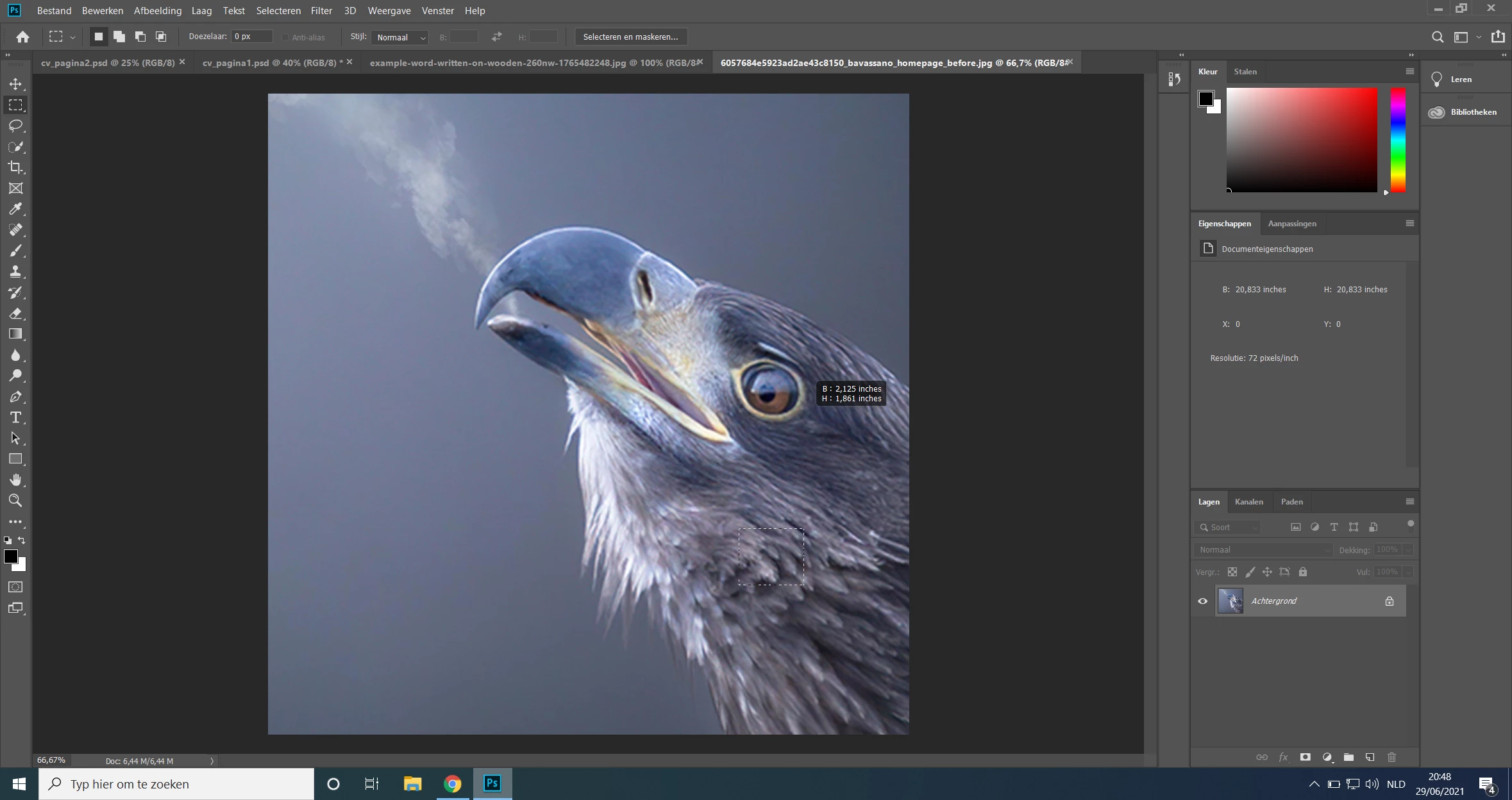
Hi, I have a strange problem in my Photoshop, when I use the selection tool and try to select the eye this is the selection box I get. However when I move the selection (for example if the eye whas an object that I can cut out and replace) the eye is selected as ment instead of the given selectionbox. It is just a visual problem i think but very annoying to work with.
This topic has been closed for replies.
Correct answer Michael Bullo

Have you upgraded to the latest version of Photoshop? I seem to recall others having a similar issue that was fixed with an update. Hope it's that simple.

3 replies

happie_97
Community Expert
Community Expert
July 1, 2021

I agree with resetting preferences, tools, and upgrading to the latest Photoshop. If none of these work, I would do a fresh computer restart and see if that helps.

Community Expert
June 30, 2021

You can also try to reset the preferences:

https://helpx.adobe.com/photoshop/using/preferences.html

Or check for a display card driver update, or a Photoshop update, like Michael suggests

Michael Bullo
Community Expert
Michael BulloCommunity ExpertCorrect answer
Community Expert
June 30, 2021

Have you upgraded to the latest version of Photoshop? I seem to recall others having a similar issue that was fixed with an update. Hope it's that simple.