
Participating Frequently
March 30, 2021
Question

Selections acting strange

  • March 30, 2021
  • 1 reply
  • 136 views

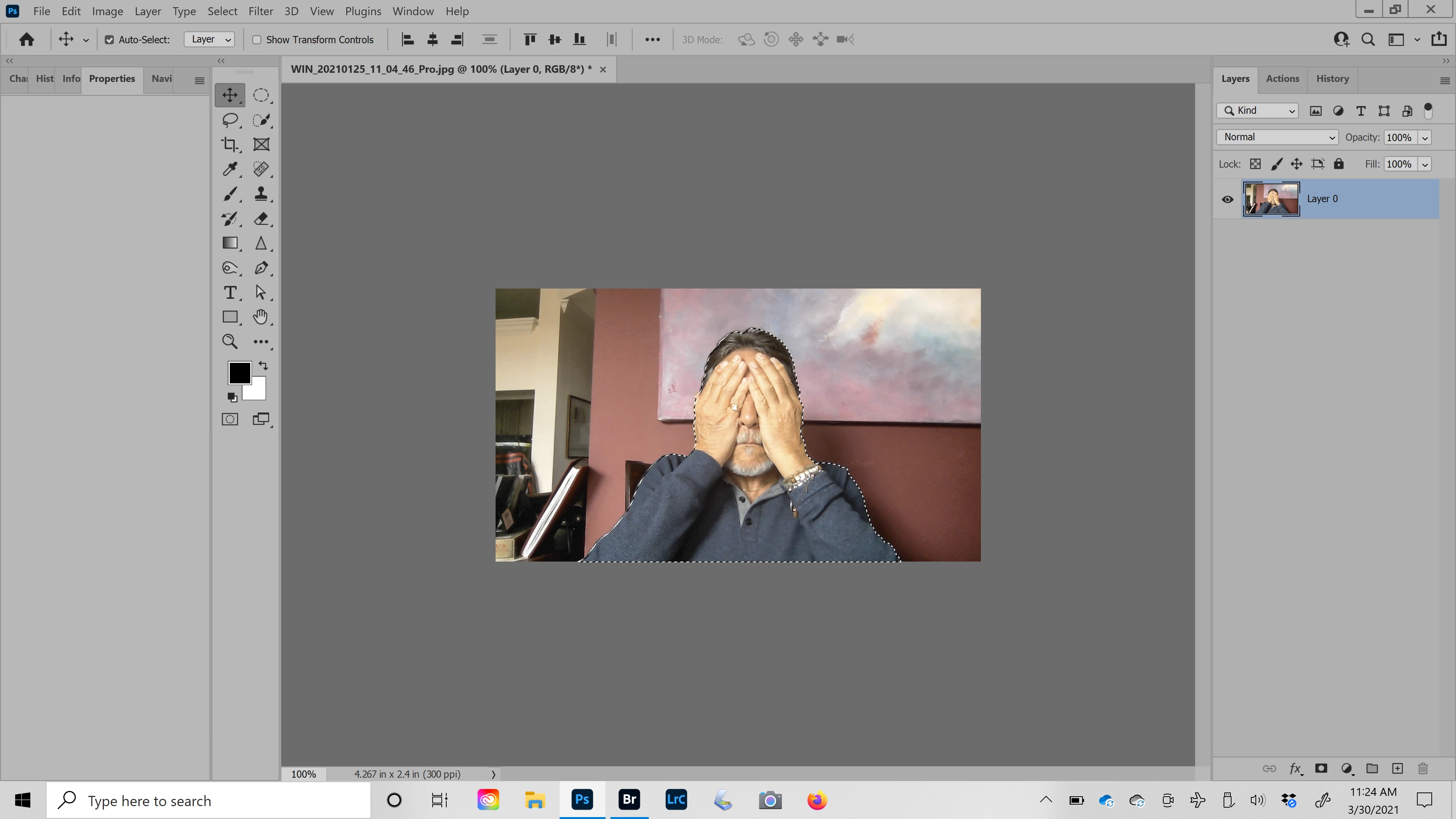
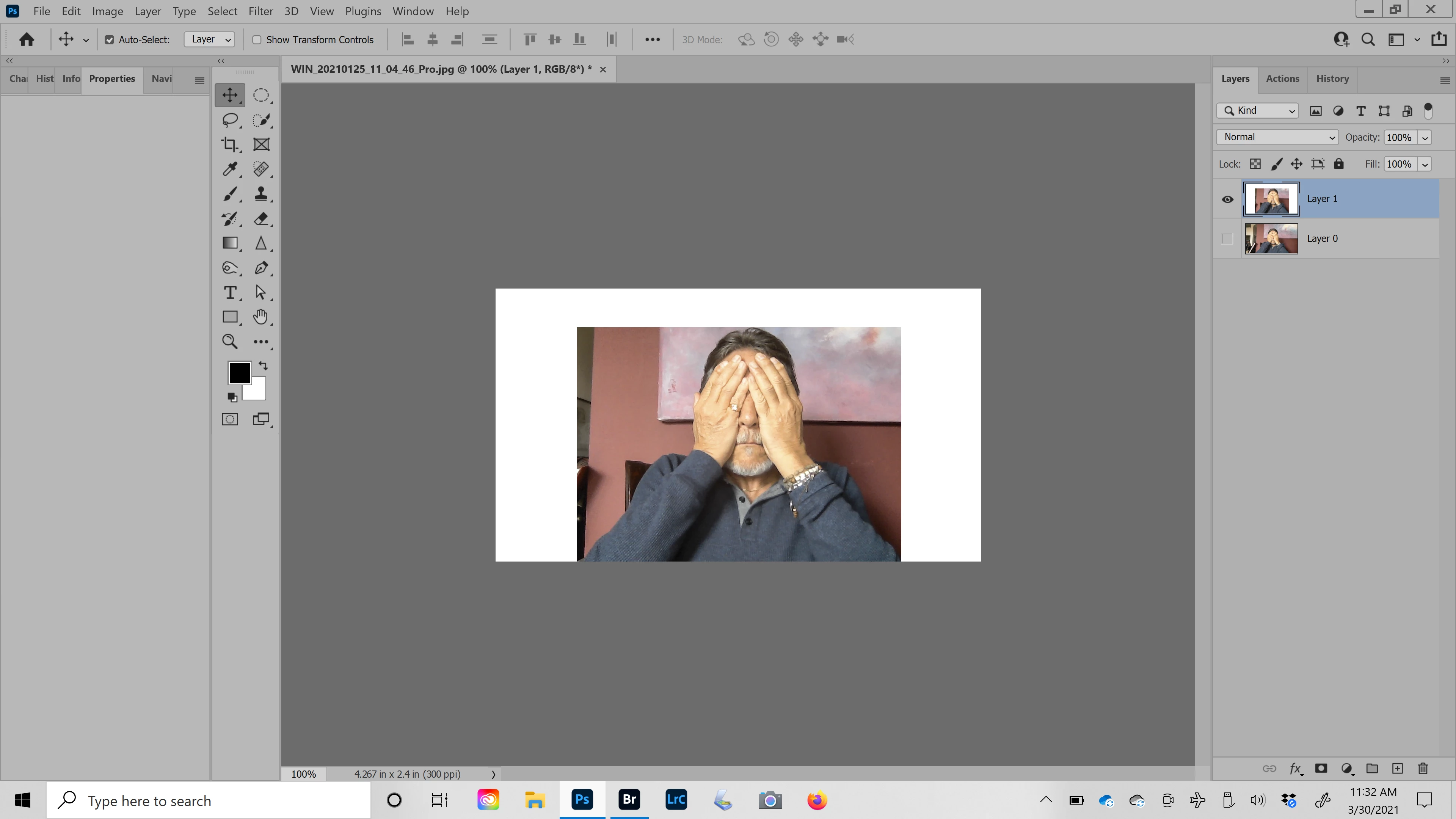
version 22.3 on Dell laptop Windows 10, select subject looks fine but making layer with it (Ctrl+J) brings in retangular part of background. With elliptical selection, end result with Ctrl+J is a rectangle. Same problems with version 22.2. Had to go back to 22.1.1. to resolve.
 

This topic has been closed for replies.

1 reply

Sahil.Chawla
Adobe Employee
Adobe Employee
April 2, 2021

Hi there,

That doesn't sound good. Did you try resetting the preferences of Photoshop and see if that helps? 

https://helpx.adobe.com/photoshop/using/preferences.html


Note: Make sure that you back up all your custom presets, brushes & actions before restoring Photoshop's preferences. https://helpx.adobe.com/photoshop/using/preset-migration.html

Regards,
Sahil