Answered
Seleziona e maschera
Salve !vorrei sapere se per usare gli strumenti in selezione e maschera come il pennello migliora bordo bisogna essere connessi ad internet o comunque se la connessione aiuta la precisione delle maschere! Grazie

Salve !vorrei sapere se per usare gli strumenti in selezione e maschera come il pennello migliora bordo bisogna essere connessi ad internet o comunque se la connessione aiuta la precisione delle maschere! Grazie
first of all thank you! I sent her the video where I apply the brush!
it doesn't improve the selection, in fact it makes it worse! in all the photos where I apply it!
OK, we can see you are dealling with a subject matter that causes everyone a problem.
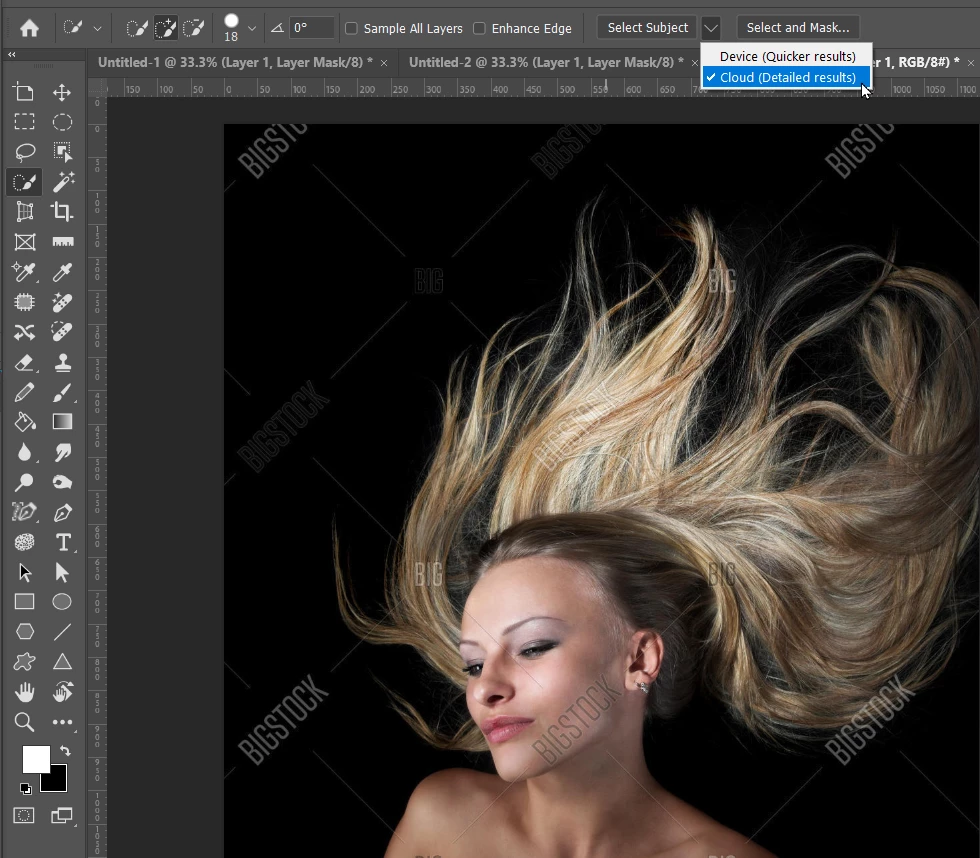
I have select the Quick Selection tool, and then Select Subject in the Options bar.
In this instance, there is a drop down that lets us choose Cloud (Detailed results) and does require and internet connection
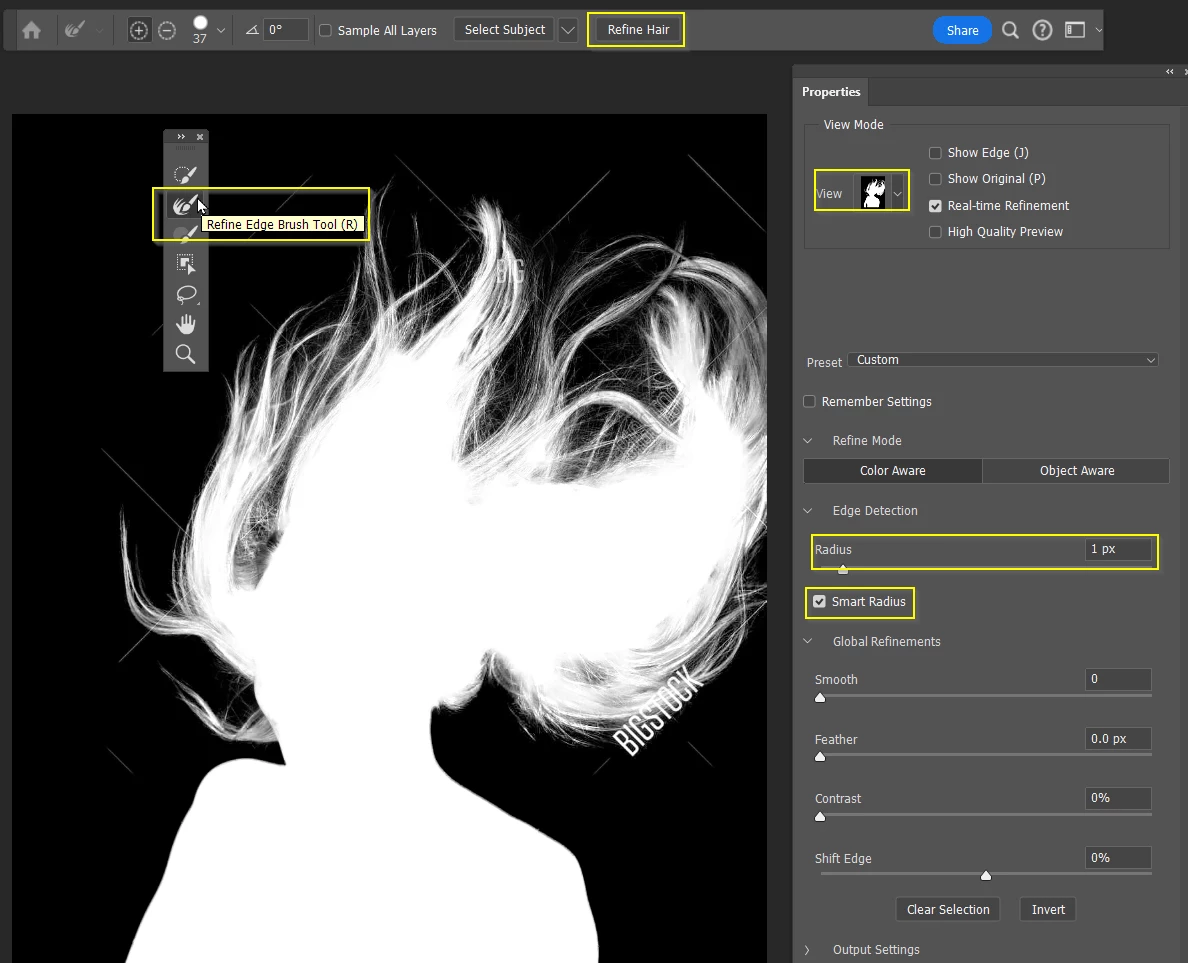
In Select & Mask, I like to use the Black & White view as I think it gives us a better view of the fine detail.
You are not going to get it perfect though.
I always choose to output to either a new layer with layer mask, or just add layer mask to current layer. The mask lets us further refine the selection.
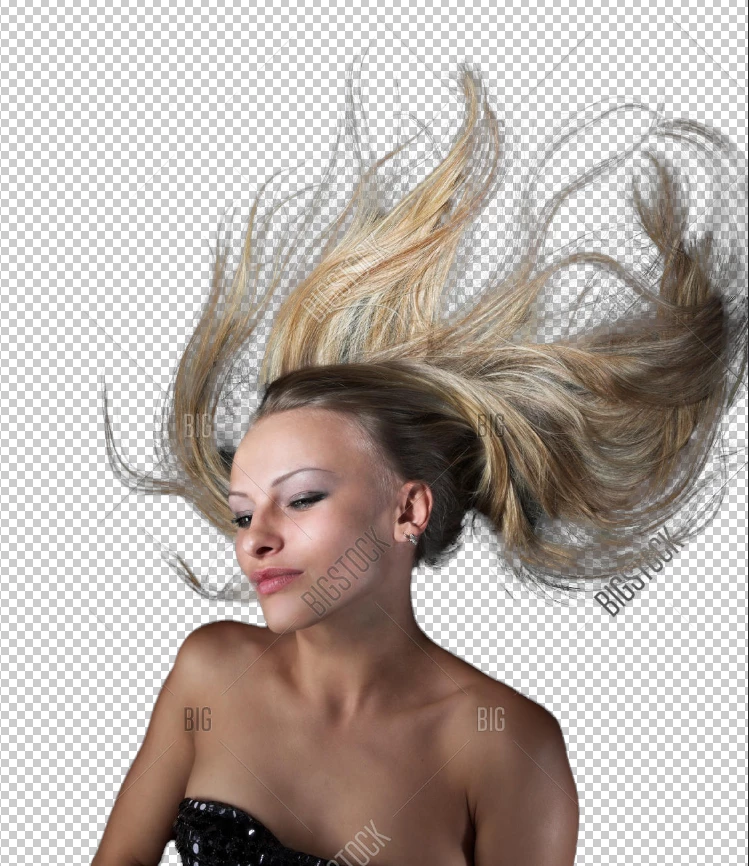
Knowing how you will use the selection is important as it will effect what shows through the hair.
I've got another example here. Note green tinge around her head
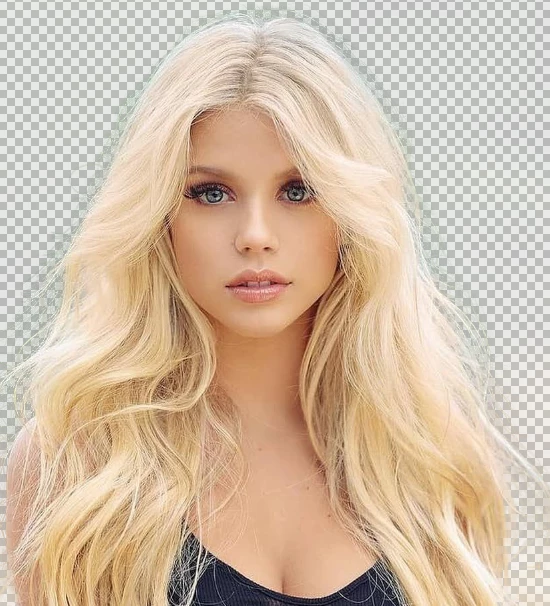
We can fix that with Decontaminate Colors that green haze has completely gone.
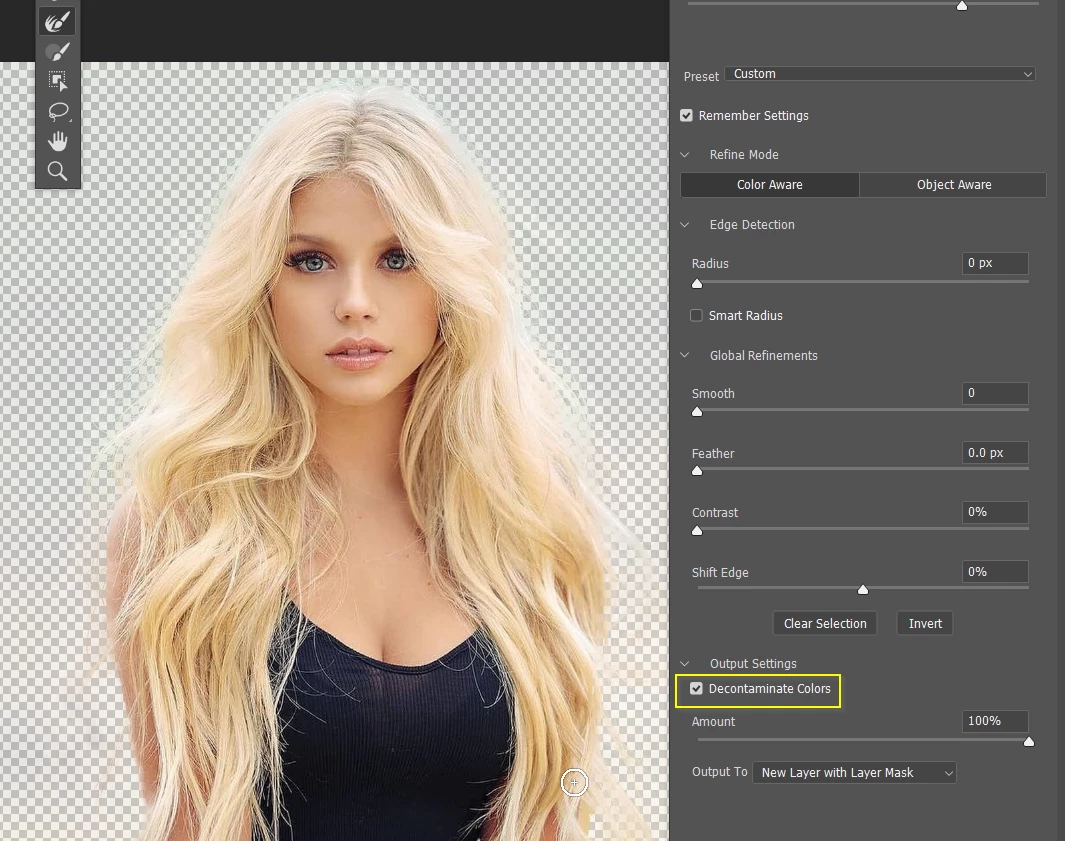
There some tricks to making and faking fine hair selections. This video from Jesus Rameriz is excellent, but I don't know if the langauge will be an issue
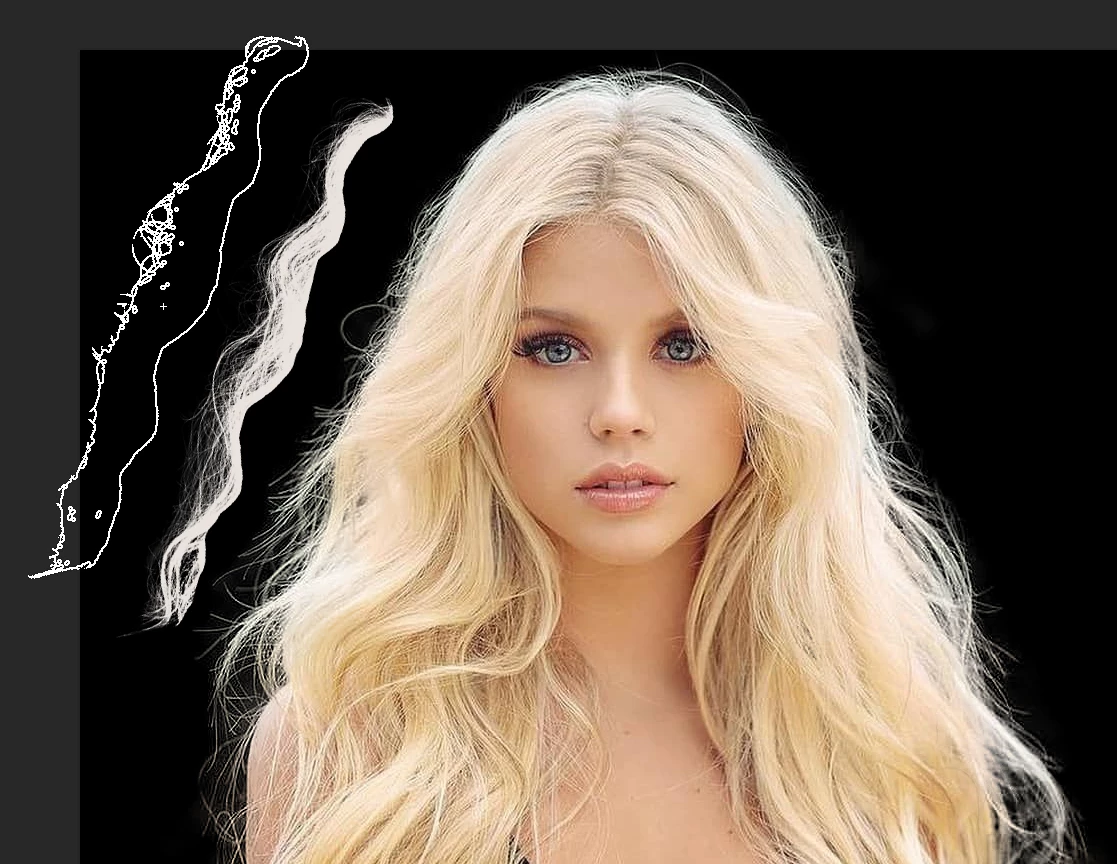
The trick so many people use is to add new hair to the selection. Jesus has a free hair brush at this address
Note I have placed a black layer behind the selection, which shows we have a decent result.
The Photoshop Training Channel brush is top left. If the out line selection had not worked out, you could use a brush like this to clean up the outline
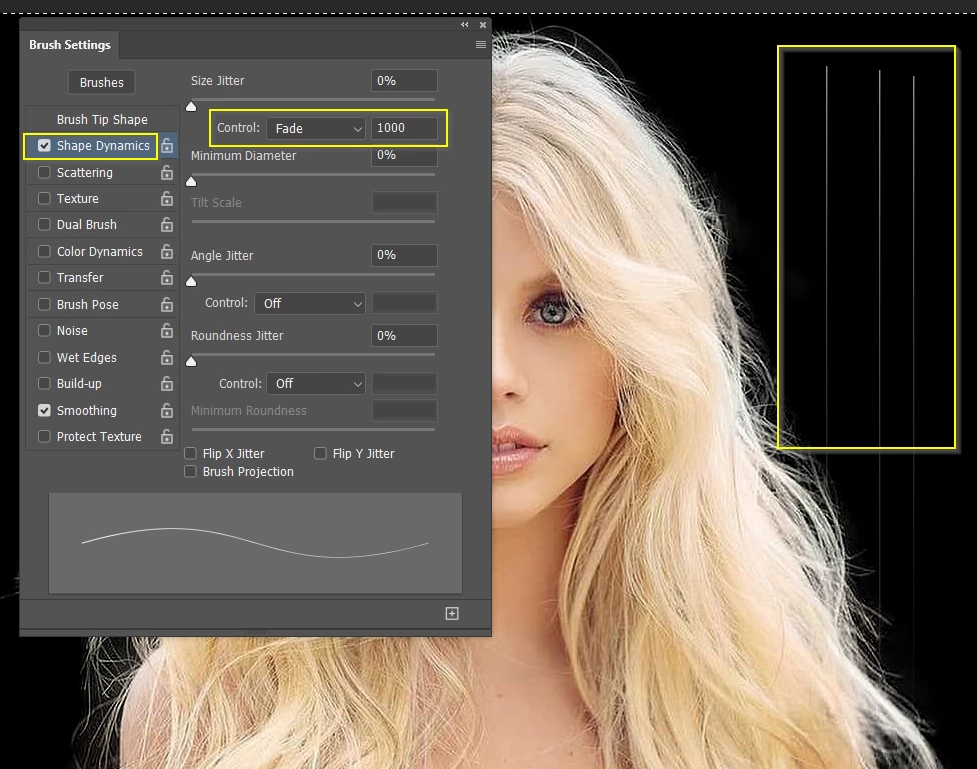
You can add individual strands of hair with a fully hard, one pixel brush with size jitter set to fade. Spacing is set to 5% in this example. Start the brush stroke well inside the existing hair to hide the start of the stroke, and adjust the Fade value to give you the required length.
Already have an account? Login
Enter your E-mail address. We'll send you an e-mail with instructions to reset your password.
 AdChoices