plokbuk81030018
Participating Frequently
March 4, 2020
Answered

separate selected areas into layers

  • March 4, 2020
  • 3 replies
  • 10429 views

I selected several sprites and want to move each one to a new layer, as shown in the second image
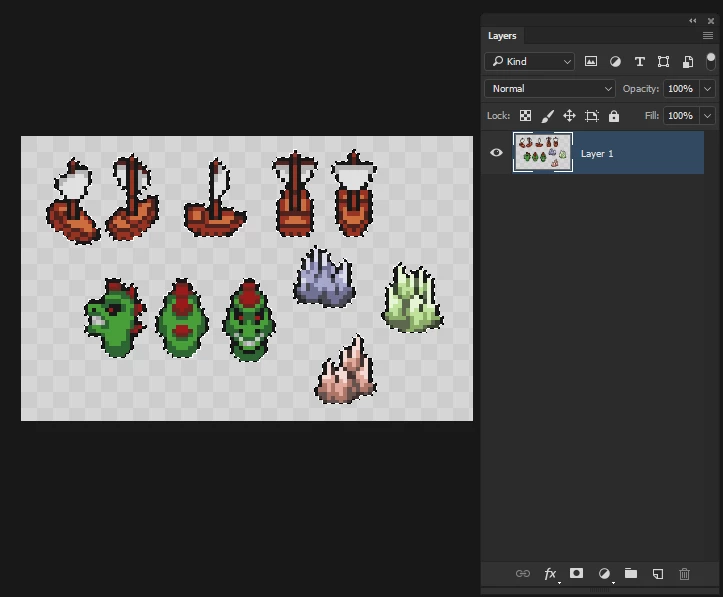
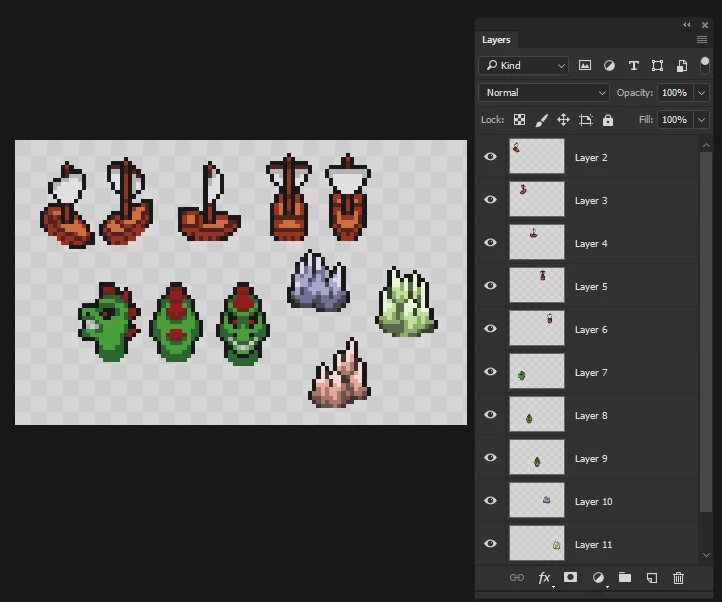
how can i do this?

This topic has been closed for replies.

3 replies

Participant
November 7, 2021

It's Amazing! Thank you!

Stephen Marsh
Community Expert
Community Expert
March 4, 2020

There is a script for that, I'll post it later...

plokbuk81030018
Participating Frequently
March 4, 2020

thank you

Semaphoric
Community Expert
Community Expert
March 4, 2020

Select each sprite, and Layer > New > Layer Via Cut [Shift+Control+J].


plokbuk81030018
Participating Frequently
March 4, 2020

that will put all sprites in one new layer. i want it to do this, put each selected area to new layers. look at second image.
so basically, how can i go from that first image to the second one?

Leslie Moak Murray
Community Expert
Community Expert
March 4, 2020

You could make a new document to the same size and dpi and move each one over to it one by one. Each would then be on its own separate layer.