
michaelr87005377
Participating Frequently
November 27, 2020
Question

Separating an object by removing background

  • November 27, 2020
  • 2 replies
  • 237 views

Hi

I am trying to remove the background to just leave an object using the pen tool by selecting all around the object. I have then gone on to click 'make selection' which then selects my object but the outer area on the entire background image too. 

When i then click 'add mask' photoshop thinks i want the object removed and keeps the background.

Any help to allow me to just select my object and not the entire picture would be of help

Thanks
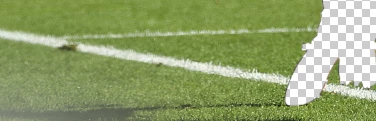
 

This topic has been closed for replies.

2 replies

jane-e
Community Expert
Community Expert
November 27, 2020

You can invert your selection before you make the mask by going to the Selection menu > Invert. 


After the fact, you can invert the mask itself. Select the mask (not the image) in the Layers panel. Go to Image menu > Adjustments > Invert (Cmd+I/Ctrl+I).


~ Jane

michaelr87005377
Participating Frequently
November 27, 2020

Thank you. Sorted!

jane-e
Community Expert
Community Expert
November 27, 2020

You're welcome, @michaelr87005377 

~ Jane

JJMack
Community Expert
Community Expert
November 27, 2020

Can not tell what you did to get that result.  Capture your Photoshop window with your image with your pen path.


JJMack