Inspiring
July 30, 2015
Question

Set Histogram To RGB

  • July 30, 2015
  • 3 replies
  • 451 views

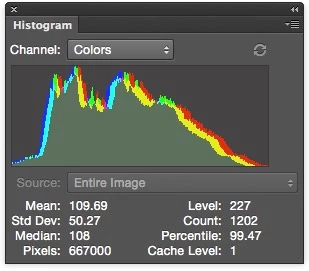
By default, the Histogram panel defaults to Colors and I was wondering if anyone knew how to set the default value to RGB or how to change this via scripting

This topic has been closed for replies.

3 replies

D Fosse
Community Expert
Community Expert
January 3, 2024

It used to be "RGB" by default, many versions ago. A remnant of this still sticks:


When you open a file it's set to "Colors", but if you click a single channel and then go back to RGB, it reverts to "RGB" mode and stays there.


So actually, all you need is an action to target, say, the red channel, and then back to RGB. Voila, the histogram is in RGB mode.


Personally I want "Colors" to see each channel, so this has been a (minor) annoyance for a long time.


c.pfaffenbichler
Community Expert
Community Expert
January 3, 2024
quote

When you open a file it's set to "Colors", but if you click a single channel and then go back to RGB, it reverts to "RGB" mode and stays there.

Nifty! 

I hadn’t noticed that. 

And as selecting the Red Channel and the Composite Channel can be recorded in an Action one should be able to assign such an Action to the Open Event with Script Events Manager. 

c.pfaffenbichler
Community Expert
Community Expert
January 3, 2024

@r-bin , please forgive the intrusion, but do you know if this can be set via Script? 

Known Participant
December 31, 2023

Sorry, no answer -- but I'd like to second this!


A