Answered
setting and moving the anchor points on a layer ?
in after effects you can easily move the anchor point around for any layer so that it will pivot in a certain way when moved.
how can do this in photoshop?

in after effects you can easily move the anchor point around for any layer so that it will pivot in a certain way when moved.
how can do this in photoshop?
Hi
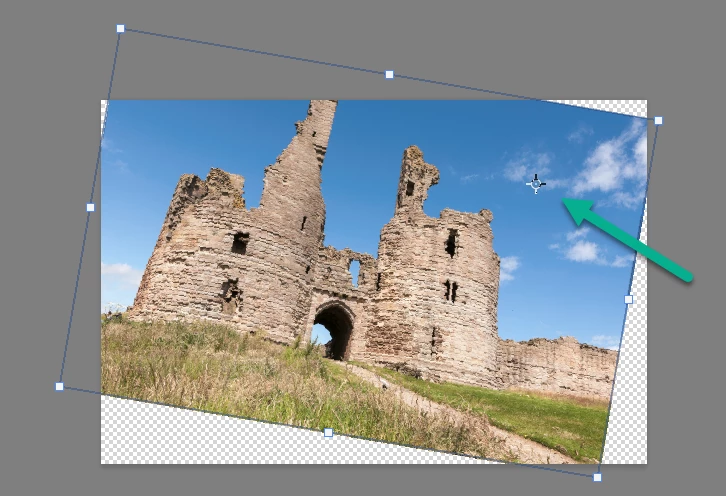
Make sure that in Preferences >Tools "Show Reference Point when using transform" is checked.
Then just click and drag the point to move it
Dave
Already have an account? Login
Enter your E-mail address. We'll send you an e-mail with instructions to reset your password.
 AdChoices