
joshuab62404869
Participating Frequently
May 8, 2018
Question

Shadow script ? A dream or reality ?

  • May 8, 2018
  • 3 replies
  • 1528 views

Hi guys,

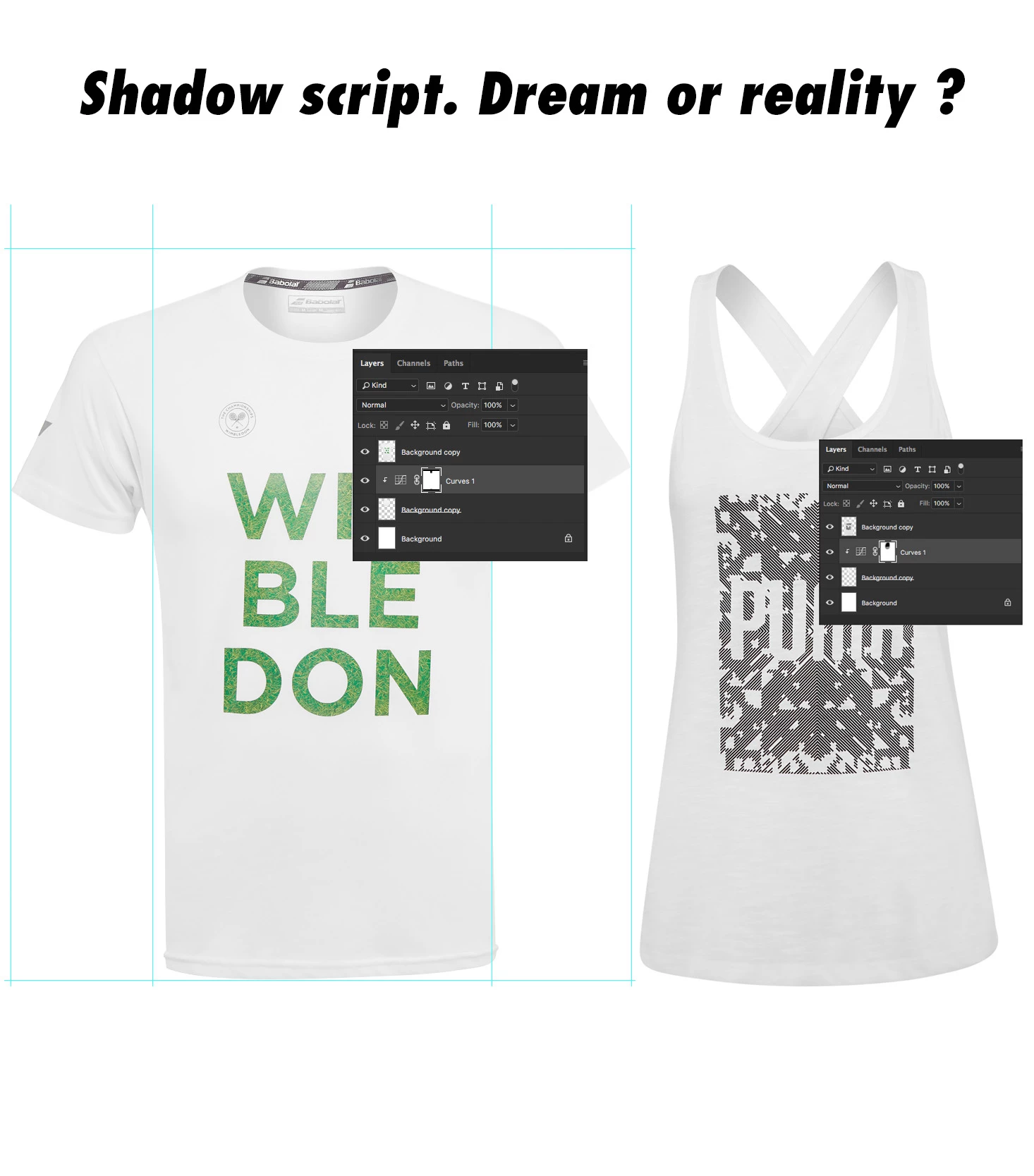
back here with another question. Wondering if there's a way to create a nice shadow, an automated one for apparel in my case. 

Apparel type may vary from time to time...from t-shirts, to bras, underwear and so on...so the shadow should work no matter what type of cut is ...if that make sense.

See pictures attached.

All ideas are welcome, all critics are accepted.
This topic has been closed for replies.

3 replies

Archevette
Participant
May 17, 2018

Hello! There's a pretty quick way to make nice shadows.

Select areas in need of a shadow > Create a Color Fill Layer > Set that layer to Multiply

Select a fairly neutral color opposite the color of your light source. Yellow lights will generate bluish shadows, red lights produce greenish shadows, etc. In studio lighting for product photos it's typically white balanced so it's really free game but I don't suggest grey, it'll make your shadows lifeless.

To alter the shadow, a large soft round brush works well on the mask for gradients. It's also nice to be able to play with the shadow color by just changing the color fill layer or layer opacity to see what makes your products sing.

The color matching from real versus fabricated shadows isn't perfect with this method but it might help your workflow.

joshuab62404869
Participating Frequently
May 22, 2018

emmm......far from what I need bro

Inspiring
May 8, 2018

Hey, I'm also looking for 'realistic' shadows... I'm not sure how you need your shadow to be but I want to agree on your point that Photoshop is clearly missing the point with shadow... totally fake looking becuz tool are lacking options.

There need to be options such as :

1- Enable the 'drop shadow' have distortion, skew and perspective from the LayerFx manu option.

2- There a need for a 'gradient blur' becuz the further you get the more blur you need.

3- Need at least 2 layers, one for umbra and one for penumbra, that is not a problem now since we can add many drop shadow as we want in the LayerFx.

There a fews good javascript on GitHub for 'html' for doing great shadows but I don't know if they are compatible with Adobe javascript ?

joshuab62404869
Participating Frequently
May 8, 2018

There's some smart people out here around, hopefully will find out something.  Cheers !

Chuck Uebele
Community Expert
Community Expert
May 8, 2018

Do you want a drop shadow on just the text? You will need a layer with just the text on it. It looks like your text is merged with the background, so you would have to isolate the text somehow.

joshuab62404869
Participating Frequently
May 8, 2018

No no Chuck, I meant shadow inside the shirt neck, or whatever apparel