mark_proulx
Participant
February 2, 2020
Question

"Shapes" Don't Show to Print

  • February 2, 2020
  • 2 replies
  • 932 views

This is embarrassing, but I ask because I've been unable to find the answer via the help and tutorials.


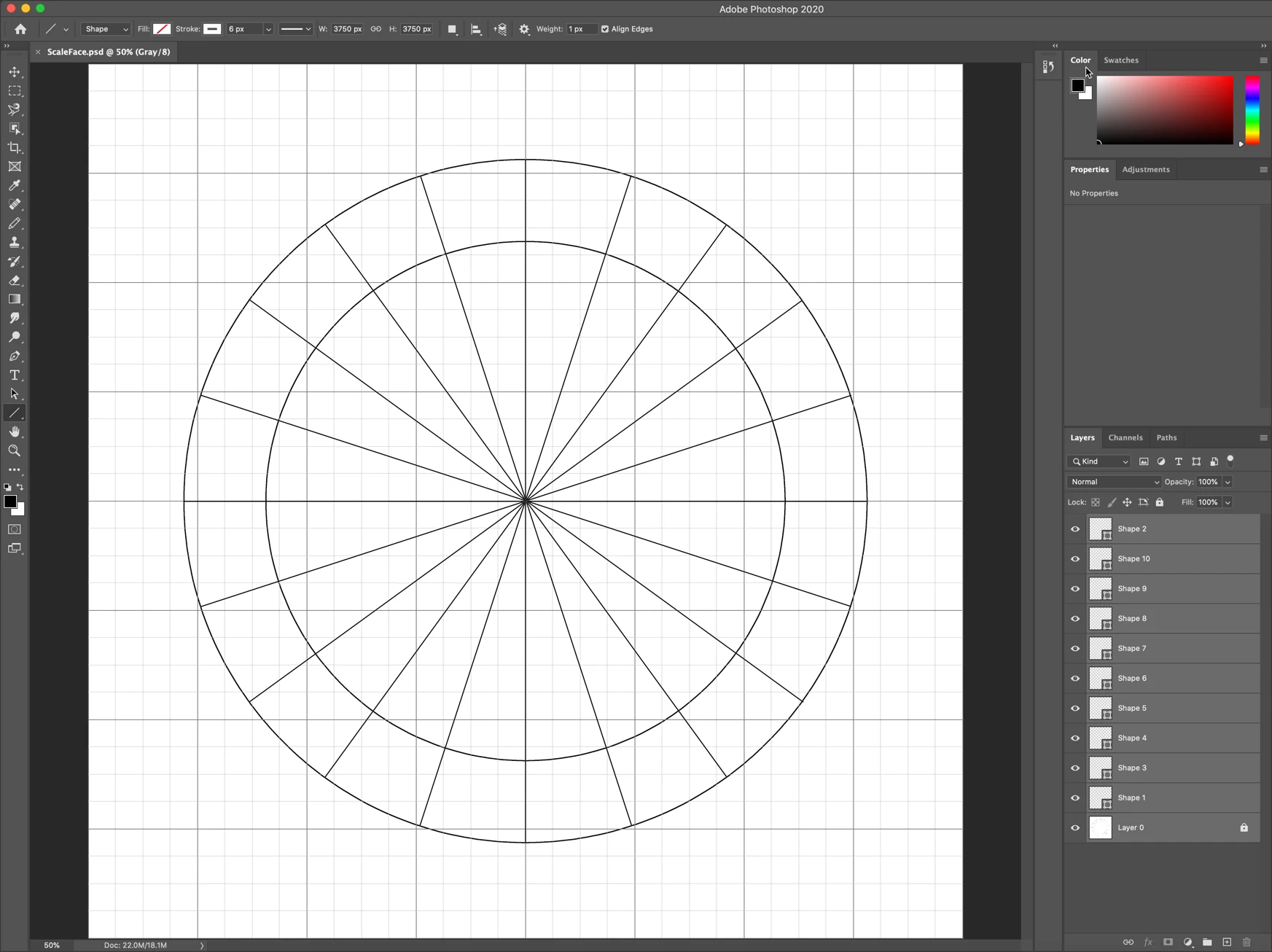
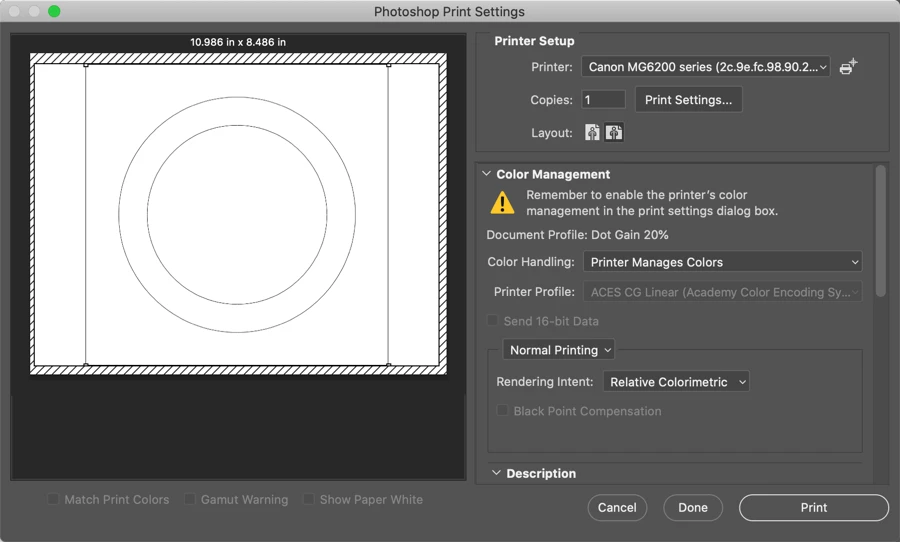
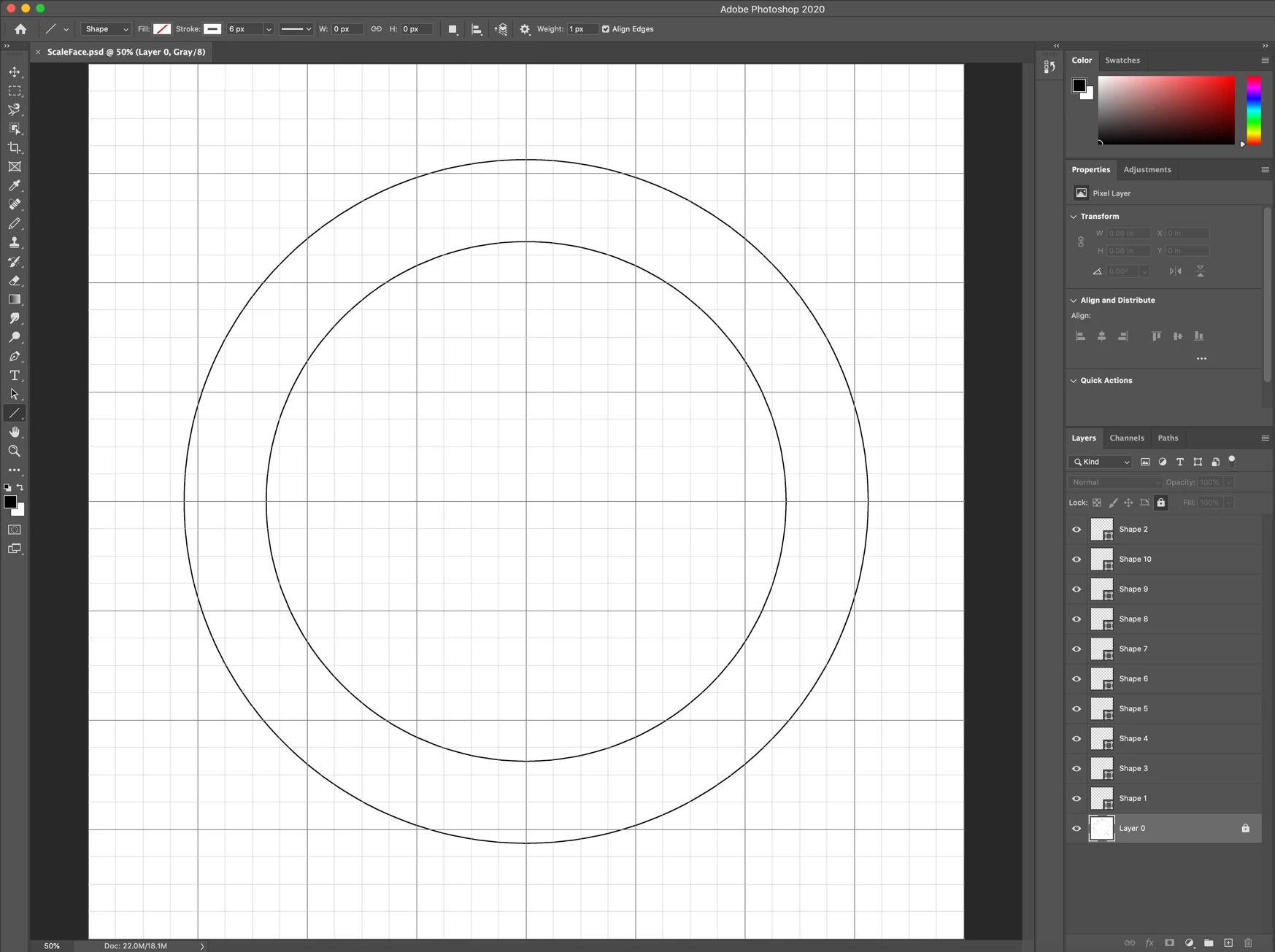
I've created a simple graphic - two concentric circles and an array of spokes.  The circles are in the base layer. I created each spoke as a "shape;" each resides in its own layer.  The spokes do not show in the print preview and of course, do not print.


I've attached some screen shots to better illustrate the situation. I'd appreciate any guidance on how to print what I have while retaining the ability to manipulate each spoke as a distinct entity.


The file is small (~3MB); I can provide it on request.
This topic has been closed for replies.

2 replies

Semaphoric
Community Expert
Community Expert
February 2, 2020

Looks like you have no fill and a white stroke. Try setting one or both to some dark color.

c.pfaffenbichler
Community Expert
Community Expert
February 2, 2020

The spokes do not seem to show in the first screenshot either, so what fill, stroke, width etc. do they actually have? 

Can you provide the file? 

mark_proulx
Participant
February 2, 2020

They don't show in the first screenshot because their layers aren't selected.  How do I supply the file?

c.pfaffenbichler
Community Expert
Community Expert
February 3, 2020

If they only show when they are selected then what are they supposed to be? 

A Layer that is not hidden (or located in a hidden Group) should be visble, so once again: What is their fill, stroke etc.? 


You can use any file-transfer-system to provide the file.