MahaB82A
Legend
August 12, 2023
Answered

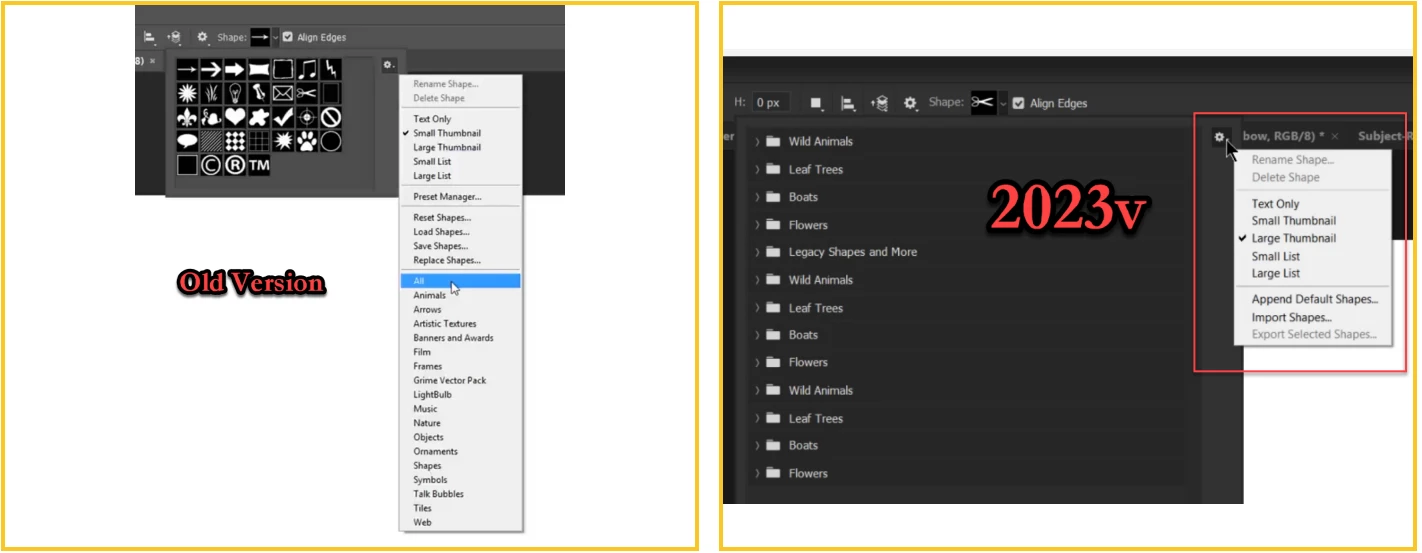
Shapes dropdown list in new version

  • August 12, 2023
  • 3 replies
  • 598 views

My Ps apps is newer version. In the older version there was an option of selection called All which shows the all the shapes. I couldn't see that in my newer version. How to get it?


This topic has been closed for replies.
Correct answer Jeff Arola

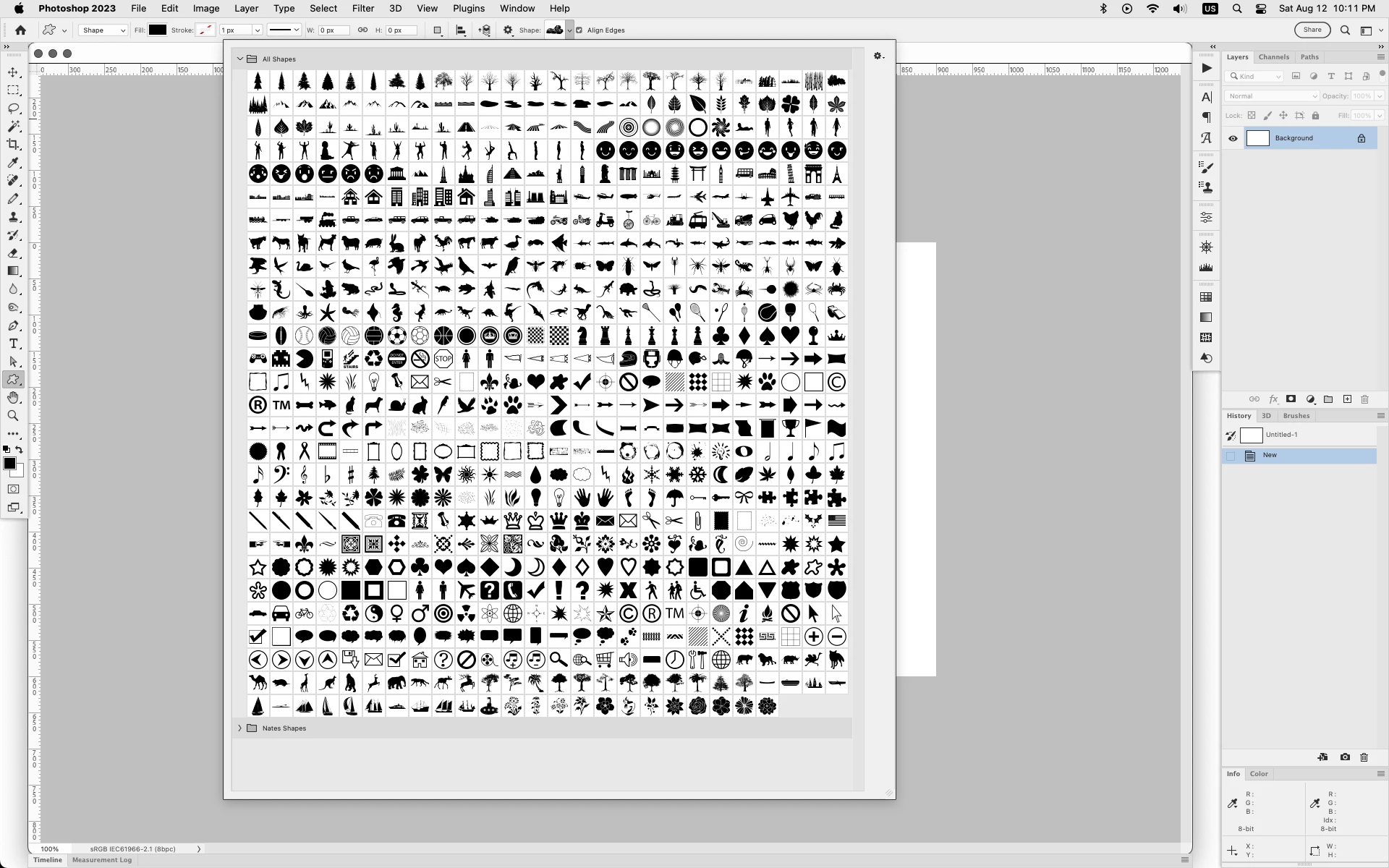
What i did after getting tired of having to click on a folder just to see 5 shapes is made my own All Shapes folder.
 

3 replies

MahaB82A
MahaB82AAuthor
Legend
August 13, 2023

Thanks for all.

jane-e
Community Expert
Community Expert
August 13, 2023

You're welcome, @MahaB82A ! 😊


Jane


Jeff Arola
Community Expert
Jeff ArolaCommunity ExpertCorrect answer
Community Expert
August 13, 2023

What i did after getting tired of having to click on a folder just to see 5 shapes is made my own All Shapes folder.


MahaB82A
MahaB82AAuthor
Legend
August 13, 2023

Do you made a separate folder in Windows Explorer or imbeded folder in Ps app?

jane-e
Community Expert
Community Expert
August 13, 2023

@MahaB82A 


You can organize the shapes and shape groups using the Shapes panel menu. Choose New Shape Group and drag the shapes into it.


I haven't done that because I don't use all of the shapes. Instead I dragged Talk Bubbles to the top of the list.


After you organize your shapes in the Shapes panel, you can continue to use the options bar, which will reflect your changes.

Jane

jane-e
Community Expert
Community Expert
August 13, 2023

@MahaB82A 


There was a change in Photoshop 2020. Open the Shapes panel from the Window menu (not options bar). From the Shapes panel menu, choose Legacy Shapes and More.

https://helpx.adobe.com/photoshop/using/drawing-shapes.html#legacy-custom-shapes


Jane