sarab49518851
Participant
September 15, 2017
Answered

Sharp edges instead of curved ones when you fold a picture

  • September 15, 2017
  • 1 reply
  • 1978 views

Hello,

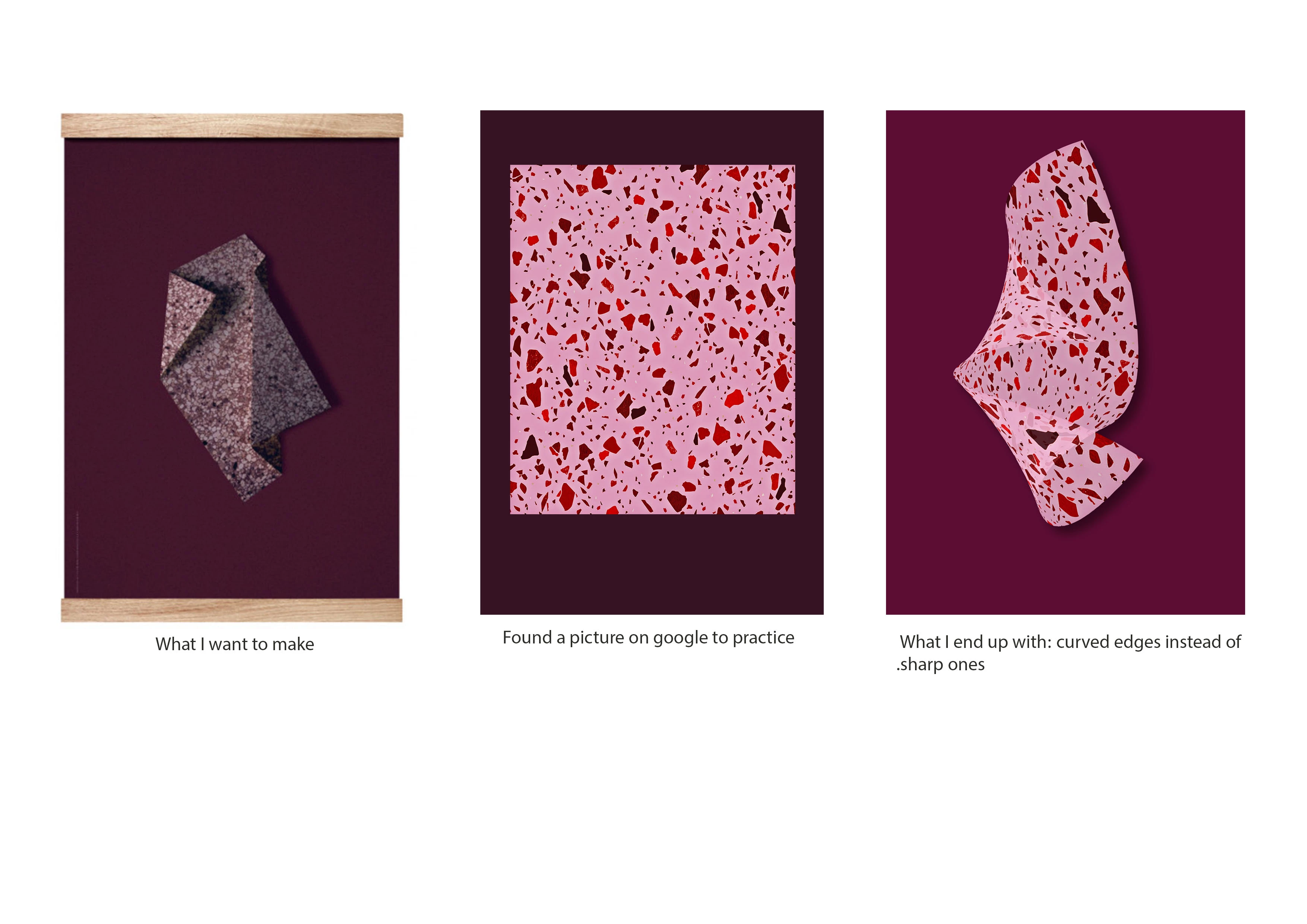
I'm practicing to fold pictures. But everytime my edges are round and curved when I 'fold' the shape or picture with the 'Move Tool'. I click on Move Tool, than go to 'Switch between free transform and wrap modes' and than i'm folding the edges of the picture. Everytime the edges are round and curvy but i want them straight and sharp. On the forum and on youtube I can only find tutorials or help for round edges and not for the ones i'm searching for.

See screenshot.

Can you help me? Thnx
    This topic has been closed for replies.
    Correct answer davescm

    I think this is what you mean :

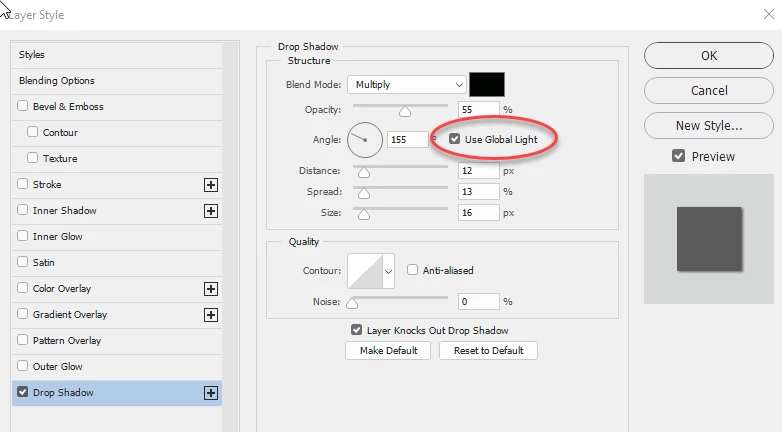
    When you set a drop shadow you can set it to use the global light or, if you uncheck that, a local light. Global is usually useful to ensure all your shadows come from the same angle, but it does mean that if you adjust the angle you adjust the angle of all using that global setting. I used the global setting but just adjusted the distance and spread to be different for each.

    However, if you do want the angles to be different just uncheck it.

    Dave

    1 reply

    davescm
    Community Expert
    Community Expert
    September 15, 2017

    Hi

    I wouldn't do that with warping

    I would copy the sections onto separate layers and then move & transform flip  them into position. An adjustment layer on each alters the tone and finally a drop shadow gives that 3D effect

    Dave

    sarab49518851
    Participant
    September 15, 2017

    Omg, Dave, thank you so much!

    One question about the shadows: when I want to make the shadow per layer/corner the layer above or underneath it would also change the shadow. For example; i wanted to change the angle of the shadow at one of the corners but than all the layers changed instead of only one. Even when the layer isnt visible. Do you have any idea how i can stop changing them? Now i'm copying the image merged, paste it in a new document and add the shadow on a new layer and new edge.

    I'm using cs6 btw.

    again: thanks!

    davescm
    Community Expert
    davescmCommunity ExpertCorrect answer
    Community Expert
    September 15, 2017

    I think this is what you mean :

    When you set a drop shadow you can set it to use the global light or, if you uncheck that, a local light. Global is usually useful to ensure all your shadows come from the same angle, but it does mean that if you adjust the angle you adjust the angle of all using that global setting. I used the global setting but just adjusted the distance and spread to be different for each.

    However, if you do want the angles to be different just uncheck it.

    Dave