
Participant
September 11, 2022
Answered

Show/hide layers issue

  • September 11, 2022
  • 2 replies
  • 262 views

Hi everyone,

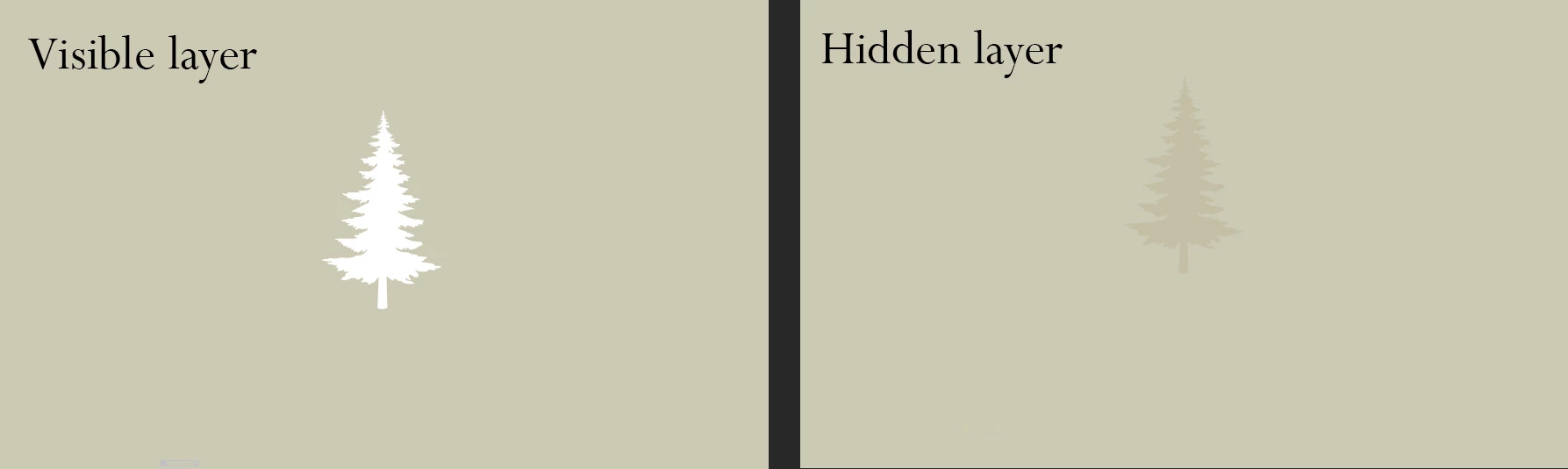
I have an issue with layers, when i need to hide a layer, photoshop keeps displaying silhouettes of the objects like this, you can see it on the image here, it lasts until i make some other action, it's very confusing when i have many layers there and i need to hide/show them often. 

In preferences, I tried to turn off multithreaded compositing, but it didn't work.

What is the problem? thanks for help.

My photoshop version is 23.5, windows 10
This topic has been closed for replies.
Correct answer insomnya

well I tried to reinstall photoshop and it didn't help, then I reinstalled graphics driver and still it wasn't working correctly. As the last option I installed older photoshop version and still nothing.


Just somehow, after a while the problem with layers was gone, but I really can't tell what fixed the problem actually. Probably installing older PS version helped

2 replies

insomnyaAuthorCorrect answer
Participant
September 19, 2022

well I tried to reinstall photoshop and it didn't help, then I reinstalled graphics driver and still it wasn't working correctly. As the last option I installed older photoshop version and still nothing.


Just somehow, after a while the problem with layers was gone, but I really can't tell what fixed the problem actually. Probably installing older PS version helped

Participant
October 17, 2022

Hi, I got the same issue, may i know which version you install?

insomnyaAuthor
Participant
October 17, 2022

Hi, it's version 23.3.1

Mylenium
Legend
September 11, 2022

Start by updating your system's graphics driver and check the relevant hardware acceleration preferences. Such issues typicalyl indicate problems on that front.


Mylenium