briemactoma
Participant
February 15, 2019
Question

Sick of Liquify Tool Bug!

  • February 15, 2019
  • 5 replies
  • 2345 views

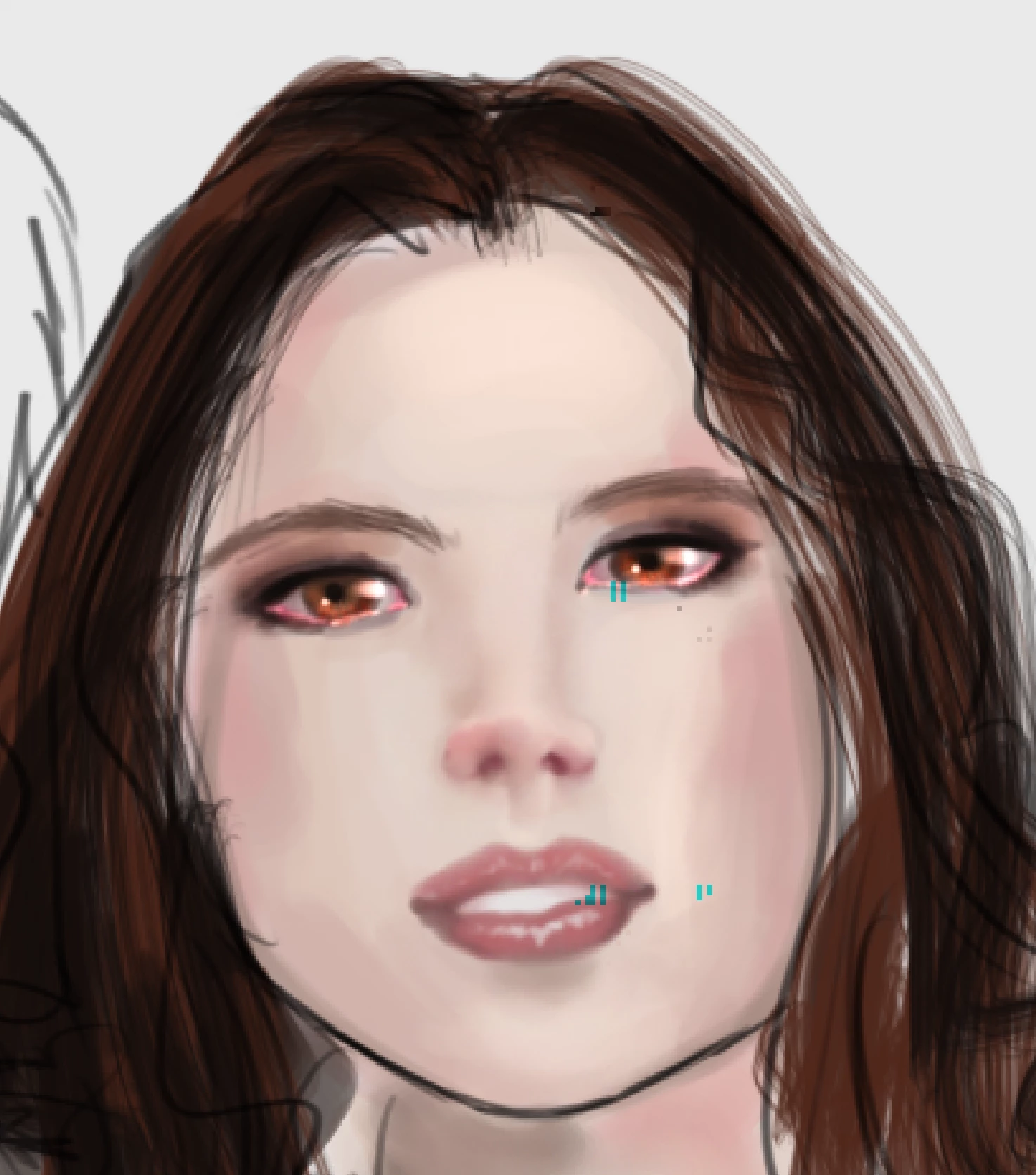
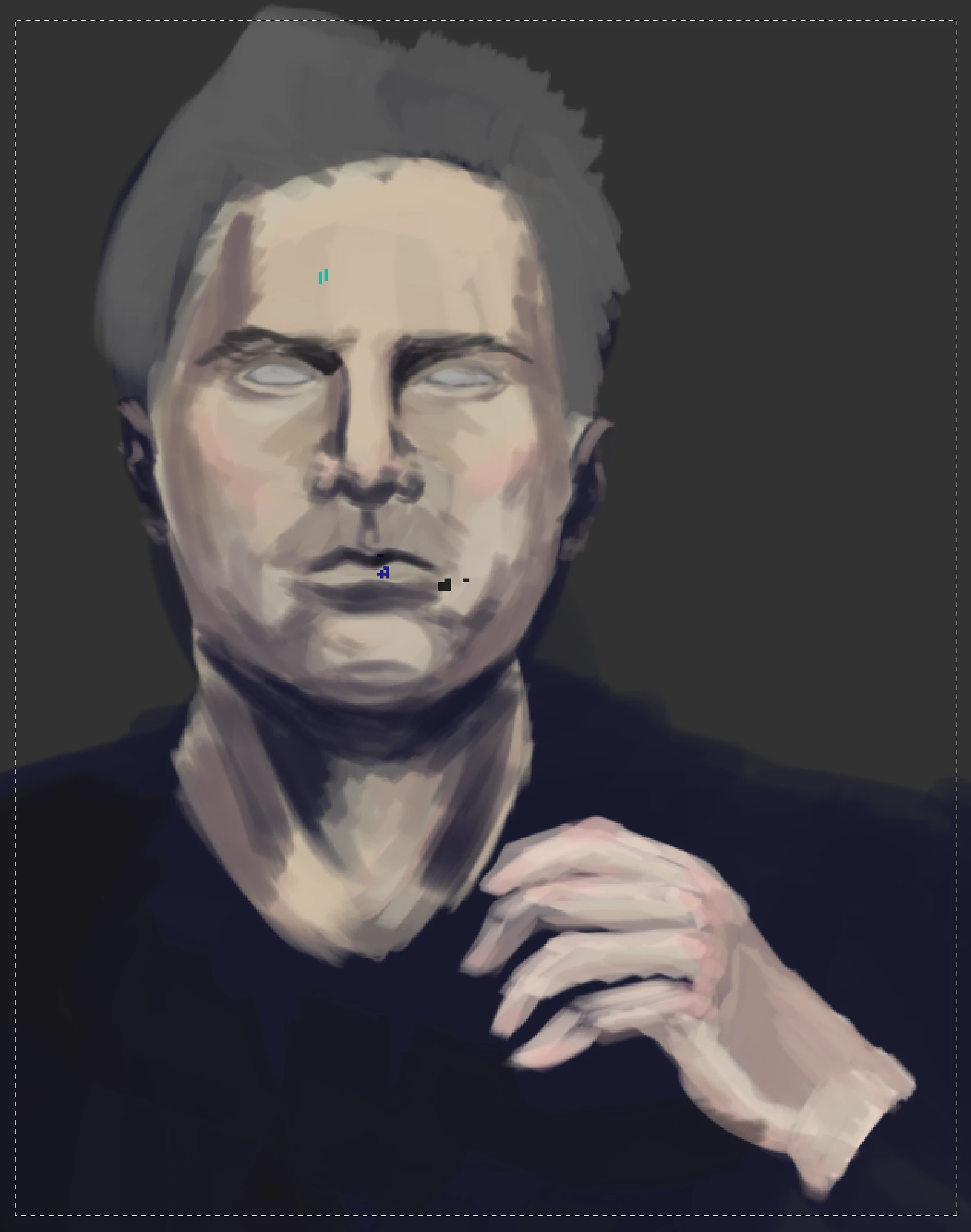
I am running macOS Mojave 10.14.3. I am UPDATED. The update DOES NOT work. I keep getting the run around with Adobe and cannot file a simple bug report. Everyone on this forum has already posted about the bug. My commissions are suffering because I have to waste my time fixing the dots on my paintings. FIX IT!!! How long has it been? Do I have to cancel CC and go back to old school Photoshop? I NEED the Liquify Tool. And these customer care bots, the shady goose chases, and oversimplified half-fixes do not cut it. I was going to be diplomatic but Adobe has really tested my tolerance for poor customer service.

Fix the bug.
This topic has been closed for replies.

5 replies

RBurgett57
Inspiring
March 12, 2019

Just upgraded to Photoshop 20.0.4.

It's still there.

gener7
Community Expert
Community Expert
March 12, 2019

One way out is to install and use CC 2015 which doesn't seem to have this problem. to do this, go to "Manage > Other Versions in your CC app.

Known Participant
March 1, 2019

I agree, its driving me crazy! I am getting WAY more artifacts too. I hate using liquify without the graphics processor, it runs so slow and is delayed.

c.pfaffenbichler
Community Expert
Community Expert
February 15, 2019
I have to waste my time fixing the dots on my paintings. F

If you don’t use the GPU for the Liquify Filter that should not be necessary, in my experience pressing alt-ctrl when invoking the Filter from the menu works OK, even though one has to OK a warning-dialog.

c.pfaffenbichler
Community Expert
Community Expert
February 15, 2019

Fix the bug.

This is a user Forum, so you are not really addressing Adobe here, even though some Adobe employees thankfully have been dropping by.

I keep getting the run around with Adobe and cannot file a simple bug report.

A report exists where you can addd your »ME TOO« so what is the problem?

Photoshop: Liquify Tool - black pixels after edit (macOS Mojave 10.14.0 & 10.4.2) | Photoshop Family Customer Community

Everyone on this forum has already posted about the bug.

Because it apparently affects Mojave users you seem to be exaggerating …

Did you consider complaining about Macintosh?

Known issues - Running Photoshop CC on macOS 10.14 Mojave

Run Liquify without graphics acceleration:

  • Hold down the Option key when you select Filter > Liquify to disable the Use Graphics Processor option when launching the Liquify dialog.
  • Disable the Use Graphics Processor option in the preferences.
    1. Choose Photoshop > Preferences > Performance.
    2. Deselect Use Graphics Processor.
    3. Quit and relaunch Photoshop.

We are working with Apple to address this issue.

February 15, 2019

Hi

This issue is only affecting users on Mojave, Apple fixed it in version 10.14.x and broke it again in another update, people running Windows and High Sierra don't have the issue