Participant
March 24, 2020
Question

Simple Mask from File

  • March 24, 2020
  • 4 replies
  • 628 views

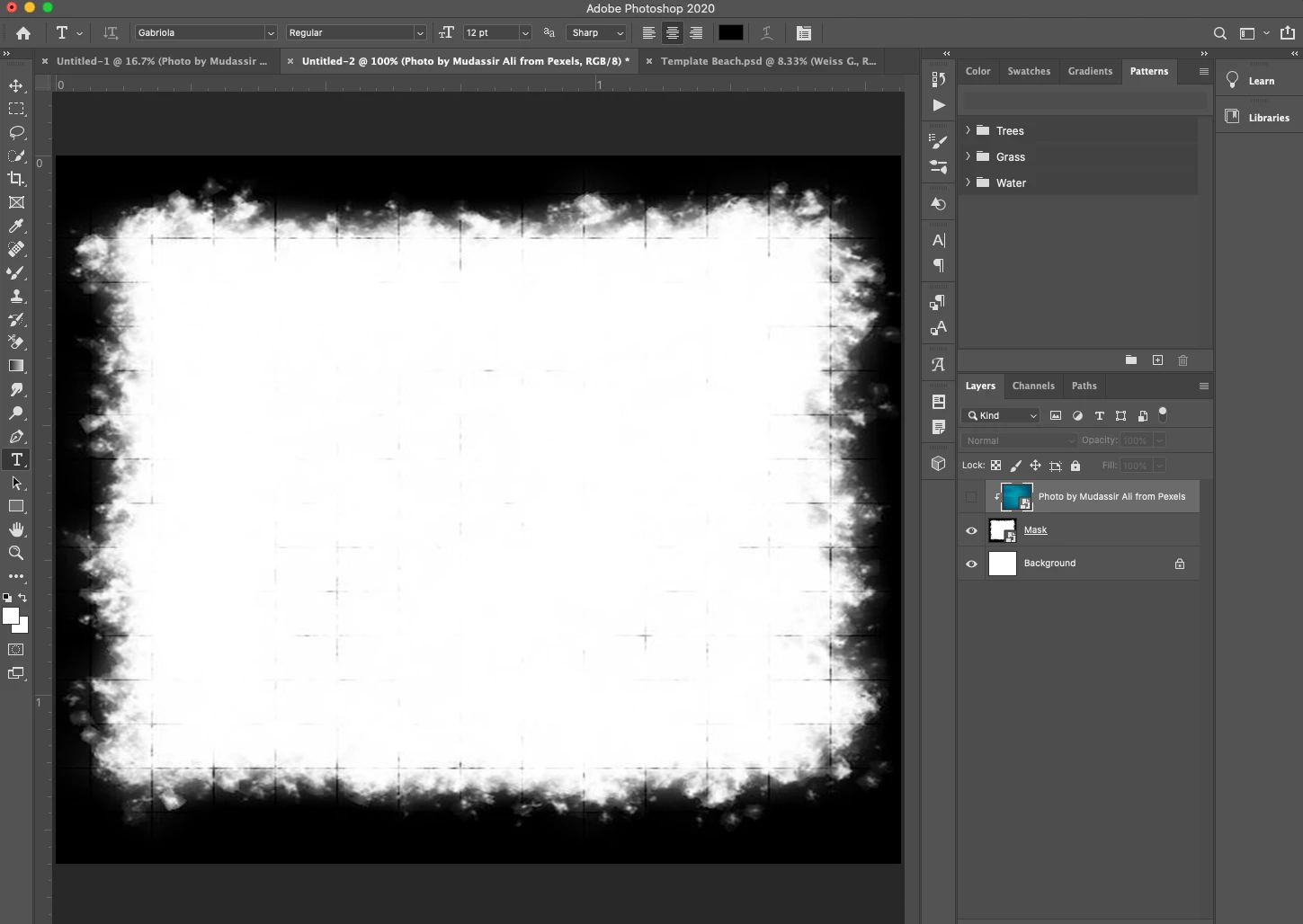
Okay, I'm just a week into my PhotoShop experience, so excuse the simplicity of my question. In short, I'm trying to create a clipping mask using a mask file that I downloaded. When I apply the mask, nothing happens...in other words, the top image (which in my case is basically just a blue pattern) remains. I turned off the layer visibility of that blue layer on my screen shot, so you can see the masking file I'm working with as I suspect that is where I'm not doing something right. Please help a newbie out! 🙂
This topic has been closed for replies.

4 replies

Bojan Živković11378569
Community Expert
Community Expert
March 25, 2020

You can also mask bottom layer. See animation below, what you can not see is that I am holding Ctrl key while clicking on RGB channel to load selection from which is later created layer mask by clicking on third icon from the left in the Layers panel.

War Unicorn
Community Expert
Community Expert
March 24, 2020

In addition to what c_pfaff said, use a blend mode on that "mask", specifically, "Multiply." The white should punch right out and reveal whatever's underneath in the layer stack.

Participant
March 25, 2020

These seem to make sense, but I think I need a little more step by step. For example, I can't find multiply and I'm not sure how to mask using the layer's opacity. Can you guys give a few more steps to get me there?

c.pfaffenbichler
Community Expert
Community Expert
March 25, 2020

c.pfaffenbichler
Community Expert
Community Expert
March 24, 2020

Setting the other Layer’s Blending Mode to »Multiply« may achieve what you want to achieve here. 


Another option would be loading the »masking« Layer’s opacity as a Selection and using thet as a Layer Mask. 


Yet another option would be using Blend if-settings (by alt-click-dragging one can split the blend if-handles) and a Group. 


And I am not saying thaose are all the options … 

c.pfaffenbichler
Community Expert
Community Expert
March 24, 2020

The »masking« Layer does not appear to have transparency, so Clipping Masking to it should have no meaningful effect.