
Participant
January 4, 2023
Question

Simplify colors/texture in design (Photoshop or Illustrator)

  • January 4, 2023
  • 1 reply
  • 660 views

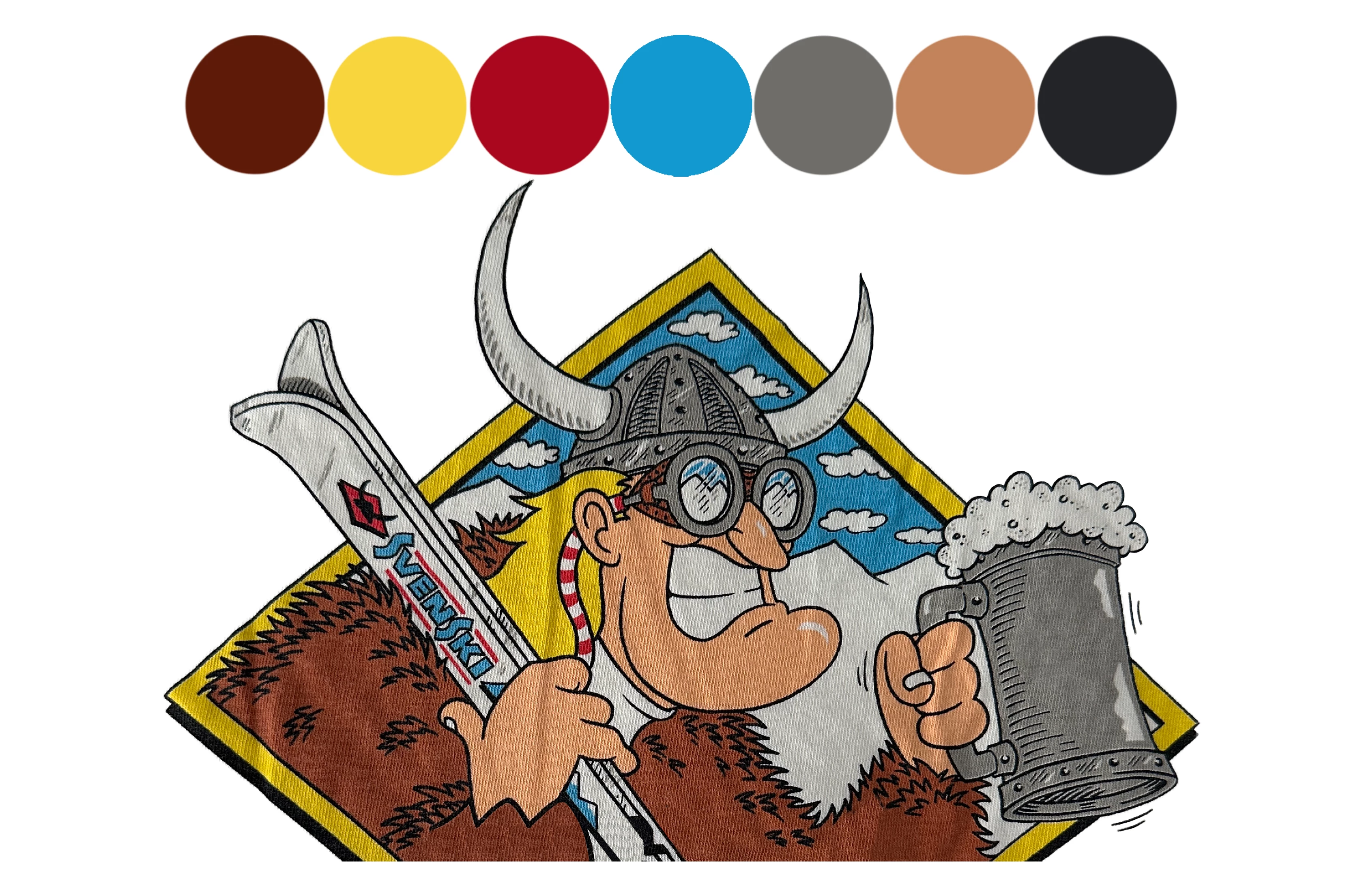
So i found this old design and i am looking to simplify the colors on it and remove the texture. I was planning on using AI image trace but it comes out not how I like it. Anyone know what tool i should use to try and remove the texture? i thought of something in the photoshop filter gallary or image trace/changing my settings. Thanks!
This topic has been closed for replies.

1 reply

Kevin Stohlmeyer
Community Expert
Community Expert
January 4, 2023

An easier way to think about this is to remove all the exising color and keep the black outline using selection tools.

You can then re-add the colors as different layers. This was the first pass using black in Select>Color Range.


Kevin Stohlmeyer
Community Expert
Community Expert
January 4, 2023

From here you could continue to clean up the fur or take this into Illustrator and try image trace with one color (set to ignore white).