David Epperly
Participating Frequently
October 28, 2021
Question

Sky replacement is messed up after version 23.0 update. win 10

  • October 28, 2021
  • 2 replies
  • 524 views

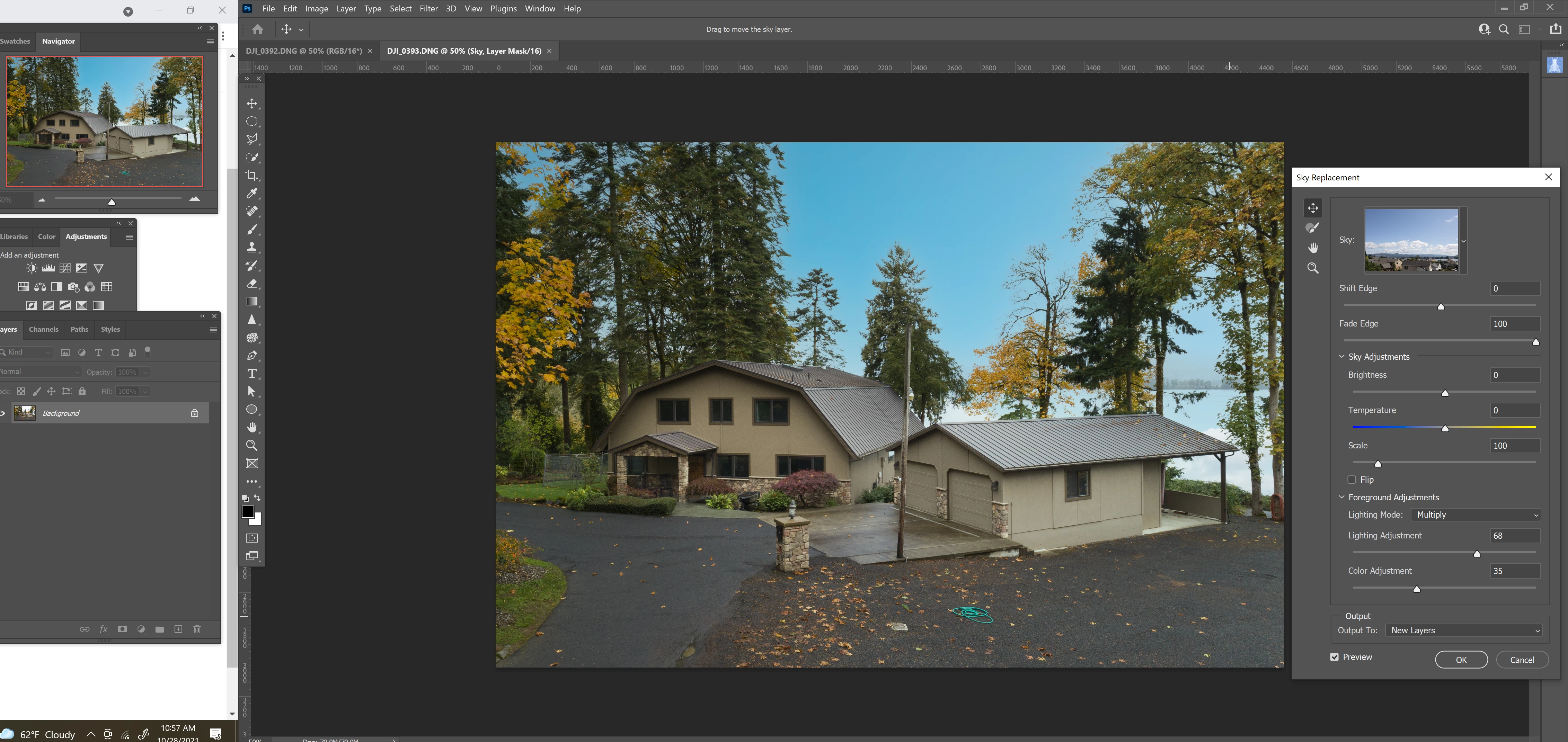
I updated all of my apps this morning and now it seems sky replacement is blending my skys differntly.

It's for sure messed up on images sky images that I have taken and added into photoshop. 

They used to work great and now they are over satureated and the color way off. 

I tried to see if the blending mode had changed, but the sky replacement module only gives you very few choices. 


You can see the color difference between the thumbnail I am picking and the main screen. It was never like this before. Pretty unusable. 


I'm on windows 10, 


Anyone else? 

I will probably have to revert to the previous version of PS for now. 


Thanks

Dave 
This topic has been closed for replies.

2 replies

KShinabery212
Community Expert
Community Expert
November 9, 2021

Theoretically it is still in its infancy.  I would not expect it to work perfectly.


Think about how long it took Content Aware Fill to work as good as it does now.  Therefore, I would not rely on it... sure it works sometimes, but not on every picture.  You still might need to do it yourself by hand or clean it up.


But in a year or so, I hope it will work even better. 

Let's connect on LinkedIn. https://www.linkedin.com/in/kshinabery/
David Epperly
Participating Frequently
October 28, 2021

FYI, I reverted to the previous version of PS. all setting and files are the same and now it works fine. 

Will waite for the issue to be fixed before I upgrade again.

Adobe Employee
October 28, 2021

Thank you for your feedback. We will be investigating the issue that you reported. Meanwhile, it would be super helpful for us if you could upload a couple of sky images that have the problems with PS 23.0.

David Epperly
Participating Frequently
November 6, 2021

Hello 

     I tried to upload one of the image files but your max file size will not permit it. 


 I can tell you that it is a tiff converted straight from a .cr2 file on adobe lightroom classic. 6720 x 4480 pix 240 dpi 48 bit depth, uncompressed