

Smart filter mask became corrupted, creates banding across image
Hi, so I just noticed this morning after opening up a project I am working on, that the mask for a smart filter I applied to a smart object has become corrupted since the last time I was working on the file.
I noticed horizontal banding across the object at first, and viewing the mask by itself revealed the corruption in the mask.

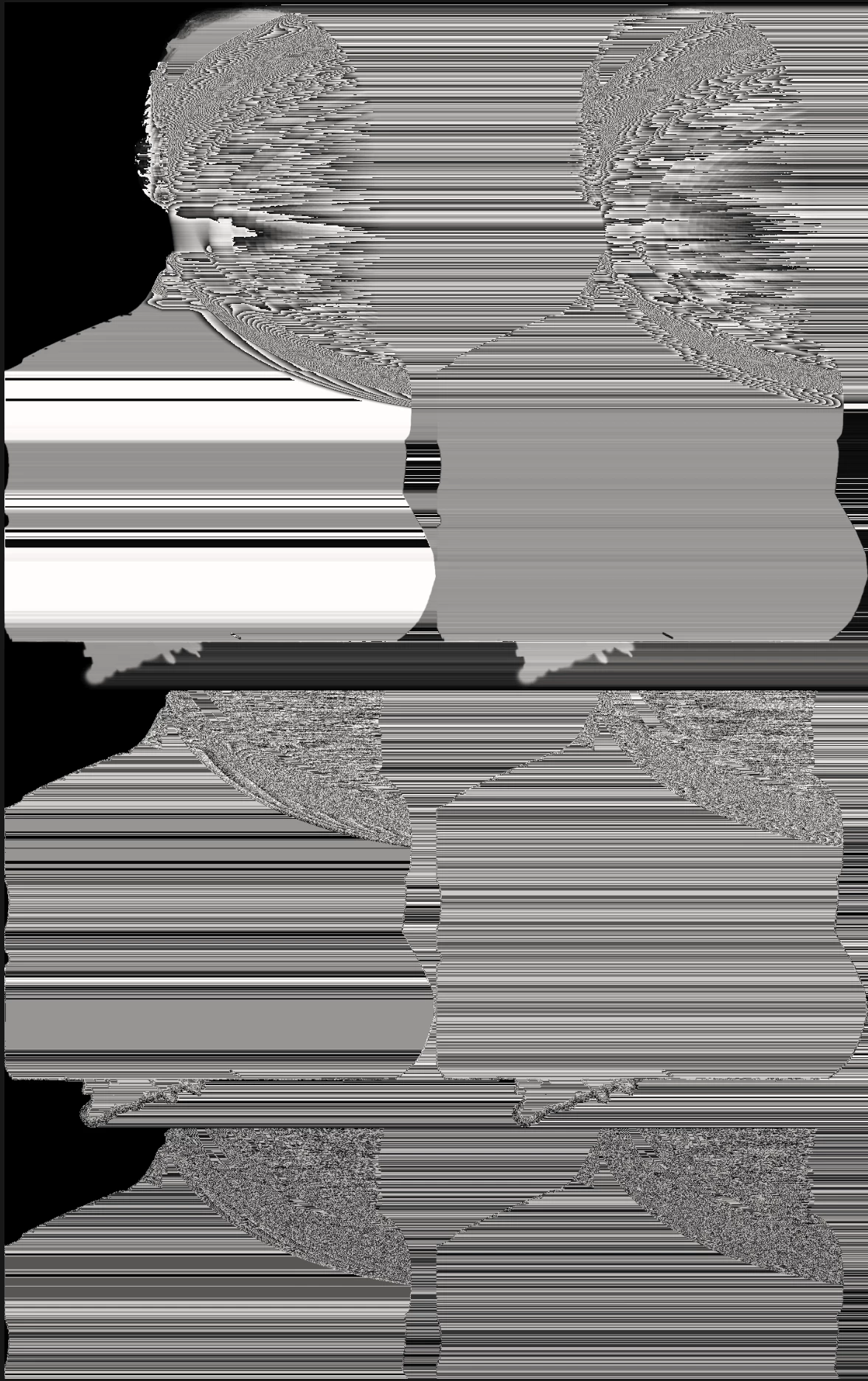

The filter used was the Neural filter for removing JPEG artifacts, with the strength set to Medium.
Of course, this is annoying, but I can just redo the neural filter and save again. However if this repeatedly happens and spoils my work when I export it, it's a more serious problem.
The object is part of a much larger composition in the project. I work on and save the files locally on internal storage. I believe this happened after saving the project I am working on a couple times.
---
Steps to reproduction:
1. Open an image in a new PSD file
2. Make the layer a smart object
3. Go to Filter > Neural Filters... > JPEG Artifacts Removal
4. (Optional?) Set strength to Medium, then High, then Low, then Medium ... I changed it a couple times while photoshop was processing the change in strength - This may be relevant.
5. Click OK
6. Save
7. Restart Photoshop
8. Reopen the PSD file
9. Observe the issue (?)
(I have worked in video game QA for over 5 years but I don't have time to write this bug report and also reproduce this issue/make sure repro steps are 100% myself, sorry to the Adobe engineers if they ever see this and want to fix it/prevent it from repeating)
Operating systsem info:
Edition Windows 11 Home
Version 23H2
OS build 22631.3296
Experience Windows Feature Experience Pack 1000.22687.1000.0
Adobe Photoshop Version: 25.5.1 20240302.r.408 5a2e325 x64
 AdChoices