
Participating Frequently
February 22, 2023
Question

smart object doesn't open in photoshop

  • February 22, 2023
  • 1 reply
  • 3387 views

hi,

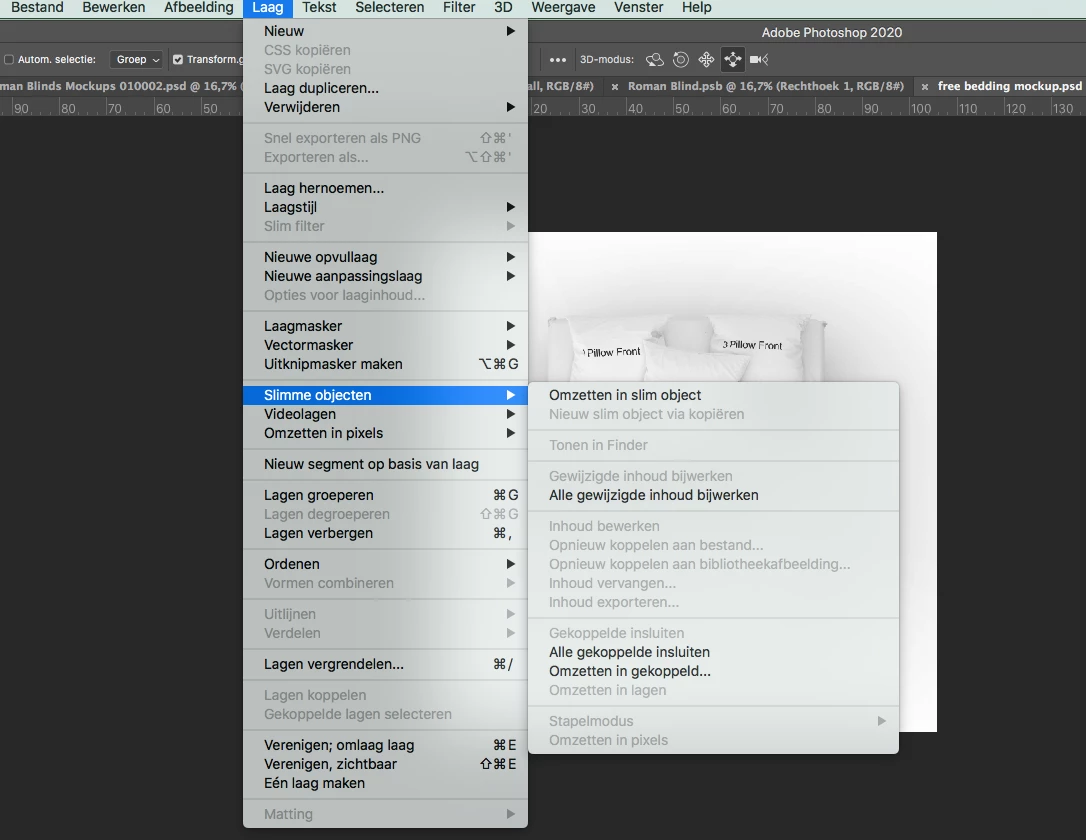
I can no longer manage to open the smart-object from a mock-up. Double clicking does not work and also via layer>smart object does not work.
Has a setting changed in an update? Others also this problem?
I am working on an older mac from 2011 and photoshop is just now unable to update. Does that cause me to not be able to use this now?

Anybody got a tip?
 

This topic has been closed for replies.

1 reply

c.pfaffenbichler
Community Expert
Community Expert
February 22, 2023

Is the selected Layer even a Smart Object? 

Could you please post screenshots with the pertinent Panels (Toolbar, Layers, Options Bar, …) visible? 

Participating Frequently
February 22, 2023

Thank you for your reaction.


Yes, it is a smart object. And it is not just this file.

All my files with smart objects don't work anymore by double clicking.

It's a mockup I've bought and used before.


I hope you have an idea?

c.pfaffenbichler
Community Expert
Community Expert
February 22, 2023

That is a 3D Smart Object, not a pixel or vector Smart Object, where do you expect it to open to? 


Anyway, Photoshop’s 3D features are being deprecated. 

https://helpx.adobe.com/photoshop/kb/3d-faq.html