
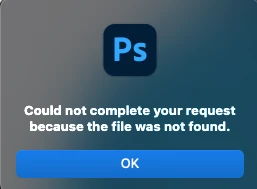
Smart Object message - Could not complete your request because the file was not found
I have created hundereds of template using Smart Objects within Photoshop. With update 23.3.2 I am getting an error message on all my files "Could not complete your request because the file was not found" when double clicking to open the smart object to edit or make changes. (See Attached)
Even if I open the smat object and place the orginal image inside, it will not save smart object and update the Photoshop file.
EXAMPLE: Open PS file > Open Smart Object > Make Change > Save > Error Message > "Could not complete your request because the file was not found"
NOTE: one Smart Object will be duplicated to add other effects, so when you edit one smart object all others update at same time.
This is a MAJOR problem if we can not trust that all the hours of building files for edit and changes, in the future, will not work.
Please Help!!
 AdChoices