Known Participant
March 7, 2017
Answered

Smart object video frame won't play on frame animation timeline

  • March 7, 2017
  • 1 reply
  • 3368 views

Hi,

I have a 5 sec video file that I converted into a smart object - the video plays fine in the stand alone window..
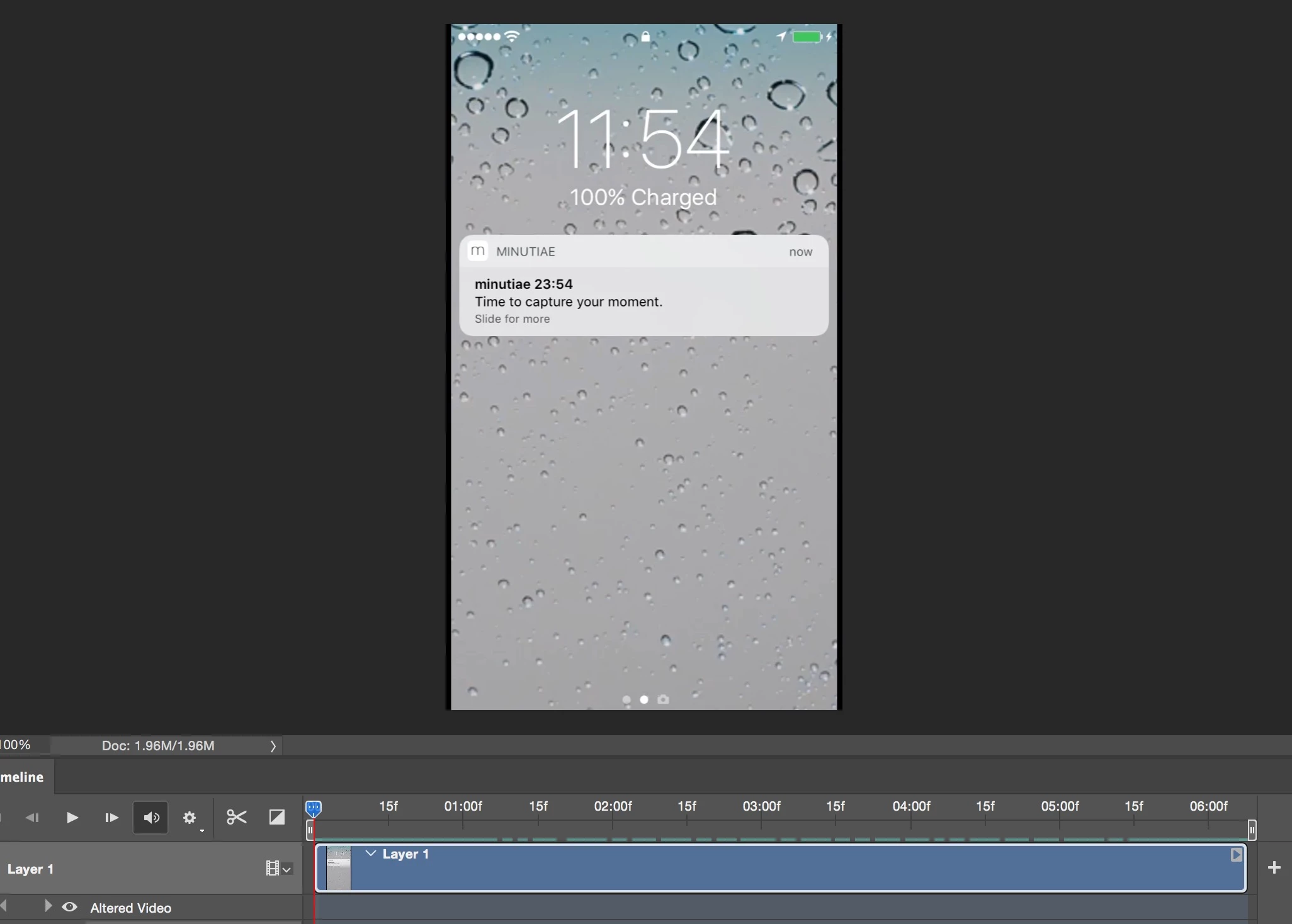
When I import the smart object to the animation timeline (minutiae screen capture v3) the video won't play when running the animation.

Any suggestions what I'm doing wrong?

This topic has been closed for replies.
Correct answer JJMack

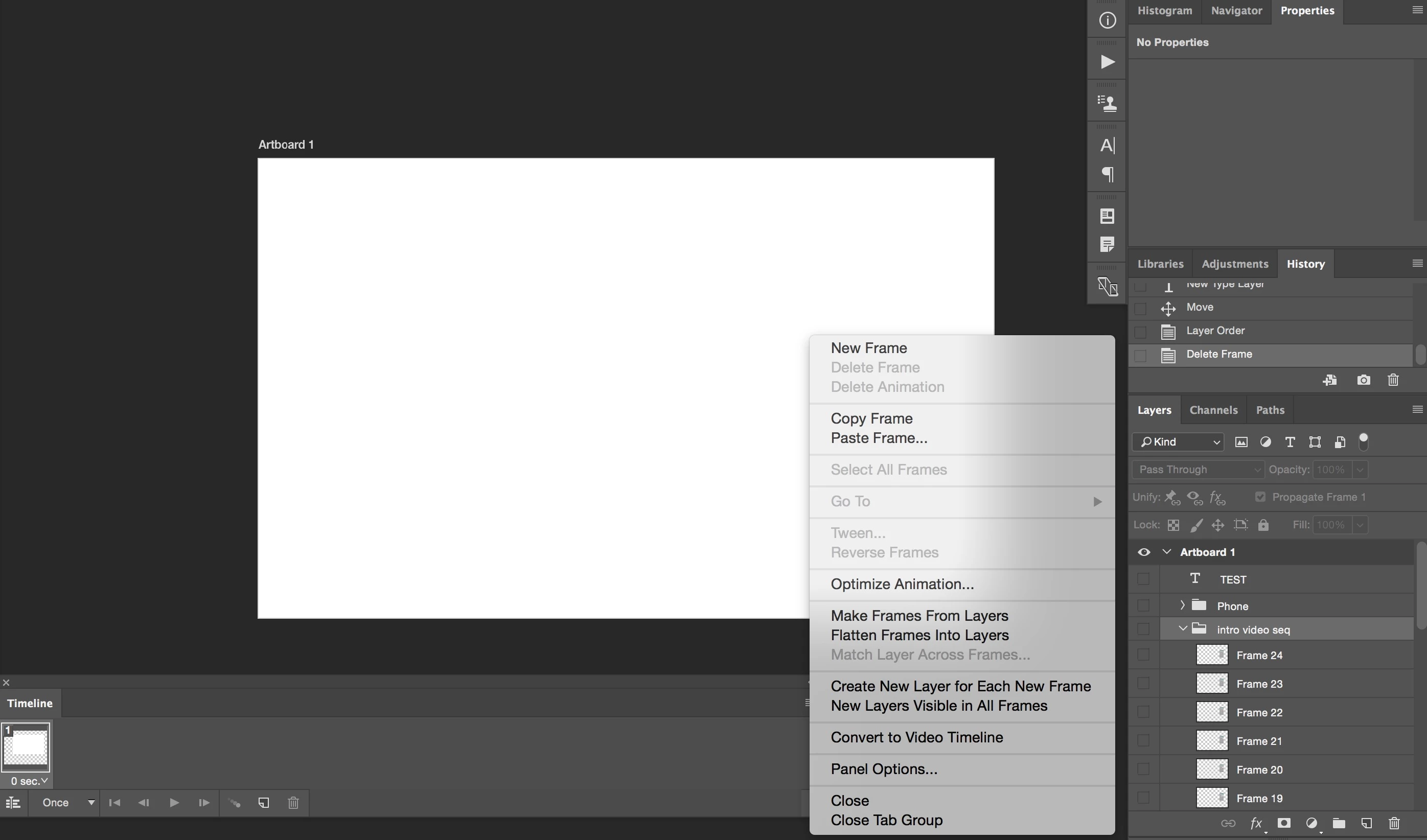
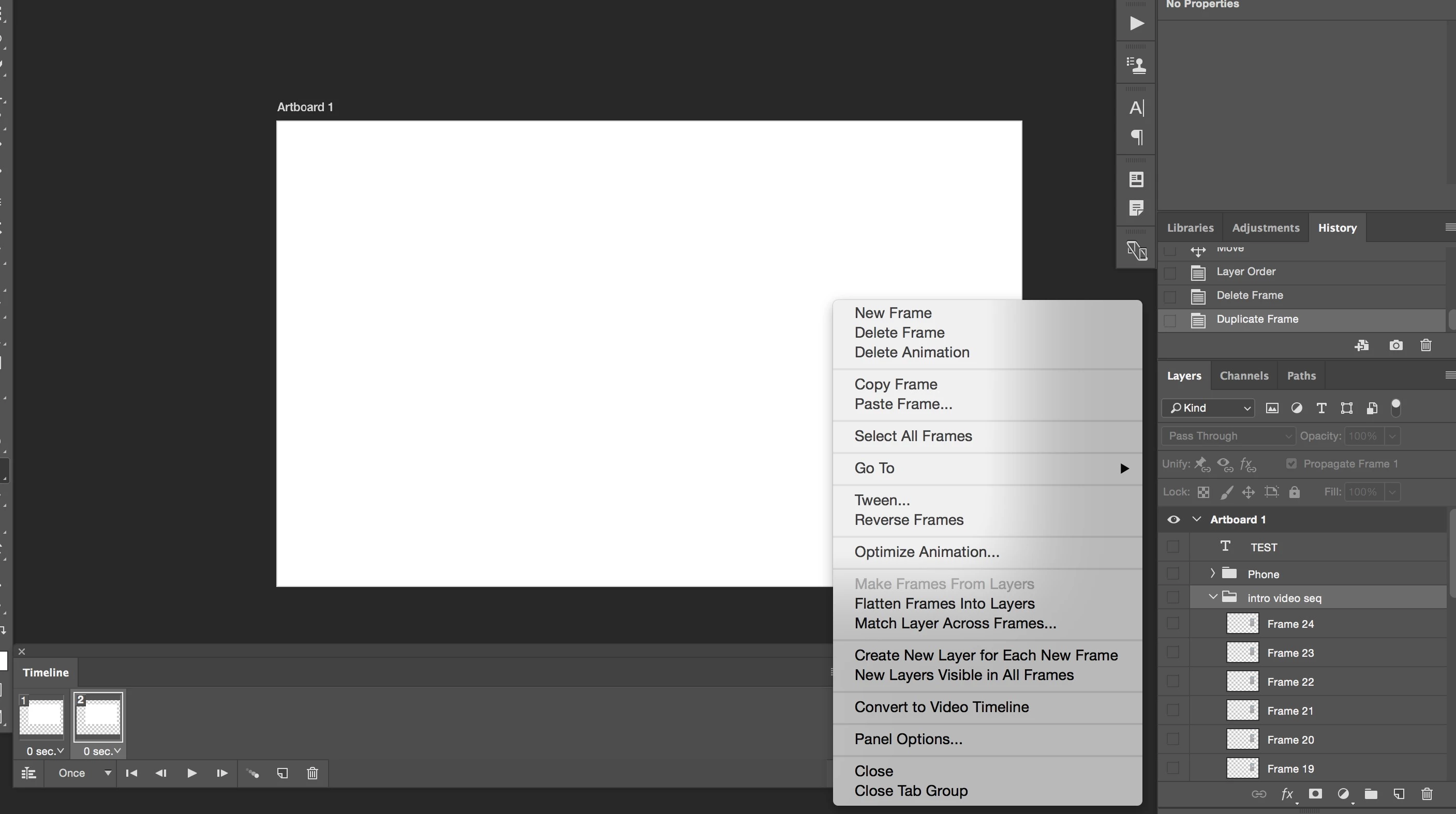
Not sure I follow, I created a group containing all frames from the video animation (intro video seq). As you can see when I click timeline and create a "frame animation timeline" I can select "Make frames from Layers" as you can see in Screen number 1. However the moment I create another frame (let's say I want to add the TEST text to this frame) I'm no longer able to choose "Make frame from Layers".

Screen number 1

Screen number 2


To tell the truth I have never use Make Frames from layers when the are Layers within several layer groups.  I have only use that option when there was just a layer stack without any groups within the layer stack.  However I do not see to have any problem when there are groups!

1 reply

JJMack
Community Expert
Community Expert
March 8, 2017

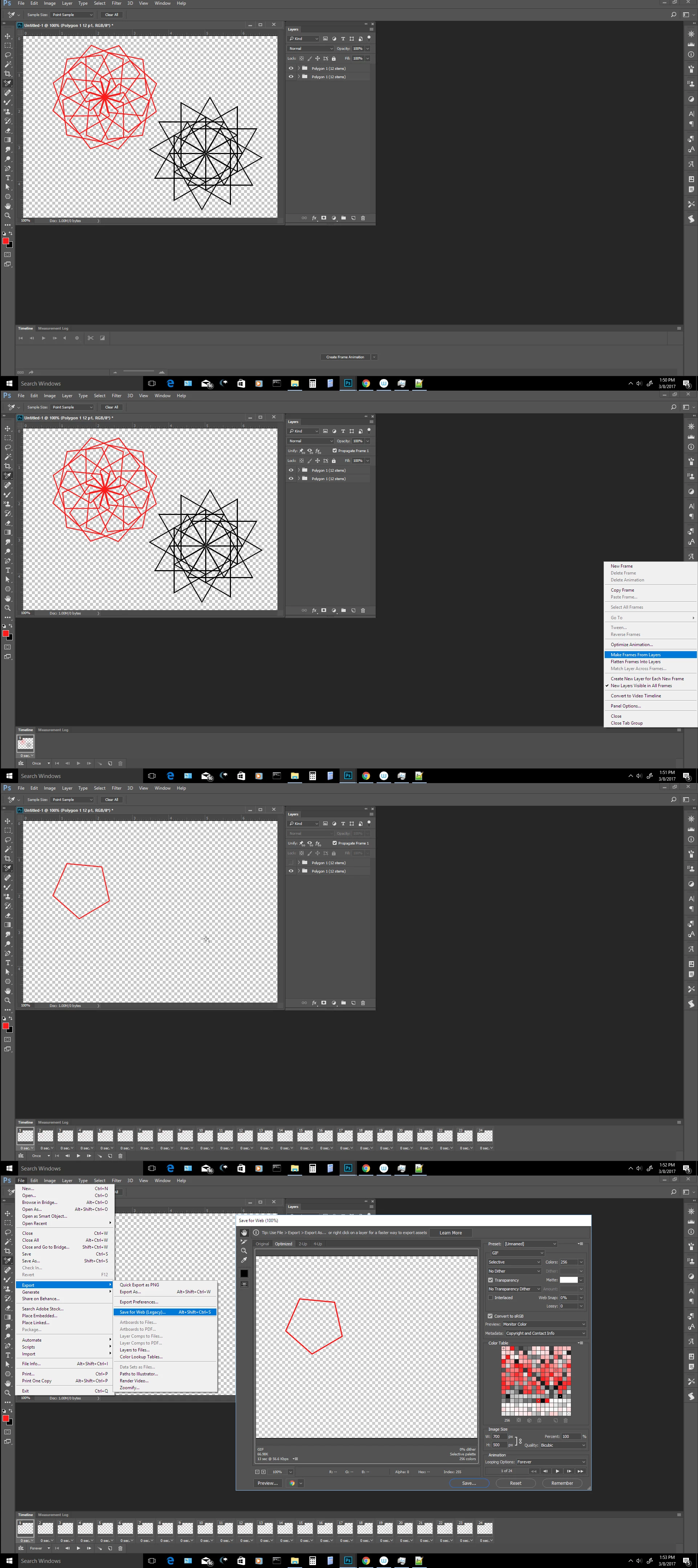
What you posted is a Video Timeline. You did not use the Button Create Frame animation. Here is wnat a Frami animation Timline looks.

JJMack
MAADAuthor
Known Participant
March 8, 2017

Hi JJMack,

Thanks for your input, let me try to clarify a bit more. Below is my frame animation (screen 1), frame number 15 (red arrow) is a smart object linked to a .PSD file containing a 5 sec video sequence (Screen number 2). I would like the frame animation to play the video sequence inside frame number 15 when I click "play animations"

Is this possible or is there another way to implement a video sequence inside a frame animation timeline?

Screen number 1

Screen number 2

Hope this helps, thanks a lot!

JJMack
Community Expert
Community Expert
March 8, 2017

Photoshop renders  Pixels for the smart object layer's  object and uses those pixels as the layer content. The are locked and can not be changed. It like and image Pixel layer.

The easiest way to do what you want to do is perhaps to open your video in Photoshop. Use the Video Time Line fly-out menu to make frames into layers  then target  all the layers in the layers palette.  Then drag from the layers palette those layers and drop them onto to your frame animation document image window. Then add the layers to animation as frames.  Delete your smart object layer.

JJMack