
dzgnr89
Inspiring
May 14, 2017
Answered

Smart way to draw wobbly curves?

  • May 14, 2017
  • 1 reply
  • 433 views

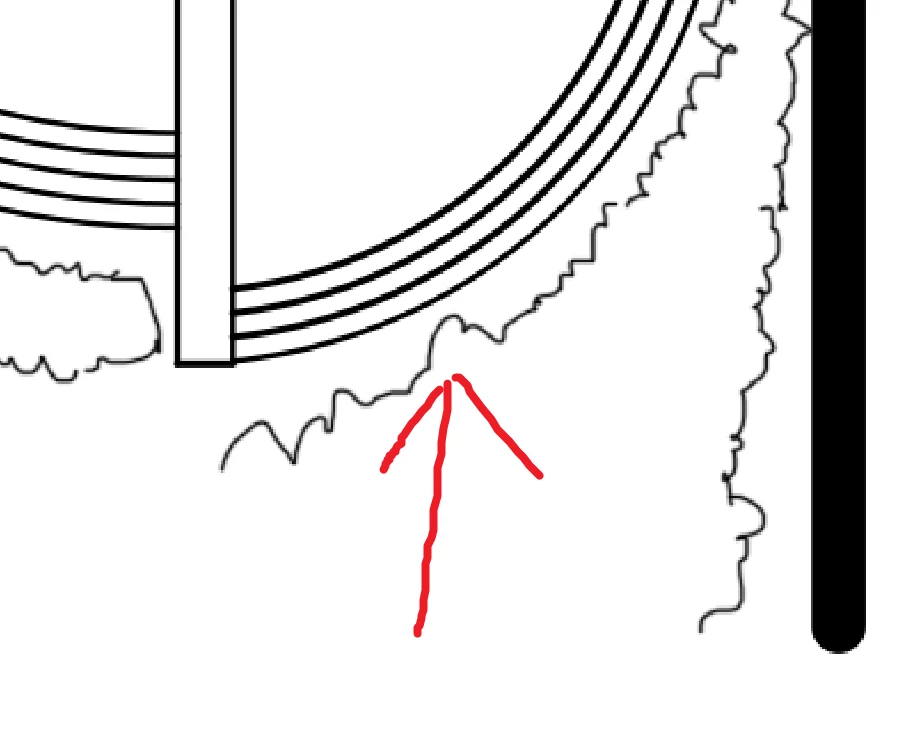
I am making a conceptual landscape plan where I am drawing these freehand doodle for showing hedges. It is pretty time concsuming and inaccurate to show curves like I'm doing with hand and an pencil. Even they would look neater than using mouse manually for each wobble.

Is there a better way to do this? I searched for such brush but couldn't find anything. I am searching for a trick that adds curved bushy wobbles to a path or stroke.
    This topic has been closed for replies.
    Correct answer JJMack

    If you use windows there is a plug-in that may be of use for that. It low cost  and there is a free trial.  Plug-in name LazyNezumi Pro

    https://lazynezumi.com/

    1 reply

    JJMack
    Community Expert
    JJMackCommunity ExpertCorrect answer
    Community Expert
    May 14, 2017

    If you use windows there is a plug-in that may be of use for that. It low cost  and there is a free trial.  Plug-in name LazyNezumi Pro

    https://lazynezumi.com/

    JJMack
    dzgnr89
    dzgnr89Author
    Inspiring
    May 14, 2017

    I used Autodesk SketchBook Pro in the past just as a trial. I'm blown away by this trailer you shared! I'm like holy #$#@!!! This is a killer application! Never ever heard of it. Maybe I belong to architecture background that's why.