

RosaPerry
Inspiring
July 28, 2023
Question

Smudge Tool Painting Mode Receptacle is abnormal

  • July 28, 2023
  • 6 replies
  • 442 views

Hi,
I've just updated Photoshop to v 24.7 and resumed a painting I am working on, when I noticed the Smudge Tool Painting Mode receptacle is abnormal. It's a tiny square. See attached picture. All other Tool modes are normal. (I've reset tools but no changes to the Smudge tool mode receptacle) **Edited - Also the Spot Healing Brush Tool seems affected as well. 

Is this a bug?  I'm on a Windows 10 OS. Everything is up to date.
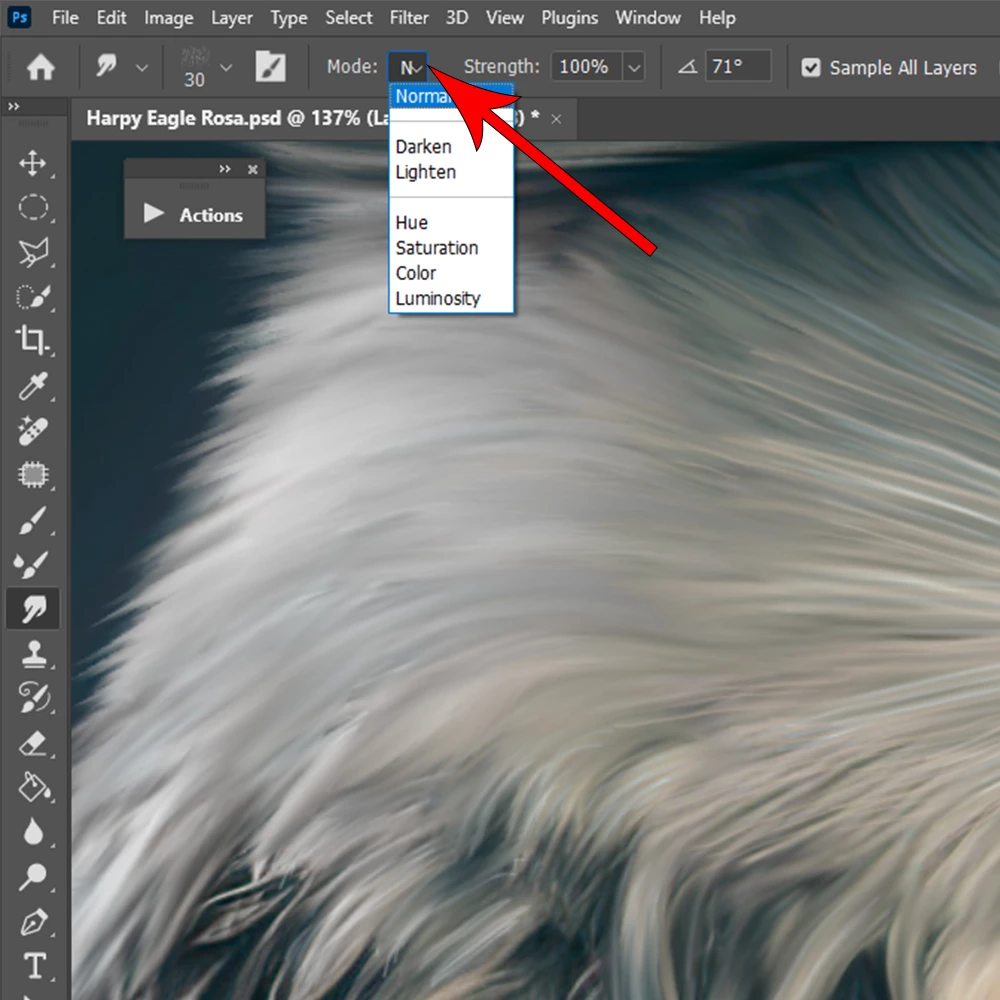


This topic has been closed for replies.

6 replies

Known Participant
September 19, 2023

UI font size set to '' small '' and still the same

benoit Kapture foto
RosaPerry
RosaPerryAuthor
Inspiring
September 19, 2023

The Blend mode menu problem still exists in the newest Photoshop version 25. 

The mode menu is still truncated. OS Windows 10.


Rosa
jane-e
Community Expert
Community Expert
July 28, 2023


Screenshots from macOS, Photoshop 24.6 and 24.7


Photoshop 24.6

Photoshop 24.7

Jane

Jeff Arola
Community Expert
Community Expert
July 28, 2023

I see the same here on the Mac side with 24.7 and macOS Ventura 13.5 where the Smudge Tool Mode

list seems to suffering from the same affliction that affect icons for the Crop Tool


That is the Mode menu is truncated if one has the photoshop>Interface>UI Font Size set to Medium or Large.


Also the Spot Healing Brush Tool seems affected as well.

Ged_Traynor
Community Expert
Community Expert
July 28, 2023

Same for me with version 24.7 on Windows 10

davescm
Community Expert
Community Expert
July 28, 2023

Yes - I see that here on v24.7 in Windows 11

The Blend mode in the option bar for the smudge tool is narrowed to one letter wide. Other tools look OK.


Dave