MahaB82A
May 27, 2024
Question

Snap anchor point

  • May 27, 2024
  • 2 replies
  • 433 views

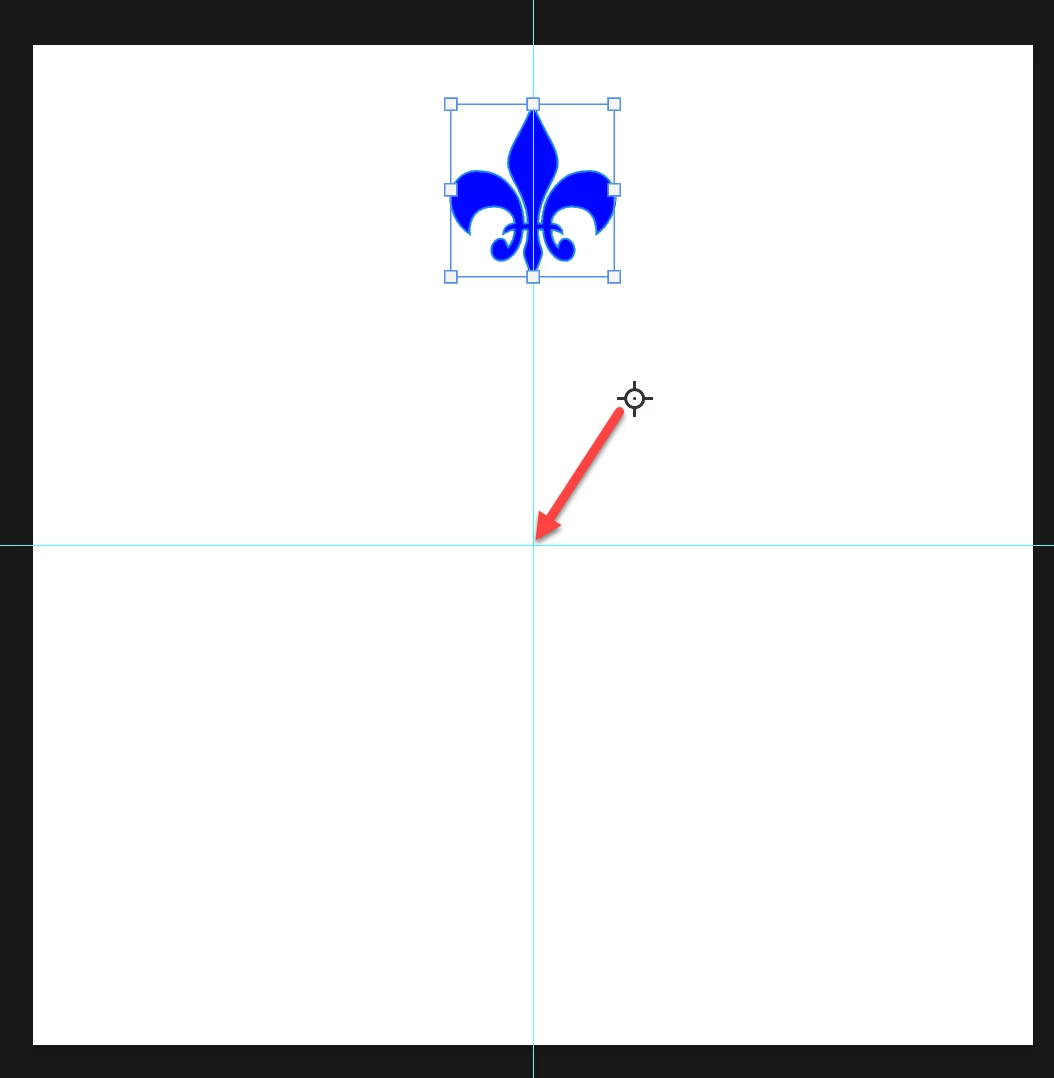
Is there any way to snap this anchor point to this corner?
 

This topic has been closed for replies.

2 replies

Semaphoric
Community Expert
Community Expert
May 28, 2024

The reference point won't snap, although I don't see why not. Bojans method (dragging the point, and entering the values manually) is the only way I know of to position it precisely.

MahaB82A
MahaB82AAuthor
May 28, 2024

I have found a indirect method to identify the exact value of coordinates of the corner. Just select crop tool & anchor point will appear. This anchor point snaps to this corner therefore you can see the exact value of coordinates of the corner & just feed this value in the Options bar.  


Bojan Živković11378569
Community Expert
Community Expert
May 28, 2024

Dragging the anchor point allows you to use the X and Y numeric values from the Options bar for precise positioning.

MahaB82A
MahaB82AAuthor
May 28, 2024

I assume aumatic placement is precise than the mannual placement.   

jane-e
Community Expert
Community Expert
May 28, 2024


@MahaB82A wrote "

Is there any way to snap this anchor point to this corner?"


The anchor points are the 8 squares around your fleur-de-lis. Your arrow is starting from the Reference Point, not an anchor point.


Jane
