
Soft Brush gradient/banding/pixelated all of a sudden??
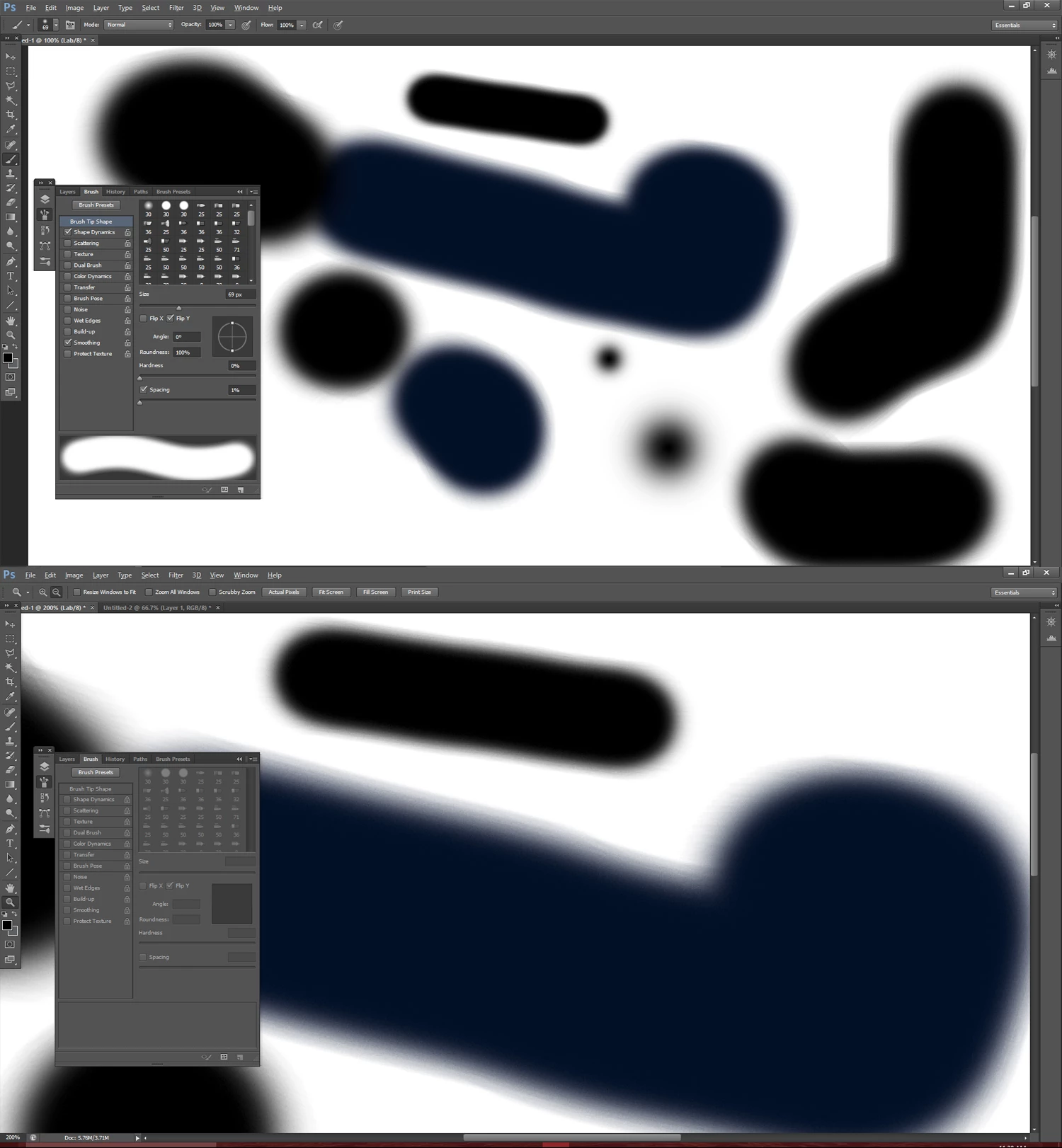
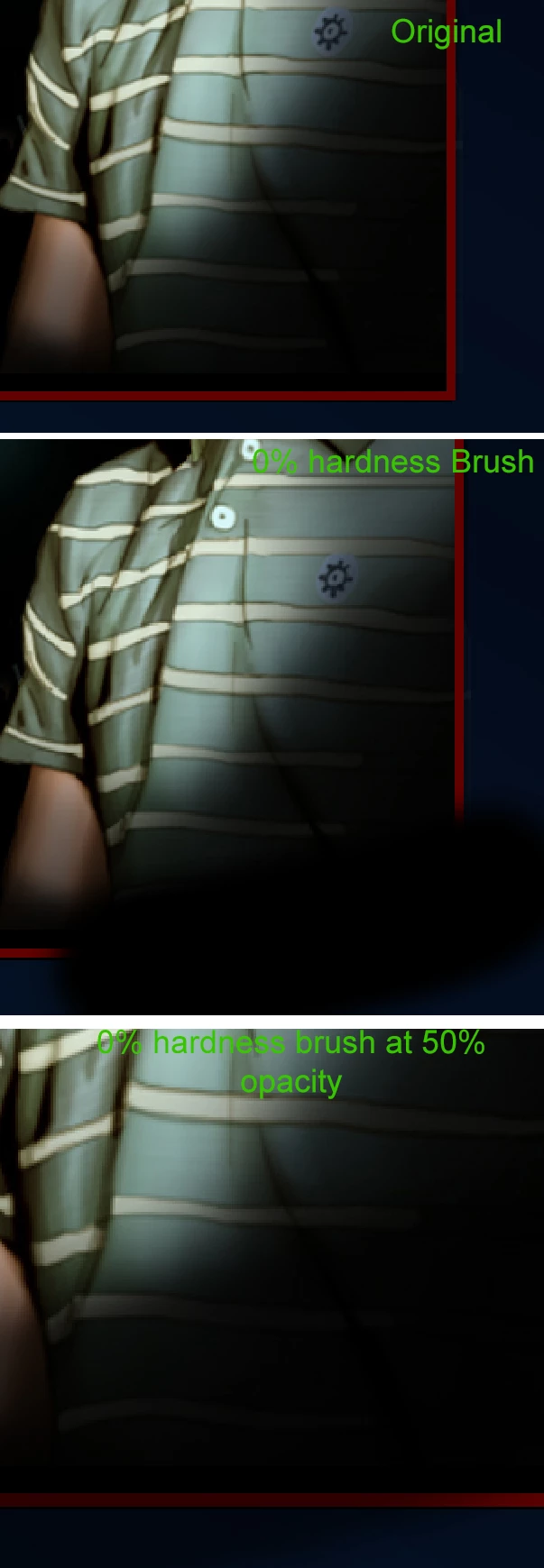
I just saw a picture i'd posted online and noticed that i'd forgotten to smooth off a hard line - simple semi-opaque brush gradient usually does the trick to hide those lines. Anyway, went into Photoshop, turned Smooth edges on in the Preferences (I had it set to nearest neighbor for some pixelart I was working on). But now the brushes seem to just look really weird and like it isn't 'flowing' properly - far away the gradient seems to just cut off, and kinda pixelated and banded up close. Also, using the brush at 50% opacity it seems to be closer to 10% opaque.
I have been using this copy of photoshop (CS6) on the same monitor for as long as i've had both (and the monitor is virtually brand new). This problem seems to have only just cropped up now.
Examples best viewed at full size, if possible. its a little tricky to see, but in the second set the brush appears to have a small, soft "core" and then gradient around it looks like a kind of bleedy airbrush sort of effect. I've seen a couple of posts about this, but ive not seen any definitive answers. I'd really appreciate some help!
 AdChoices