Question
SOLVED photoshop cc 2017 menus freezes when clicking new document
this is yet another simple fix to the issue when clicking any menu item,
photoshop freezes up and all menu items become greyed out.
simply before clicking any menu items,
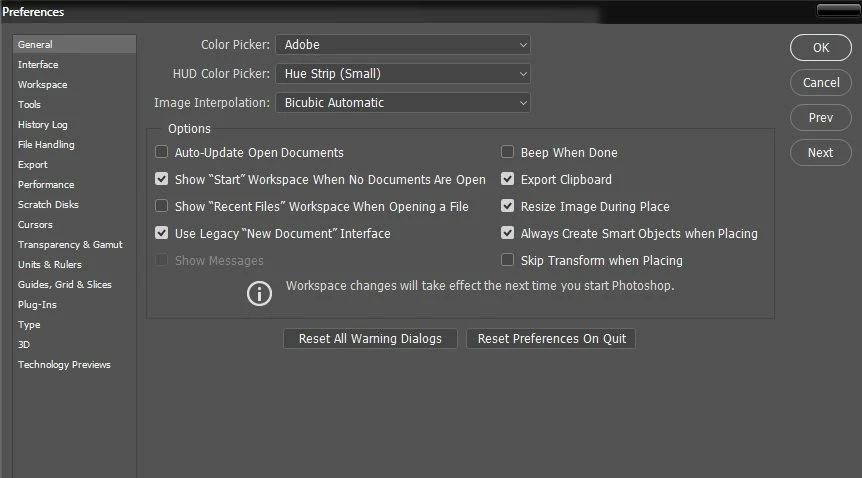
go to preferences/general/ and click [use legacy "new document" interface].
now everything works as normal for me, no more freezing, hangs or greyed out issues.
 AdChoices