Participant
January 12, 2019
Answered

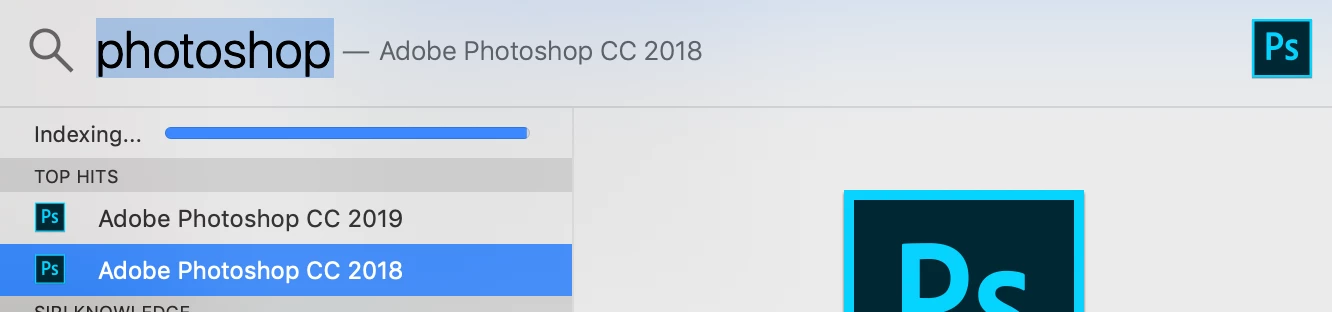
Somehow I have two apps on my MacBook: Photoshop 2018 and Photoshop 2019

  • January 12, 2019
  • 2 replies
  • 288 views

Clearly this is just a minor issue, but when I use spotlight I can see both apps appear in the results — they both open.

Is it safe to delete the 2018 app, and how should I go about this? A simple drag to the Trash, or is it a bit more involved?

I've searched for this and also tried chat, but they're having tech difficulties.

Thanks for your help!
This topic has been closed for replies.
Correct answer Test Screen Name

This is the normal thing. If you find problems with PS 2019 you can instantly go back. At one time Creative Cloud removed the old app by default, but that left people in trouble. You can uninstall the old once you're satisfied.

2 replies

gener7
Community Expert
Community Expert
January 13, 2019

Even in the days before CC, it was always a good strategy to keep the previous version on hand in case the new and sometimes .0 version had a problem with your setup. If you depend on keeping things running for your business, you want that option.

Test Screen NameCorrect answer
Legend
January 12, 2019

This is the normal thing. If you find problems with PS 2019 you can instantly go back. At one time Creative Cloud removed the old app by default, but that left people in trouble. You can uninstall the old once you're satisfied.