
Semaphoric
Community Expert
Community Expert
August 10, 2018
Question

Sometimes Recent Files not in Start workspace

  • August 10, 2018
  • 1 reply
  • 292 views

Not a big deal, but occasionally my start workspace looks like this:
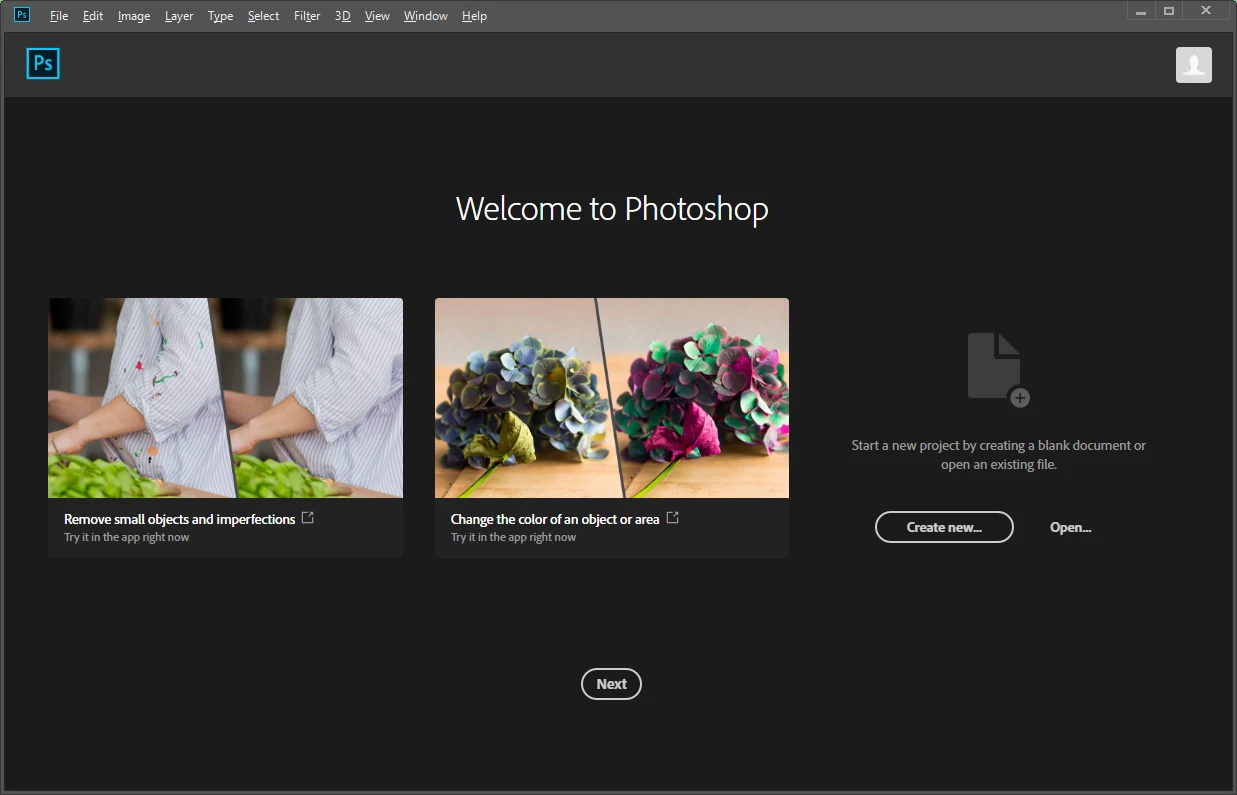
    

All my recent files are still there, and can be accessed via the File menu, and clicking "Next" on this screen brings up the usual workspace with the recent files. Note that this is not the same as the "Learn" workspace, which also requires clicking Next to get to.

This only happens once in a blue moon, but it puzzles me why it happens at all. Any ideas?

    This topic has been closed for replies.

    1 reply

    JJMack
    Community Expert
    Community Expert
    August 11, 2018

    Could you have somehow cleared it accidentally with a menu item? Or couls have an Action or script you use clear it.

    JJMack
    Semaphoric
    Community Expert
    Community Expert
    August 11, 2018

    As I said, The Recent Files show up in the File menu, and they display normally after clicking the Next button on the screen I posted. This happens once maybe every couple months, for no apparent reason, and i can't get it to happen intentionally. When it happened last night, I took a screen grab, and when I closed and re-launched Photoshop, the Recent Files were there as usual.

    JJMack
    Community Expert
    Community Expert
    August 11, 2018

    Do you have any third party plug-ins and extension installed into Photoshop?  I do not us the start workspace so I would never have your problem I can only guess as to what may be happening on you machine.

    JJMack