nikhila66971327
Participant
July 20, 2018
Question

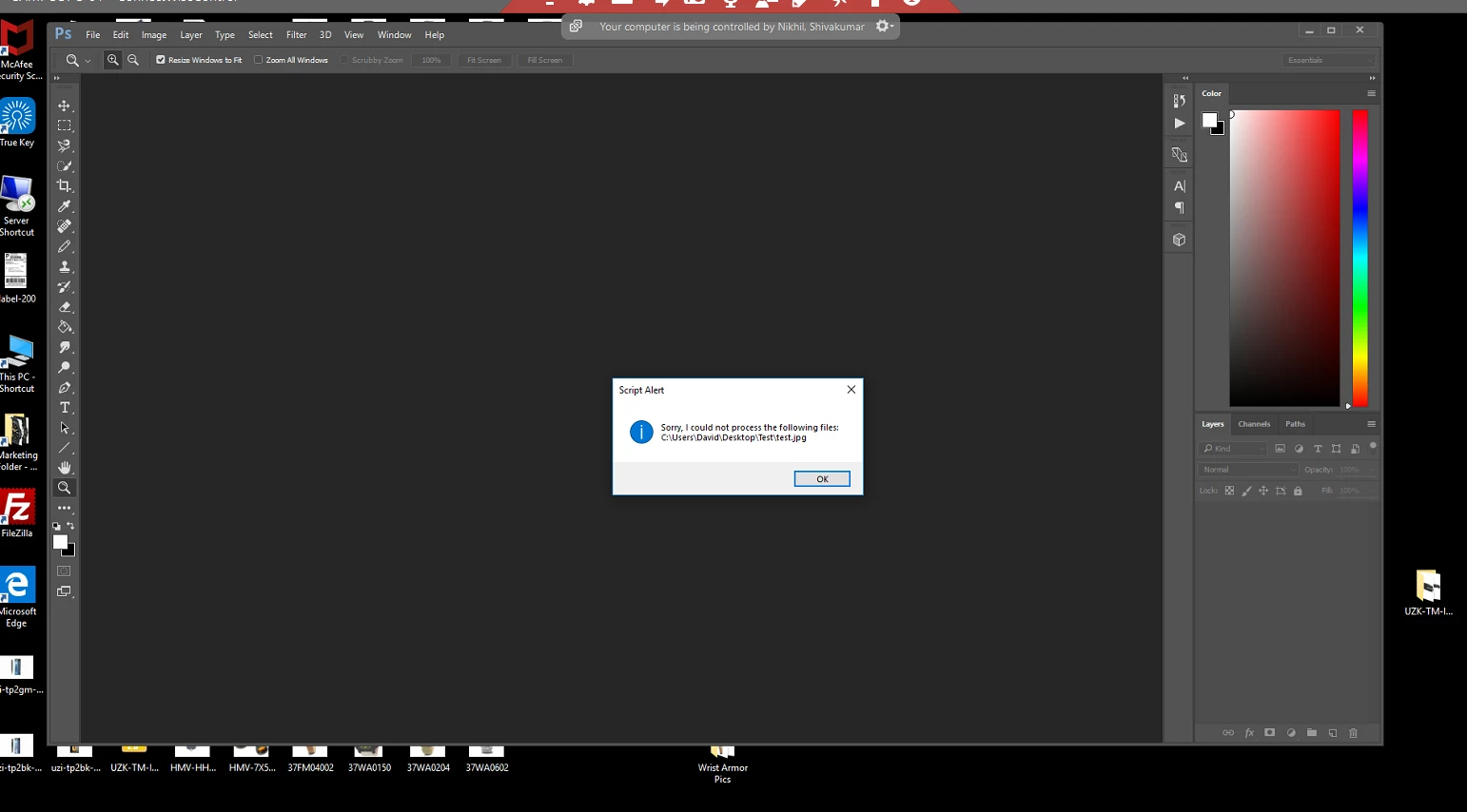
sorry i could not process the specified file

  • July 20, 2018
  • 2 replies
  • 668 views

file>scripts>image processor

there are 4 fields on the page to chose form

the settings are working with all the fields except when

it is set to

run action >> default action >> resizing
This topic has been closed for replies.

2 replies

Legend
July 23, 2018

Make a backup copy of the original file "Image Processor.jsx".

Find the text in the file

// don't let one file spoil the party!

// trying to stop on user cancel is a problem

// during the open of a large file the error we get is no such element

// and not the actual cancel 8007

// it's all about timing, hit the cancel right after a document opens

// and all is well and you get the cancel and everything stops

catch( e ) {

    if ( e.number == 8007 ) { // stop only on cancel

        break;

    }

    this.fileErrors.push( inputFiles );

}

and change it to ( one line of code is added - alert(e) )

// don't let one file spoil the party!

// trying to stop on user cancel is a problem

// during the open of a large file the error we get is no such element

// and not the actual cancel 8007

// it's all about timing, hit the cancel right after a document opens

// and all is well and you get the cancel and everything stops

catch( e ) {

    alert(e);       

    if ( e.number == 8007 ) { // stop only on cancel

        break;

    }

    this.fileErrors.push( inputFiles );

}

JJMack
Community Expert
Community Expert
July 21, 2018

Supply pertinent information for quicker answers

  • The more information you supply about your situation, the better equipped other community members will be to answer. Consider including the following in your question:
  • Adobe product and version number
  • Operating system and version number
  • The full text of any error message(s)
  • What you were doing when the problem occurred
  • Screenshots of the problem
  • Computer hardware, such as CPU; GPU; amount of RAM; etc.

It would be very helpful if you would post your "default action >> resizing" and jpeg image "C:\Usere\David\Desktop\Test\test.jpg" does the current user ID running Photoshop and using the images processor script have permission to access that file?

JJMack
nikhila66971327
Participant
July 23, 2018

does the current user ID running Photoshop and using the images processor script have permission to access that file?

>yes the user has access to the picture and the Photoshop running on the computer

> user has admin access on the computer and no restrictions at all

> there are not restrictions on the running scripts also

JJMack
Community Expert
Community Expert
July 23, 2018

Did you actually check the files permissions? If the file is off of an other user id file space an admrinistrator user   id may not have access unless they take owenership or add permissions.

JJMack
