

Participant
June 26, 2021
Question

Split to Layers Script Layer Selection Order

  • June 26, 2021
  • 2 replies
  • 1431 views

Hello!

I've been using David Jensen's "Split to Layers" script and it works great.  However, I've run into some problems with the order in which layers are searched out and created.


Here is how the script scans the image and thus creates layers based on what is surrounded by transparency.  Please note the order in which the blocks are created (red text):
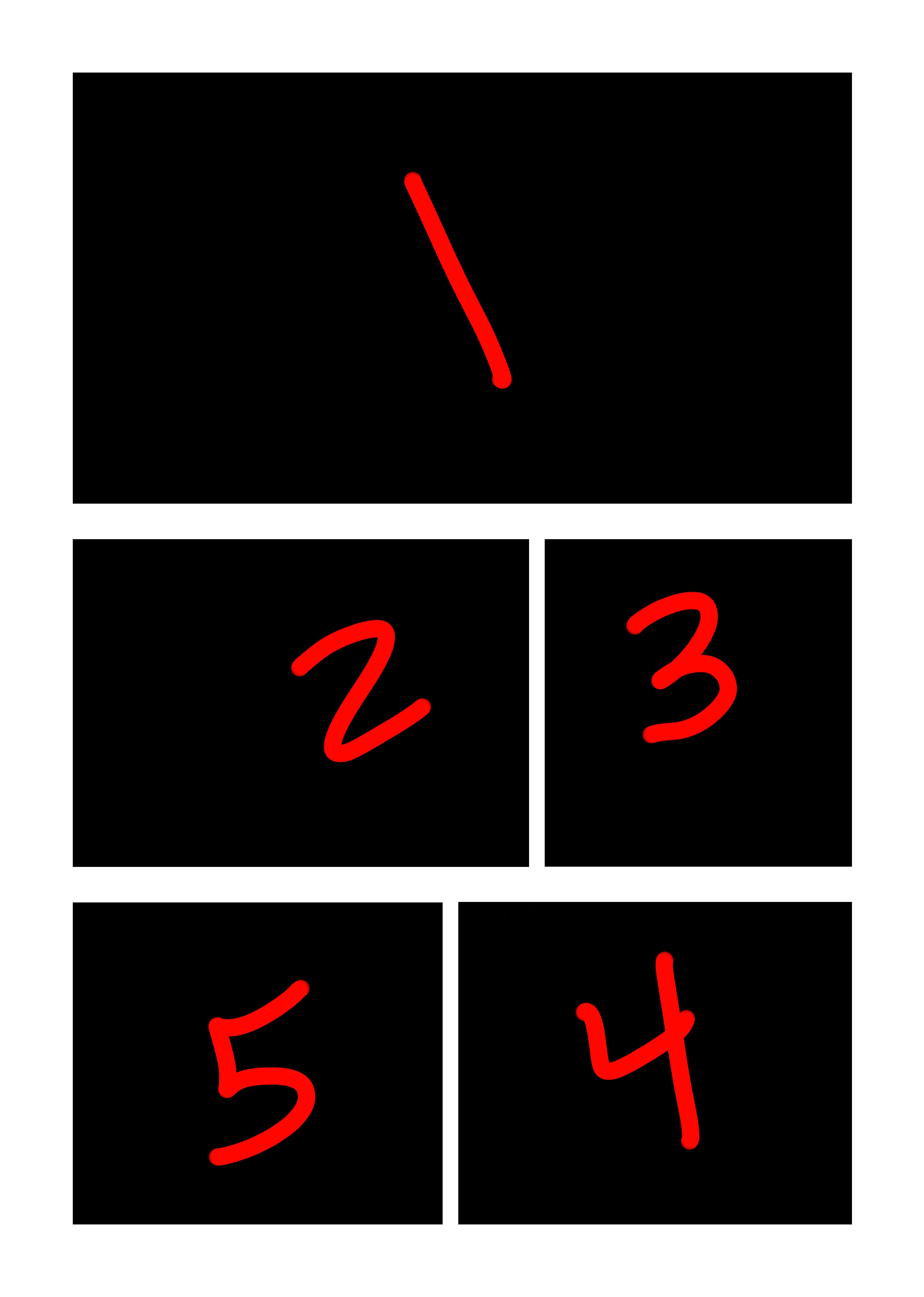
The process scans starting from the top (1), goes to the left(2), then the right(3), then drops down(4), then moves left(5).


What I really need it to do is create the layers in this order:
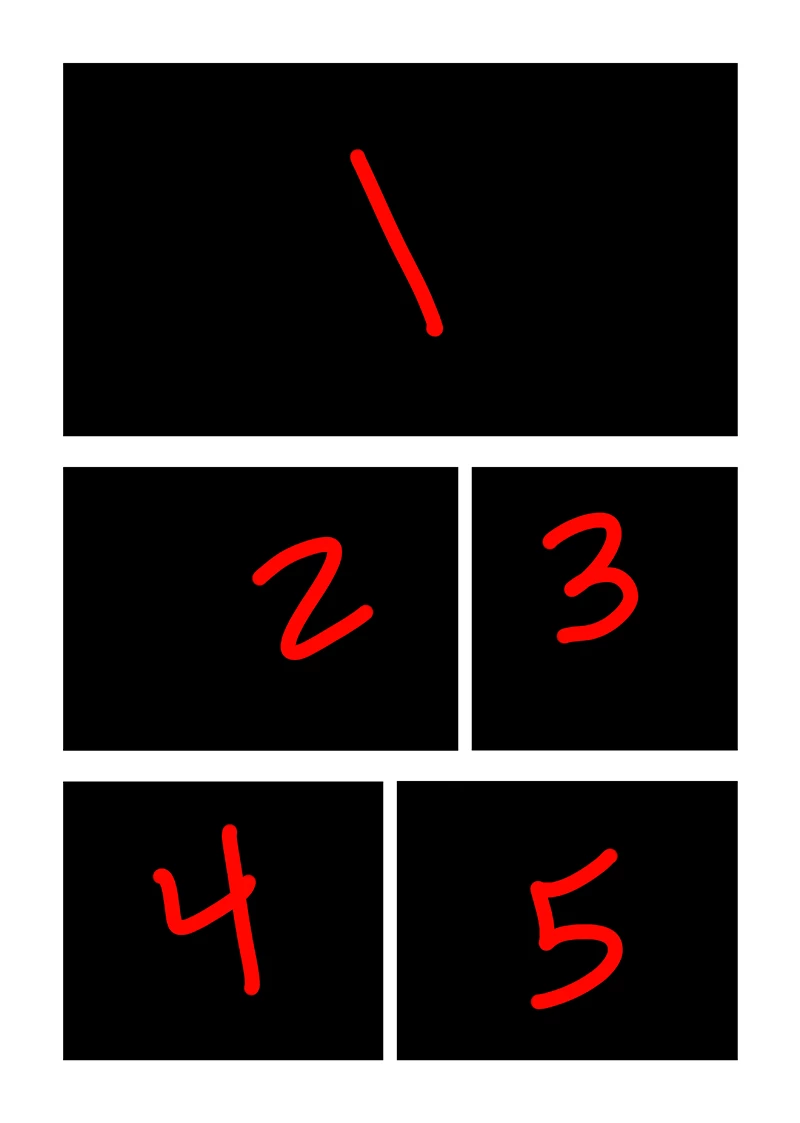
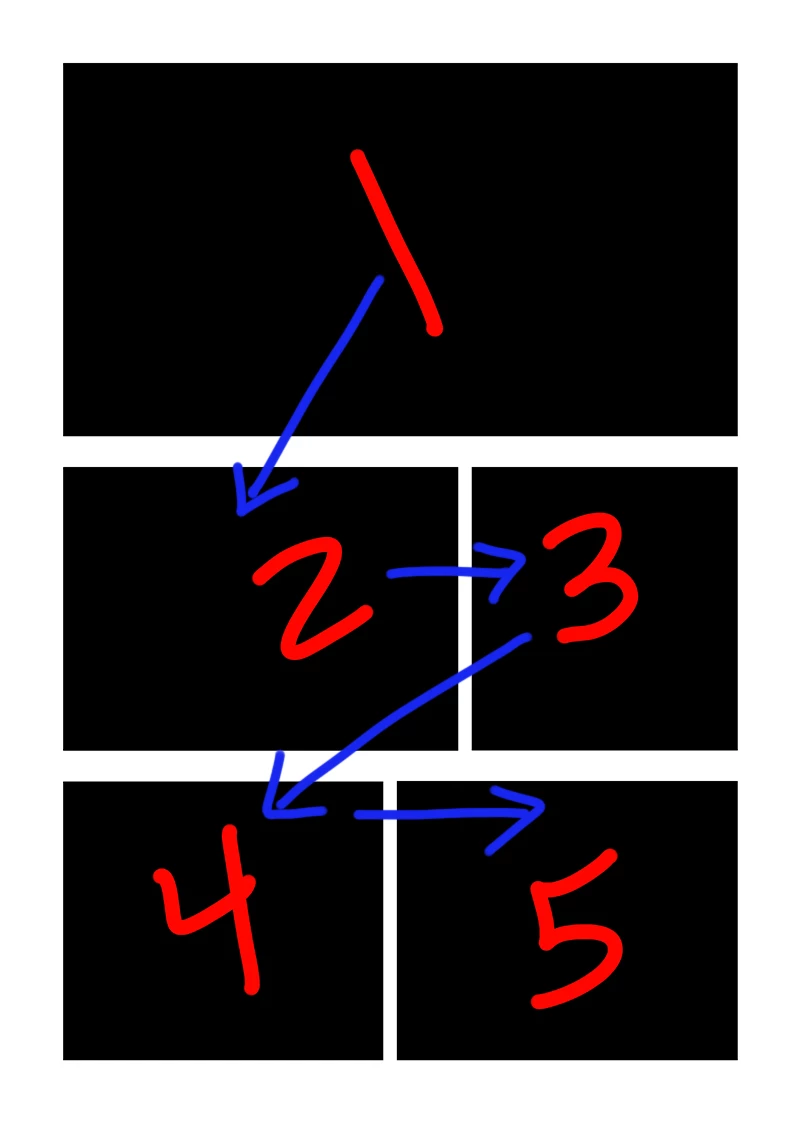
Always starting from the left and processing to the right.


Like so:
Is this even possible?  Any help would be greatly appreciated!

This topic has been closed for replies.

2 replies

Legend
June 26, 2021
In the first screenshot, the rectangle labeled "4" is higher than the rectangle "5". This is the reason.
 
It is difficult to make the "correct" sequence, since a person draws figures not very accurately and they are not always rectangles.
 
This requires a lot of rework for this script. Easier to rewrite.
Kukurykus
Legend
June 26, 2021

Make selection and change it into path item, then find its sub paths. They are always stored from top left side.

HelsternAuthor
Participant
June 26, 2021

How would that look from a scripting standpoint?

Kukurykus
Legend
June 26, 2021

There are quite many scripting topics about it, just use appropriate keywords in search box.