

bartonlew
Legend
August 3, 2018
Answered

Spot healing brush stopped working

  • August 3, 2018
  • 3 replies
  • 4230 views

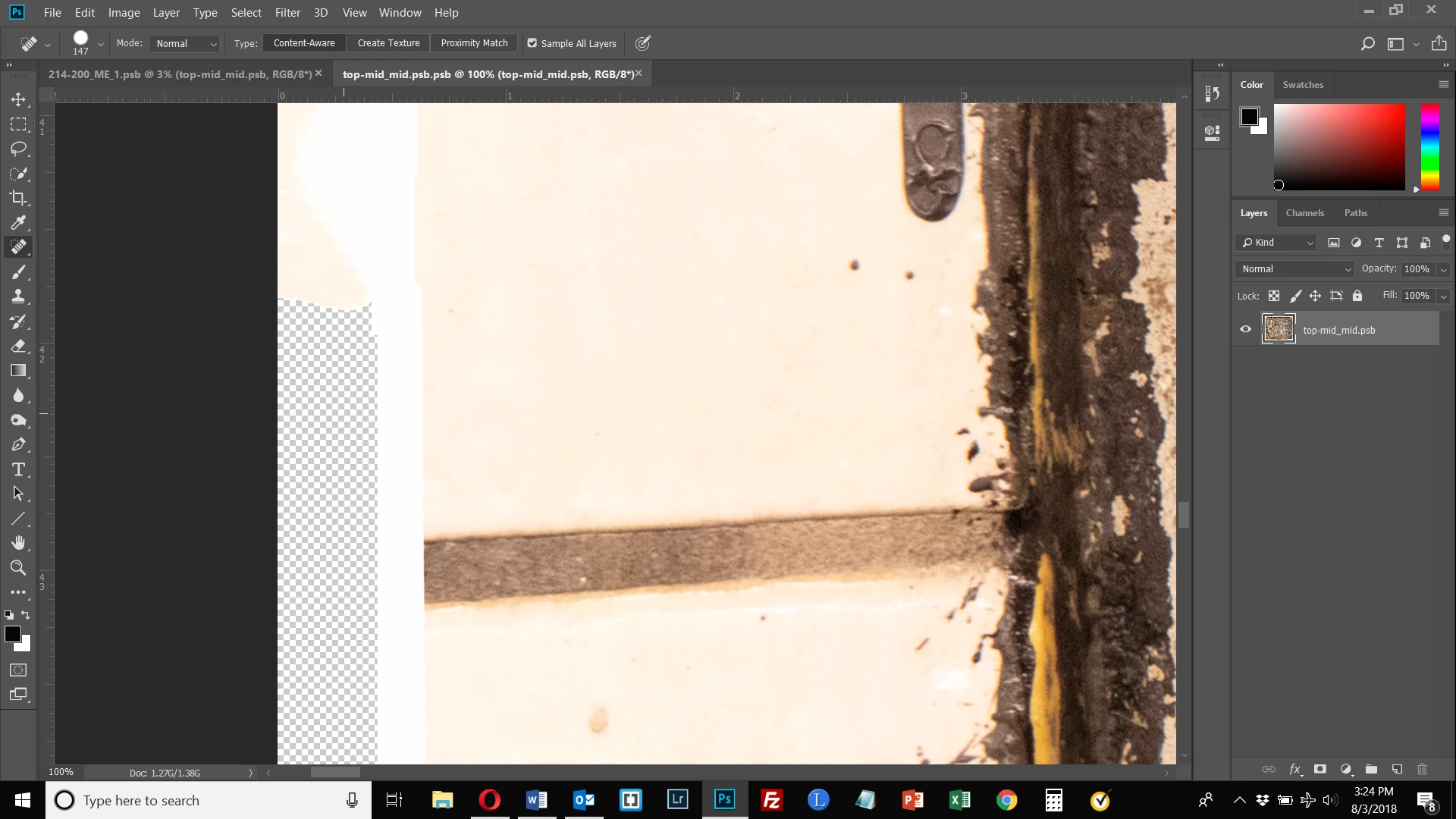
I was using the spot healing brush in my edited smart object and suddenly it stopped working.  I have no idea why.  The screen shot below shows the point at which it stopped filling in the tile border on the left.  Any thoughts?

Thanks.
This topic has been closed for replies.
Correct answer bartonlew

I have a new computer and was single clicking on the area to start painting which I thought was the method I used previously.  But I tried double clicking with my mouse and was then able to start painting.  All is well now.

3 replies

bartonlew
bartonlewAuthorCorrect answer
Legend
August 4, 2018

I have a new computer and was single clicking on the area to start painting which I thought was the method I used previously.  But I tried double clicking with my mouse and was then able to start painting.  All is well now.

macpawel
Participating Frequently
August 4, 2018

Maybe - it's to large image?

1.2-1.3 GB it's huge picture

Your machine is out of memory?

You can try do it in some stemps. Try and close PS and reopen it and try again...

maybe?

pawel

JJMack
Community Expert
Community Expert
August 4, 2018

I do not know why it stop working perhaps it has to do with the content aware option you are using.   But here a tip for you add an enpty layer on top of you layers and spot heal into  that layer so it will be none destructive and can be blended and erased or masked

JJMack