Participant
January 17, 2021
Question

Spot Healing Brush tool has stopped working in Photoshop 21.2.4

  • January 17, 2021
  • 1 reply
  • 137 views

Recently the spot healing brush has not been working for me in Photoshop.  I tried updating to version 21.2.4 to see if that would resolve this problem... unfortunately it hasn't.  I have included a screenshot, showing the results I get.  I hope that someone would know a solution to the problem. 
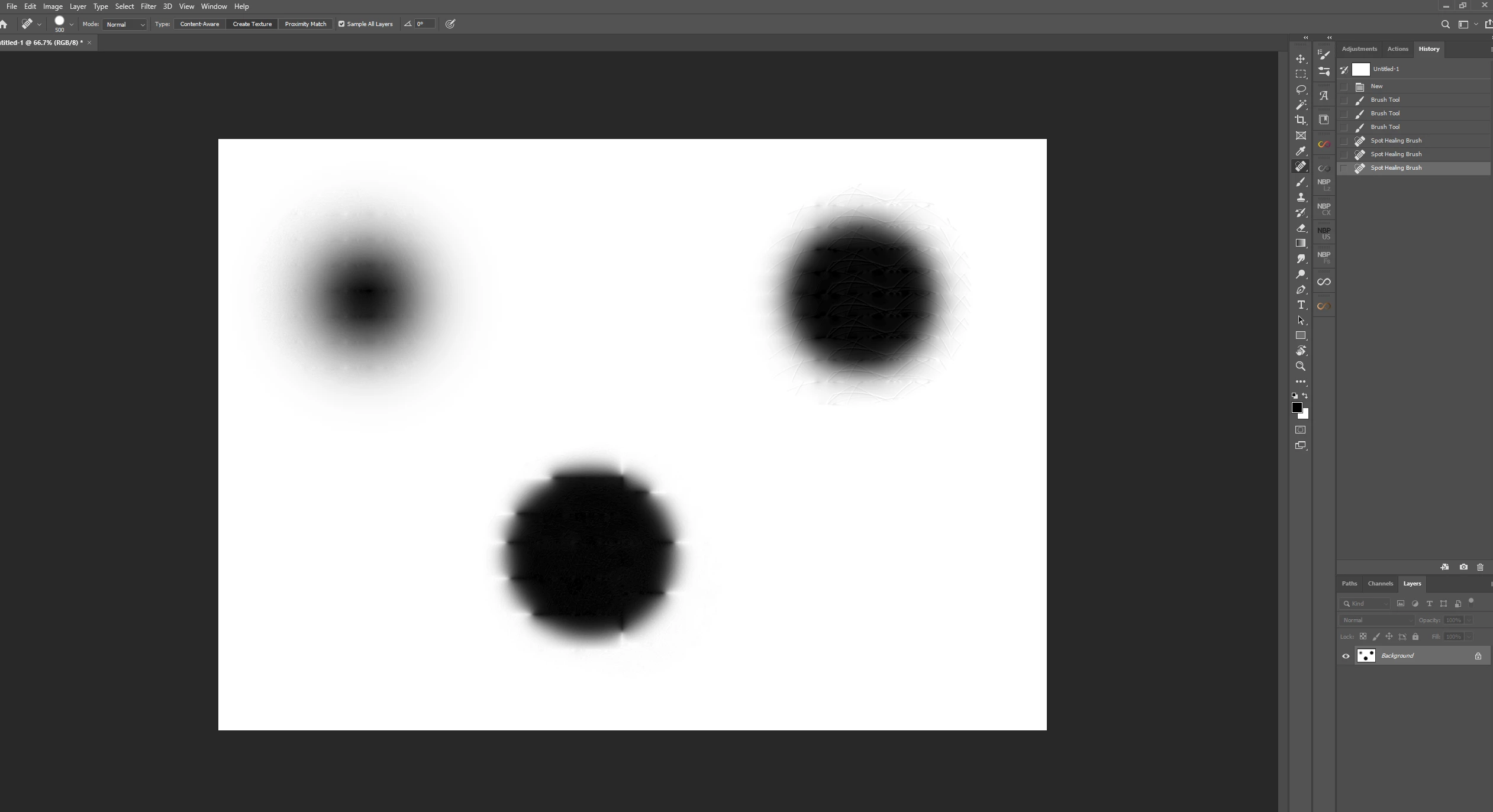
For some reason, the spot healing brush creates a random texture over the area I am trying to spot heal.  The image above shows the results I get when spot healing a dot.  


I'm hoping someone can help, this is so frustrating!

Thank you,


Sean


This topic has been closed for replies.

1 reply

JJMack
Community Expert
Community Expert
January 17, 2021

I do not see a problem like that on my Windows 10 PC with Photoshop 21.2.4.  Here you see part of a sky capture with may Canon 1D Mark VI. The Camera's auto senor cleaning did not work well there is a lot of dust spots on my sensor. Taken at a High ISO there is also a much noise in the blue sky. Neat image cleared the blue sky noise quite well but I was left with many dark dust spots. The Spot heal brush quickly dispatched those.

Try resetting you Photoshop Tools and Preferencese. See if your spot healing brush start working again

JJMack