Participant
July 14, 2018
Question

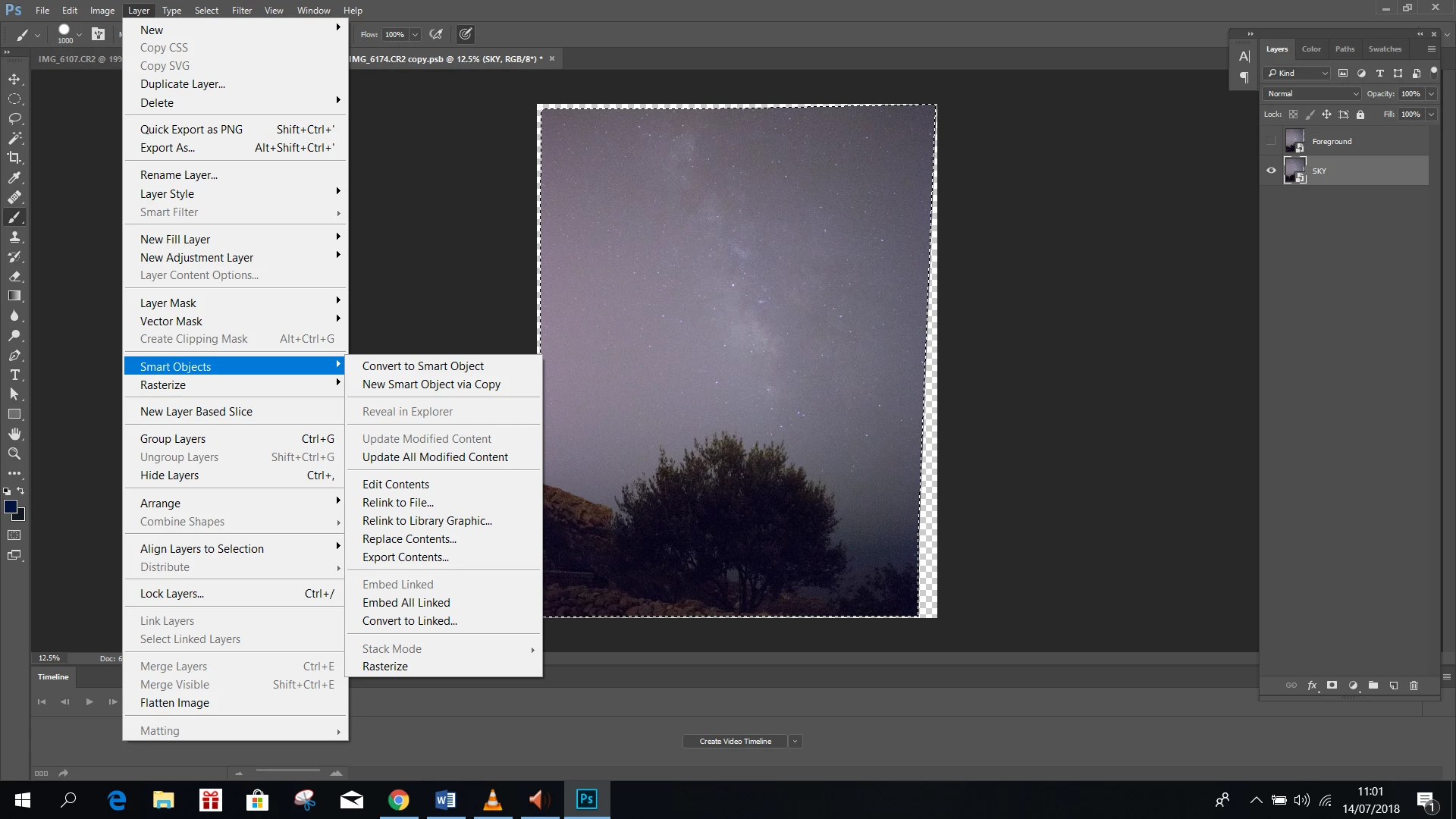
Stack mode greyed out

  • July 14, 2018
  • 3 replies
  • 2165 views

I am trying to use Stack mode however it is greyed out. Can someone help?

Photoshop CC 2017

Thanks
    This topic has been closed for replies.

    3 replies

    Legend
    July 14, 2018

    Does the activated smart object contains multiple layers?

    Jeff Arola
    Community Expert
    Community Expert
    July 14, 2018

    Looks like there was a problem during the install, since the 3D menu is missing.

    Are you using a 64 or 32 bit version of windows?

    davescm
    Community Expert
    Community Expert
    July 14, 2018

    Select all the layers you are going to use and convert them to a single smart object (Layer>Smart Object>Convert to Smart Object). Then use stack mode.

    Edit : Sorry, I just expanded your screenshot so I can now see the layers panel and just realised you already have the smart object.

    Dave
