
Participant
November 30, 2024
Question

STAMP filter not working properly

  • November 30, 2024
  • 1 reply
  • 395 views

Hi guys, im trying to replicate an effect ive seen online and im using the exact same photo they're using to help me practice. When i do it however, i get a completely different result to the one i see online. I've reset all my prefences, and im on 8bit and RGB, so i dont know what im doing wrong but its really bugging me.


Screenshots attached to help understand what im saying (desired result is the youtube video, the blobby one is what im getting instead)
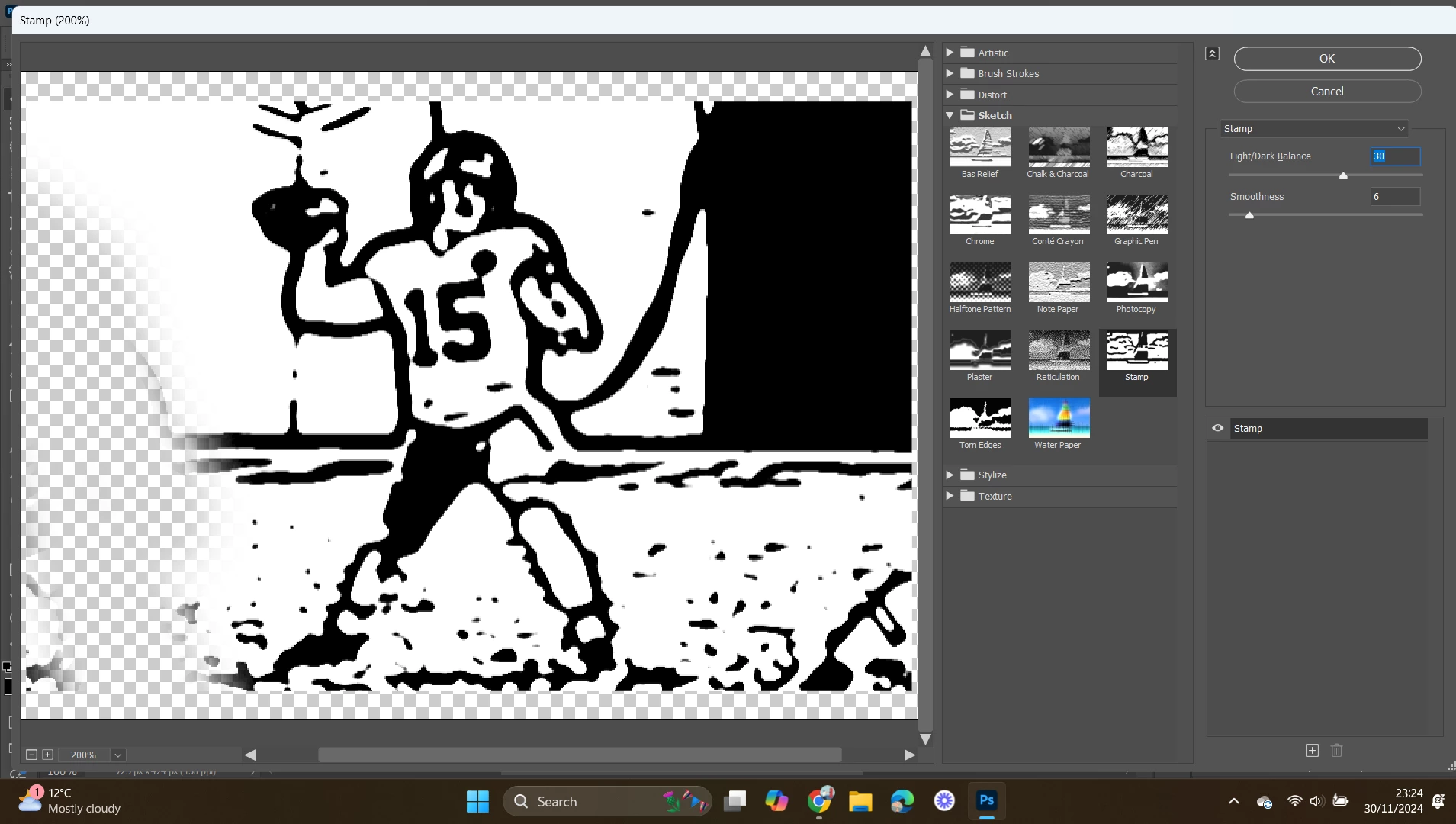
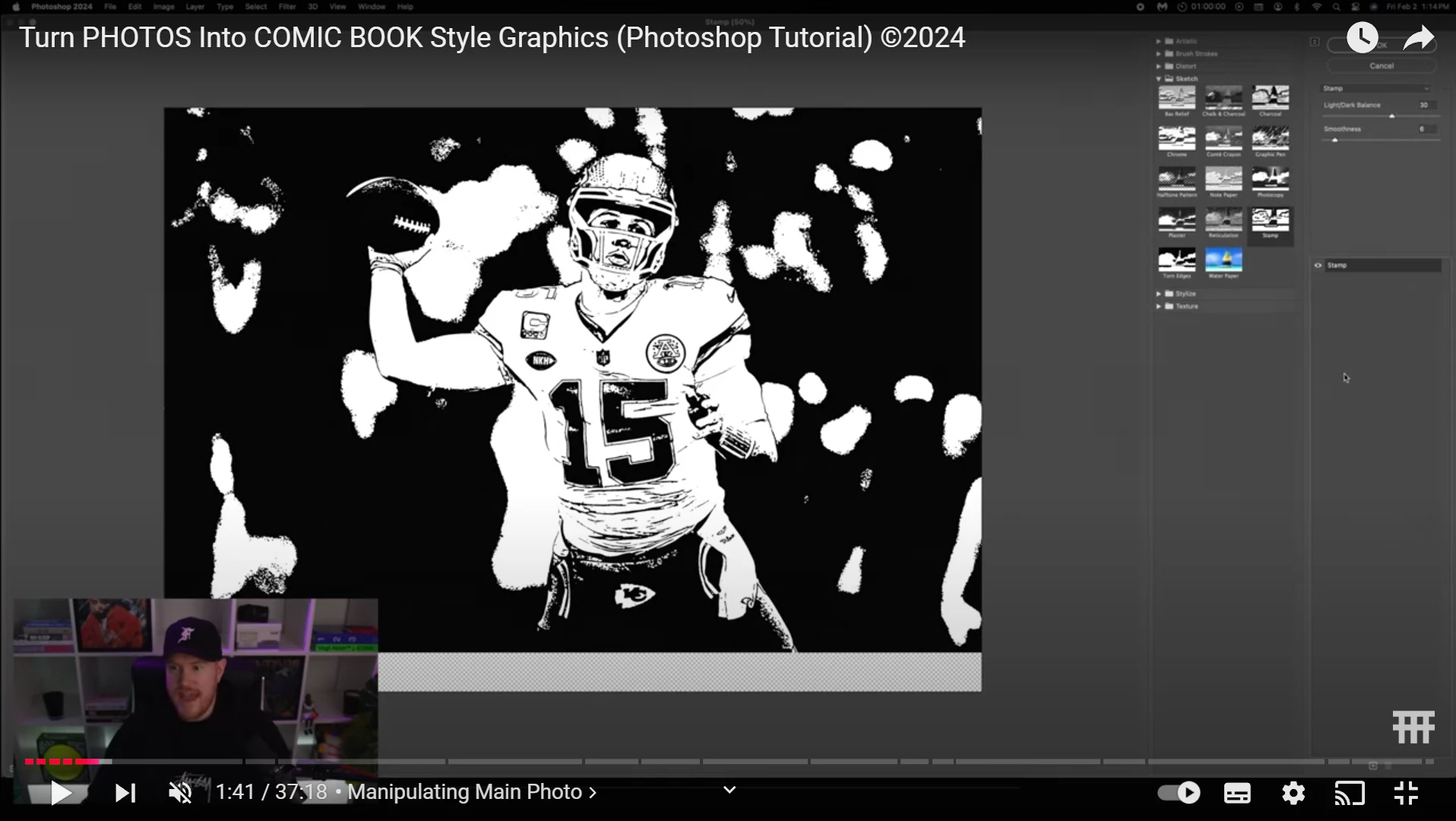
Any advice??

This topic has been closed for replies.

1 reply

Trevor.Dennis
Community Expert
Community Expert
December 1, 2024

Are you using exactly the same image as in the tutorial?  The background is obviously going top make all the difference to the end result.  You could use Remove Background and Apply Layer Mask to get rid of the background, and then Stamp would only be applied to the subject.


I started with a plain almost white background


So I still had a clear background after applying the Stamp filter


It's nearly always a good idea to make the layer a Smart Object when applying effects, because you can fine tune the result.  Double clicking  Stamp would open up the settings for adjustment


But you could also edit the tonal values of the image so that Stamp can closer to what you want.

I double clicked the smart object to open it in a new window and used a curves layer to get rid of a lot of the darker tones

Which makes Stamp give you a completely different result.  Remember this is now completely non-destructive so you can go back in and fine tune the settings.

Trevor.Dennis
Community Expert
Community Expert
December 1, 2024

You might like to try the Photocopy filter.  I think it gives you a better line drawing than Stamp.

h_6087Author
Participant
December 1, 2024

Hey trevor, im using the exact same photo as the tutorial so i dont know why im getting different results, thats my issue. im not concerned entirely with using other effects to make it look the same, i want to know why when i apply the same effect to the same photo as someone else, its a different result