Participant
December 17, 2019
Answered

Stop selecting tool when selecting brush.

  • December 17, 2019
  • 2 replies
  • 1730 views

Hello,


For the longest time i used PS 2015 (if it isnt broke, dont fix it)

Recienltly purchased a new iMac, so I was forced to upgrade to PS 2020


In PS 2015, when selecting the "smudge" tool, I used to be able to select a specific brush that I wanted to use, "splatter46" for example, and then do my thing.


Now in PS 2020, I select the "smudge" tool, click on the brushes and the dropdown is no longer familliar to the 2015 layout, and then when I select the splatter brush, or "kyle" splatter (who is Kyle?) brush, the tool switches to a paintbrush tool and I no longer have the ability to "smudge".


I need splatter smudge!

Please tell me that I am missing a setting or something.


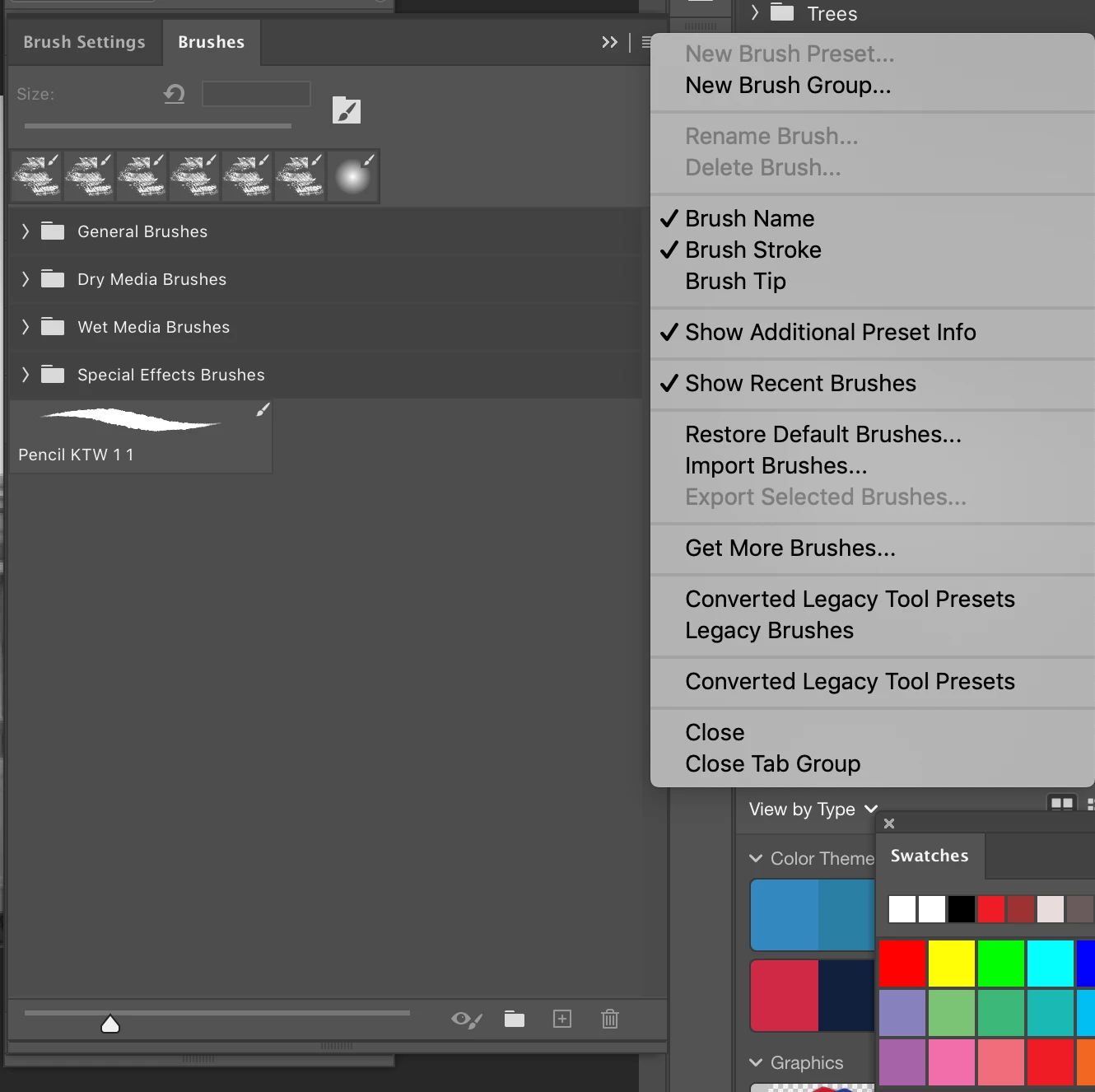
And please tell me that I can get the "old school 2015" brush panel back. This 2020, scroll-click to open folder, scroll-click to open folder, scroll-click to open folder, scroll-click to open folder, to view the brushes is annoying.


Thanks
 

This topic has been closed for replies.
Correct answer chanaart

You can always bring your old brushes to Photoshop..

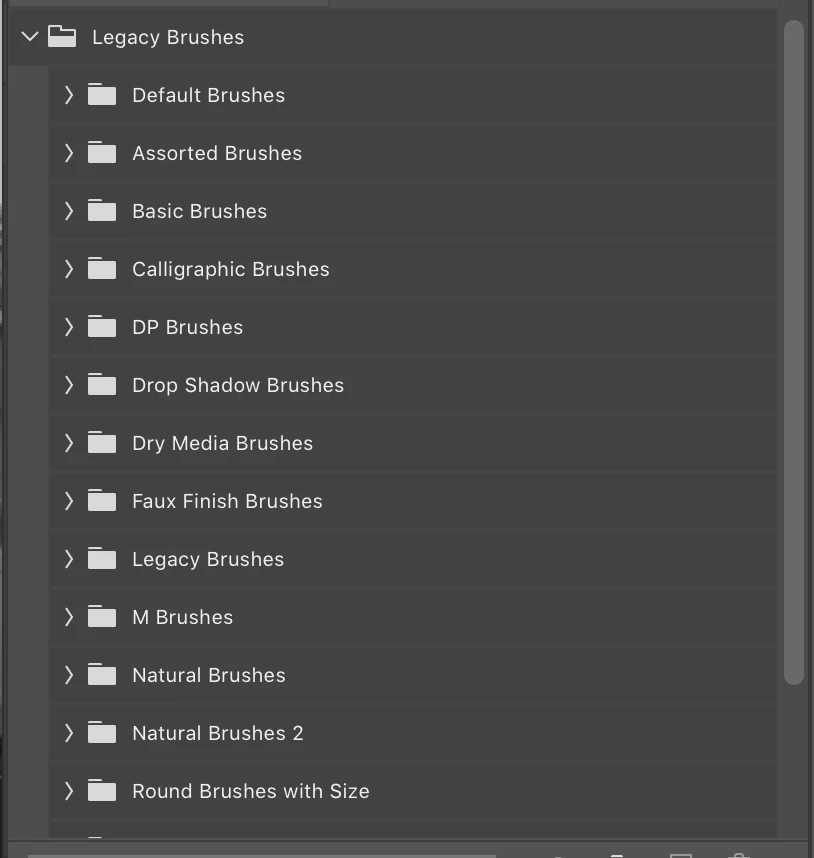
Here is the screenshot to upload your legacy brushes...


You can no longer take one brush and make it to a different kind....Byt it is so much easier to work with the new brush system!

2 replies

jane-e
Community Expert
Community Expert
December 17, 2019

Hi

Kyle is Kyle T. Webster. He used to sell his brush packs separately, but now he works for Adobe and his brushes are included with a CC subscription.

https://www.kylebrush.com/


Brush presets now have the ability to include the tool. Learn how they work here:

https://helpx.adobe.com/photoshop/using/brush-presets.html


You can hold Cmd+Option as you select a brush to get the preset with the tool. Then create a new preset that does not include the tool for your next use. (Use Ctrl+Alt if you are on Windows.)


~ Jane

Participant
December 17, 2019

Thanks for the reply.

Ok, got the Cmd Opt to work, but now the 2020 brush does not have the same effect as the 2015 brush effect.


2015 - Tool:"Smudge" - Brush:"Splatter" - default, out of the box, no adjustmet to the brush. Just made a rectangle, clicked "smudge" selected "splatter" and then.... Hey look! Smudges! 🙂


2020 - Tool:"Smudge" - Brush:"Splatter" -   Same steps as above, but added the additioal step of cmd+opt when selecting Kyles brush, and.......doesn't smudge 😞      

(gonna have to get with this guy Kyle about his brush)


Im sure im missing something simple here..... or maybe not.


Also, is there a way to get this beautiful, simple, non complex, no scrolling and clicking a bunch of folders to view what the brushes are, window back?


Thanks again!

chanaart
Community Expert
Community Expert
December 17, 2019

You can always bring your old brushes to Photoshop..

Here is the screenshot to upload your legacy brushes...


Peru Bob
Community Expert
Community Expert
December 17, 2019