
Inspiring
September 5, 2018
Answered

Straighten just one part of the building

  • September 5, 2018
  • 3 replies
  • 389 views

I have an image (shown) that i have partly straightened in LR. However, as you can see, since it is a global straighten, not every is as vertical as I would wish. Is it possible to straighten just the right-hand vertical without affecting the other parts (left) of the castle?
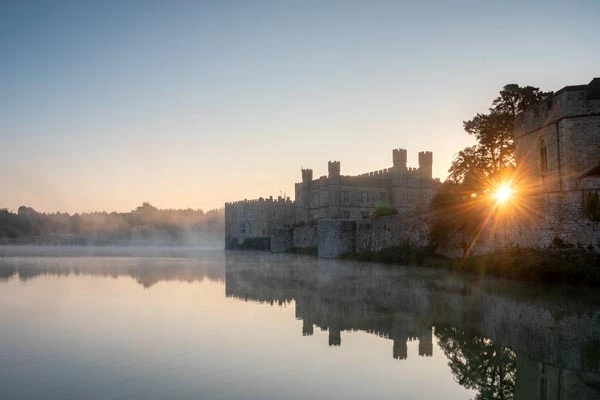
This topic has been closed for replies.
Correct answer Trevor.Dennis

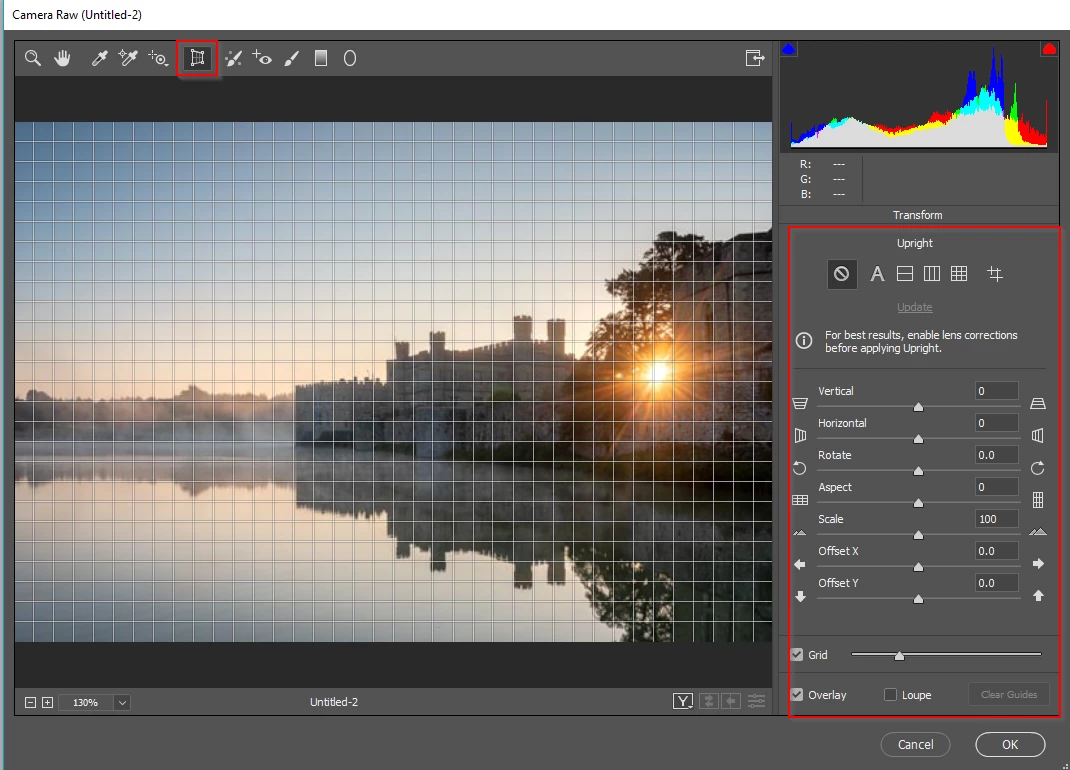
Absolutely.  You have total  control over issues  like  this in Photoshop,  and multiple ways to do do what you want to do.  You can select  part of  the building, and apply Free Transform to that, but I suspect you'd do better using Camera RAW.  It's  difficult to see much from your tiny upload, so if you paste a  higher  res version we'd be able to see better.

3 replies

macpawel
Participating Frequently
September 5, 2018

I hope, the best solution is using Adaptive Wide Angle filter . Filter>Adaptive Wide Algle

Just draw short line on your building with Shift key pressed and - thats it!

Be sure you have metadata (lens) information with your image. Without AWA doesn't work right

It works perfectly.

pawel

davescm
Community Expert
Community Expert
September 5, 2018

Hi Rob

I would do as much as possible in Lightroom/Camera Raw, as shown by Trevor, then use Perspective Warp to do any final tweaking in Photoshop. Perspective Warp allows you to lay out grid sections then nudge (or extensively warp) each section into position.

Dave

RobCanisAuthor
Inspiring
September 5, 2018

Thank you all very much indeed. I found perspective warp extremely useful. Here's my 'play' after a few minutes using this method.

davescm
Community Expert
Community Expert
September 5, 2018

It's a nice image Rob. Perspective warp was designed for some quite extreme adjustments but can be very useful for those little nudges.

Dave

Trevor.Dennis
Community Expert
Trevor.DennisCommunity ExpertCorrect answer
Community Expert
September 5, 2018

Absolutely.  You have total  control over issues  like  this in Photoshop,  and multiple ways to do do what you want to do.  You can select  part of  the building, and apply Free Transform to that, but I suspect you'd do better using Camera RAW.  It's  difficult to see much from your tiny upload, so if you paste a  higher  res version we'd be able to see better.