There are a few steps to this.
First separate the component parts onto their own layers. The pen tool is the way to go with straight sided objects like this.
The layer order is important, because the higher layers need to overlap the lower layers. (the collar overlaps the tie after we move the tie)
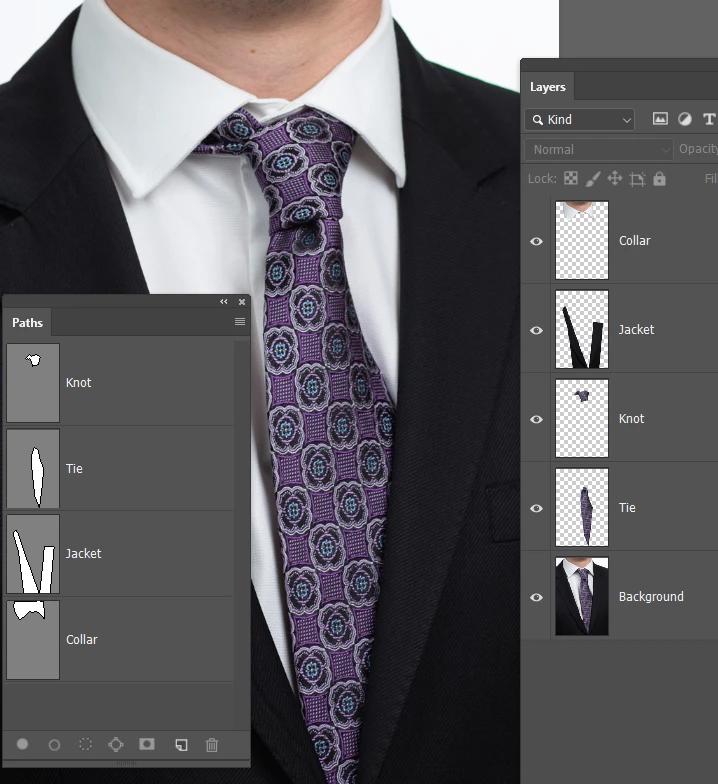
Then move things int place with Free Transform starting with the knot.
We need to make the layers that will be moved into Smart Objects, because we are likely going to need to move them more than once, and we don't want to lose the corner handle positions.
So I have moved the knot which presents two issues. 1) we need to make good the exposed shirt , and 2) the top right corner of the knot needs to be faked.
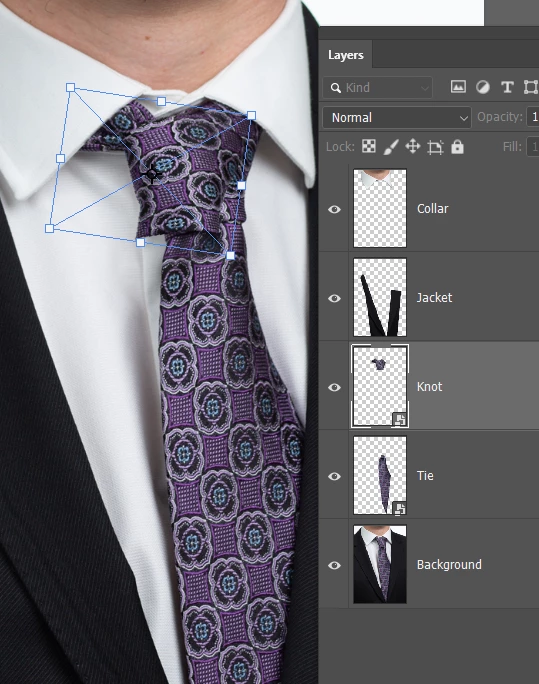
I've moved the tie as well, and made a new layer below the tie and knot layers to fake the missing shirt area
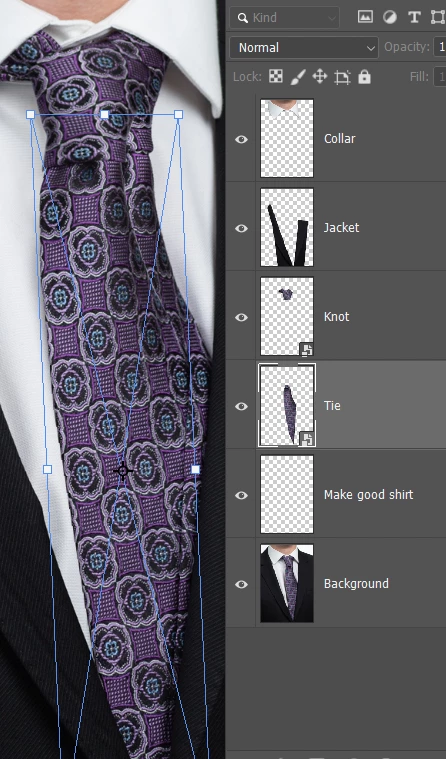
OK, I have move the knot and tie some more (I said it was likely) and made good the exposed area of shirt, and now we have a tricky bit. With it being such a nice sharp image, trying to blend in new tie to fill the gap is going to be hard to get right, so I am going to try cheating.
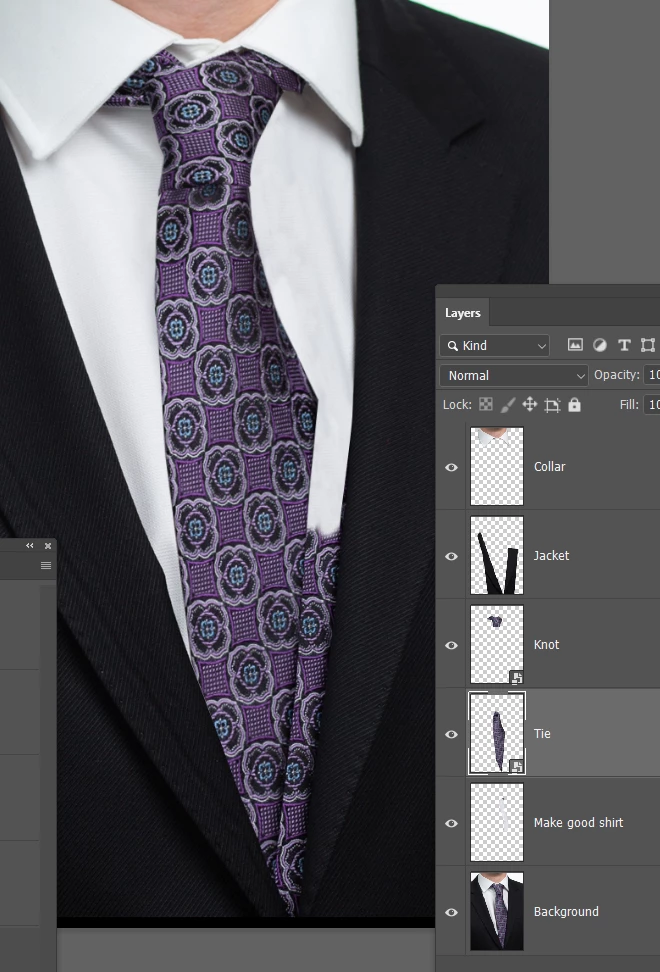
I've stretched and pulled the tie with Free Transform (FT) > Warp, which blows up the pattern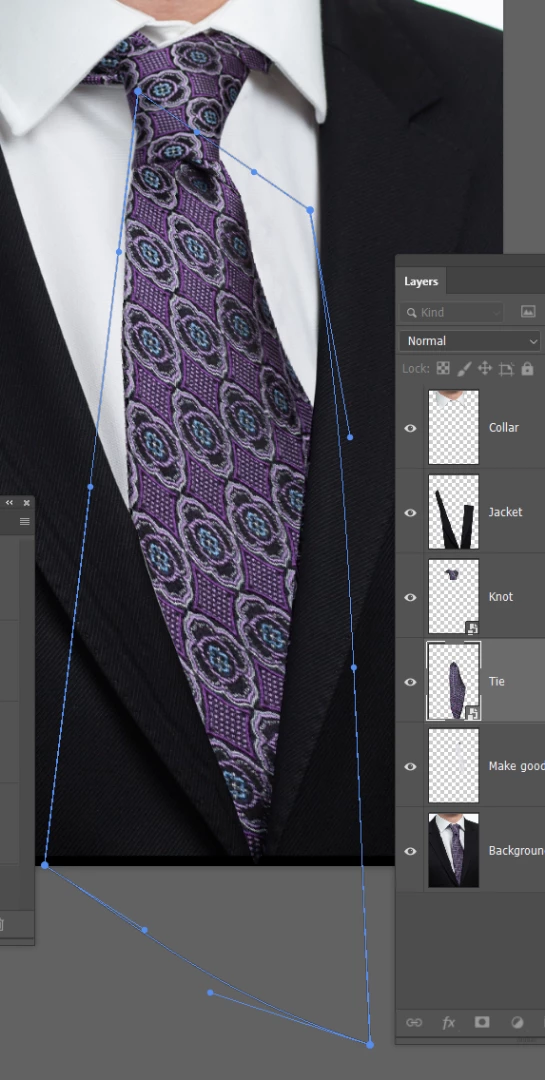
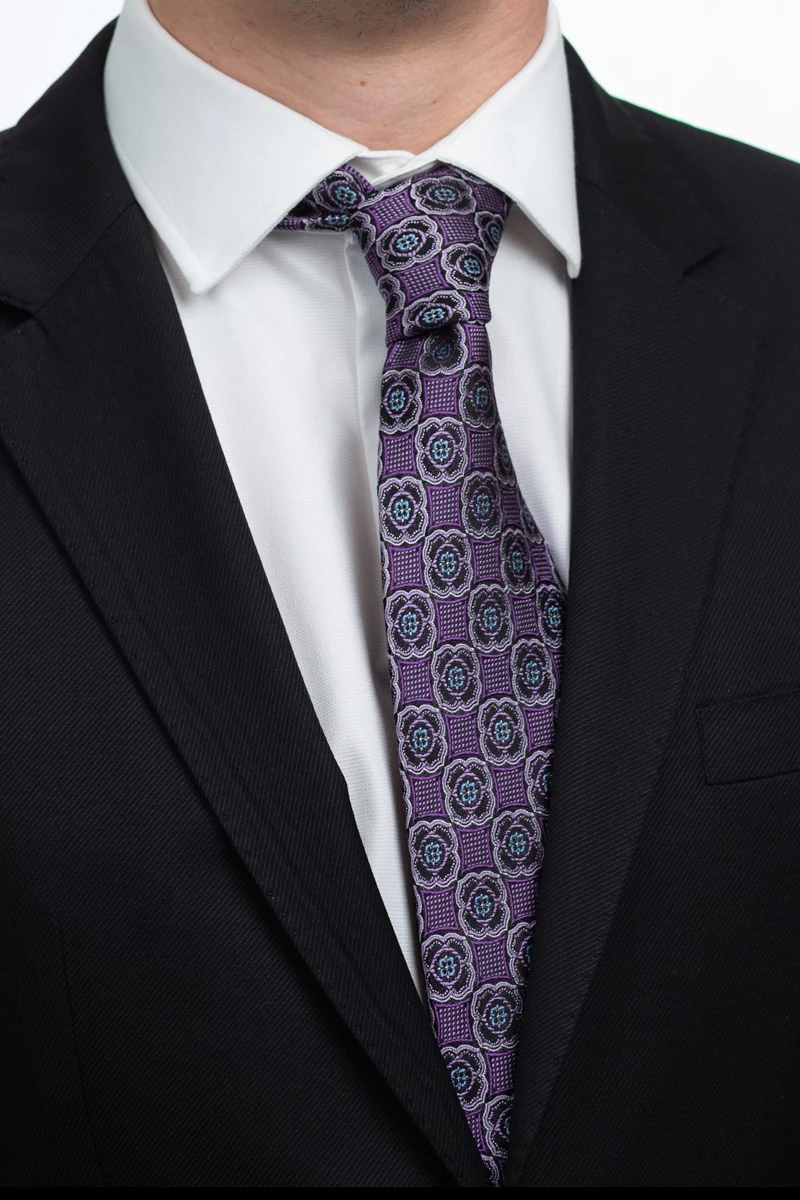
Moving the tie layer up the stack above the jacket, shows how much I have had to stretch it to fill the gap
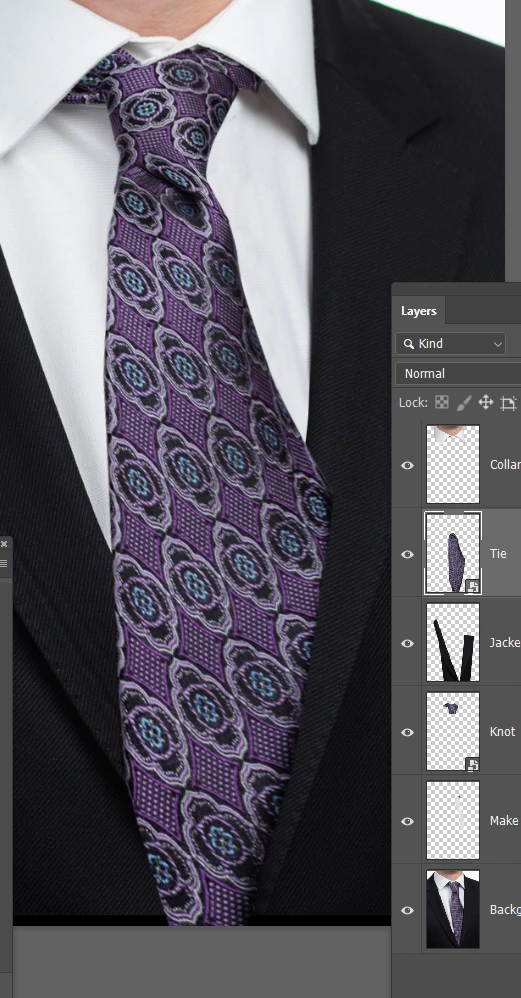
I've added drop shadows to the tie and knot. Two drop shadows to the tie in fact, one either side.
The knot has a problem in that the shadow extends downwards as well, which you don't want
So I have set Layer mask to hide effect
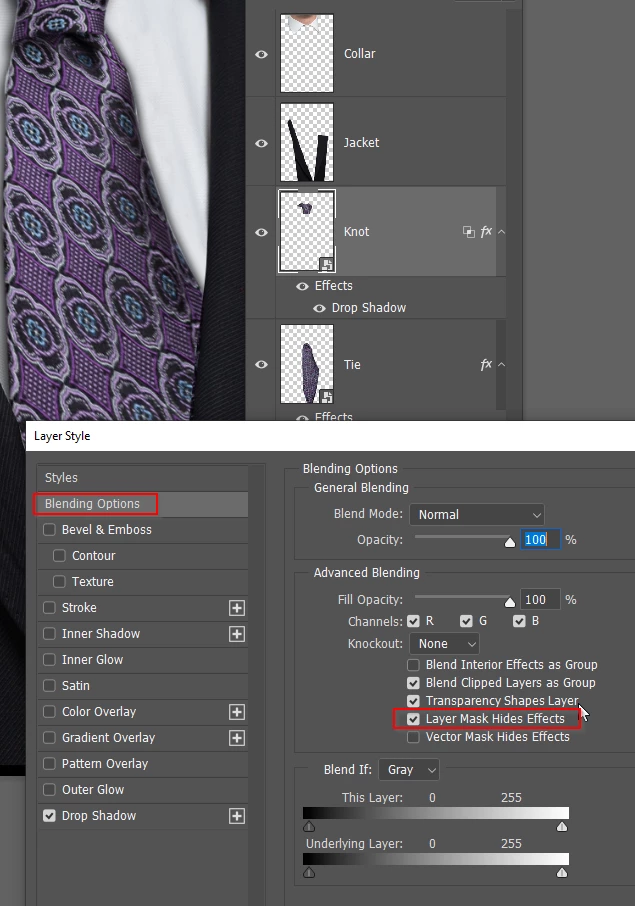
Added a layer mask and painted out the problem bit with black in the mask
I decided to give the knot another drop shadow as well
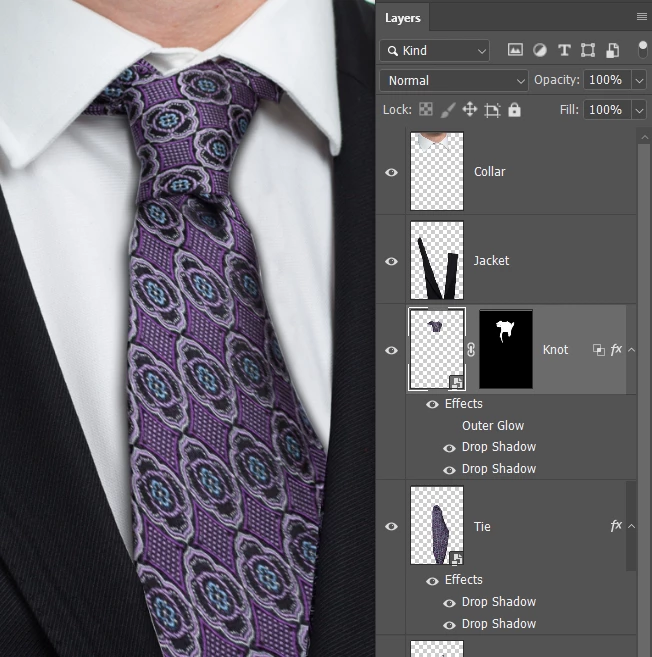
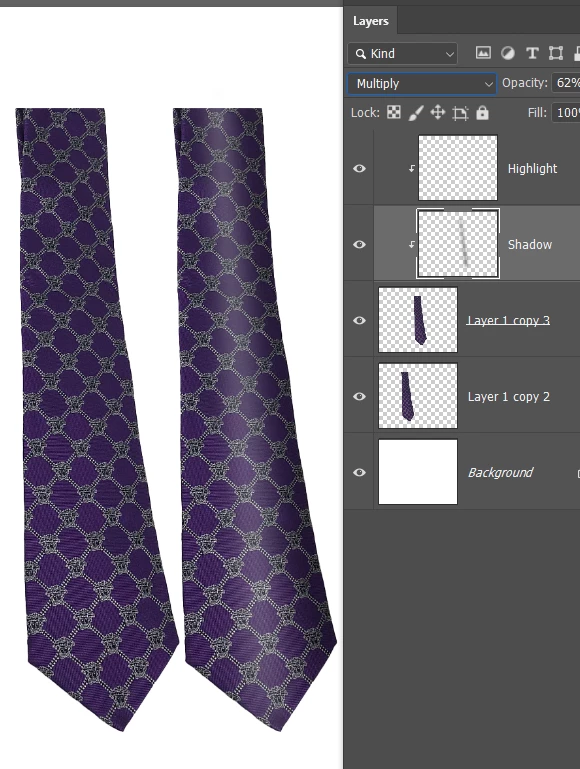
You could call this a day, and I doubt anyone would notice, but if you have that tie, you could photograph it and composite just the lower bit below the knot. You'd need to try and get the curve going, but you can fake that with some shading




 AdChoices