Inspiring
January 30, 2023
Answered

Strange behavior of masking

  • January 30, 2023
  • 1 reply
  • 381 views

Dear all.

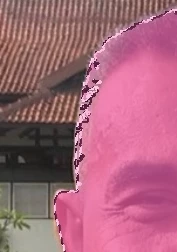
Today, i get strange behavior of my masking. I use object selection tool to select person.
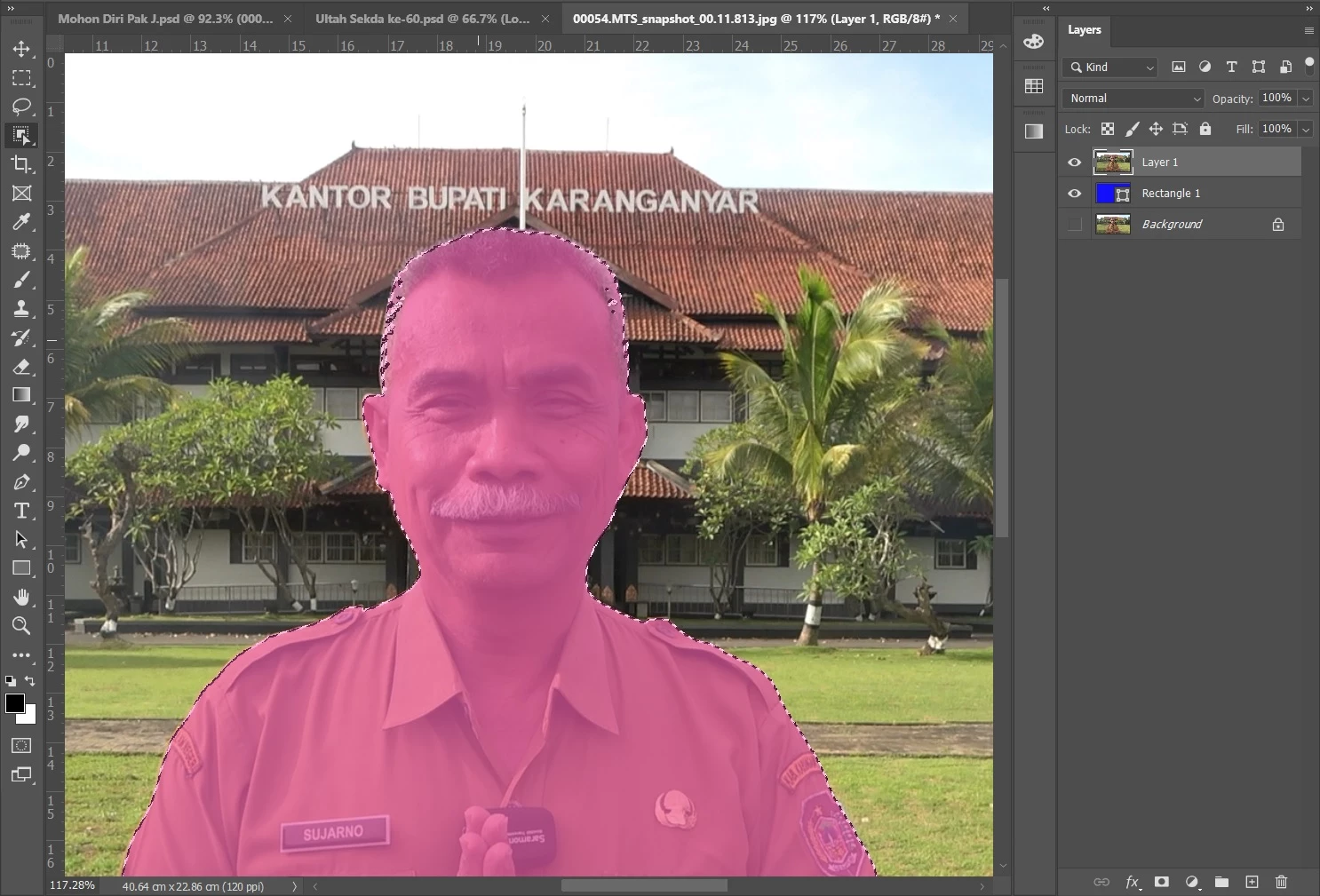
Then to fix some edges, i use brush tool.
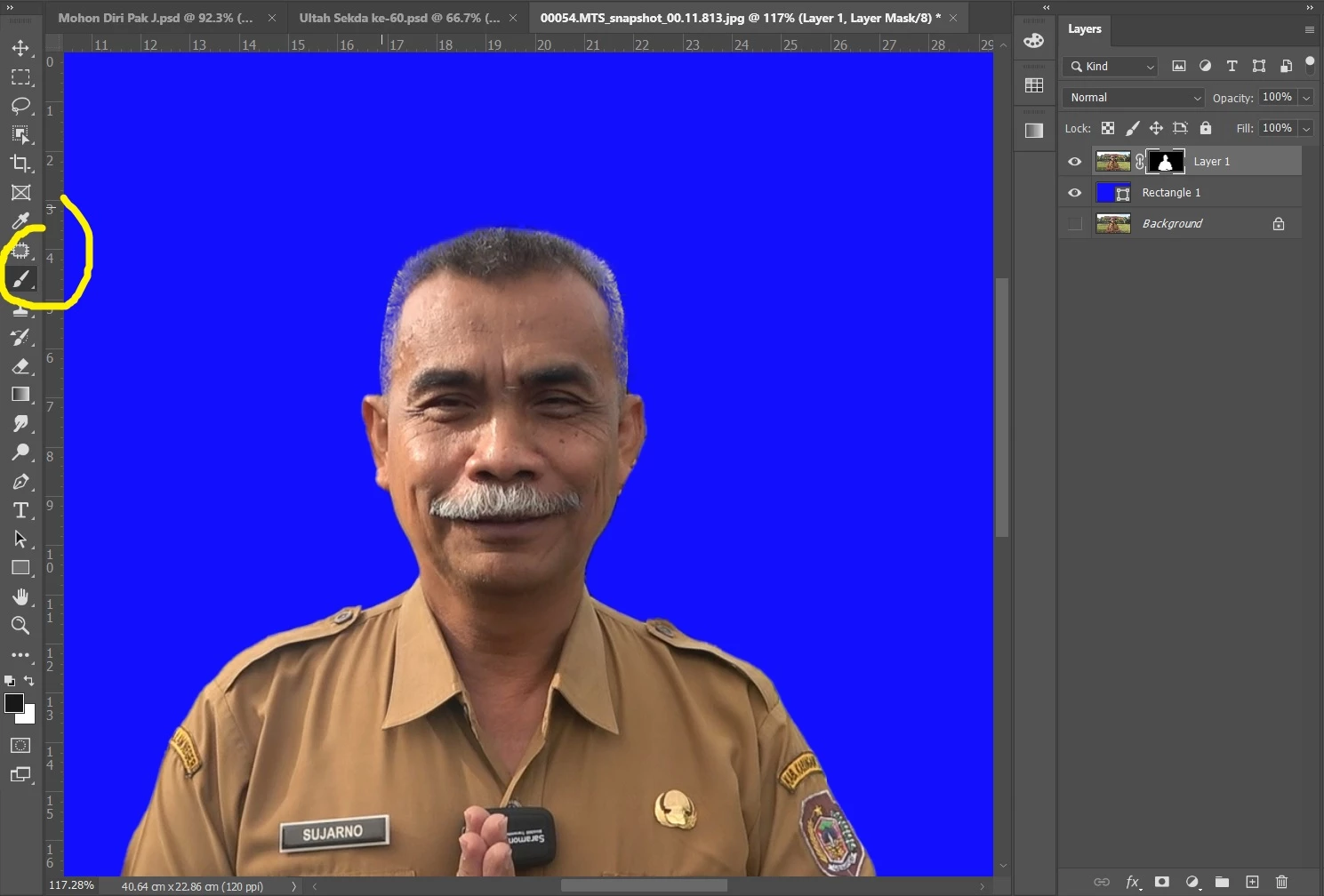
But, when i used brush tool to delete / fix the edge, the background apear again.
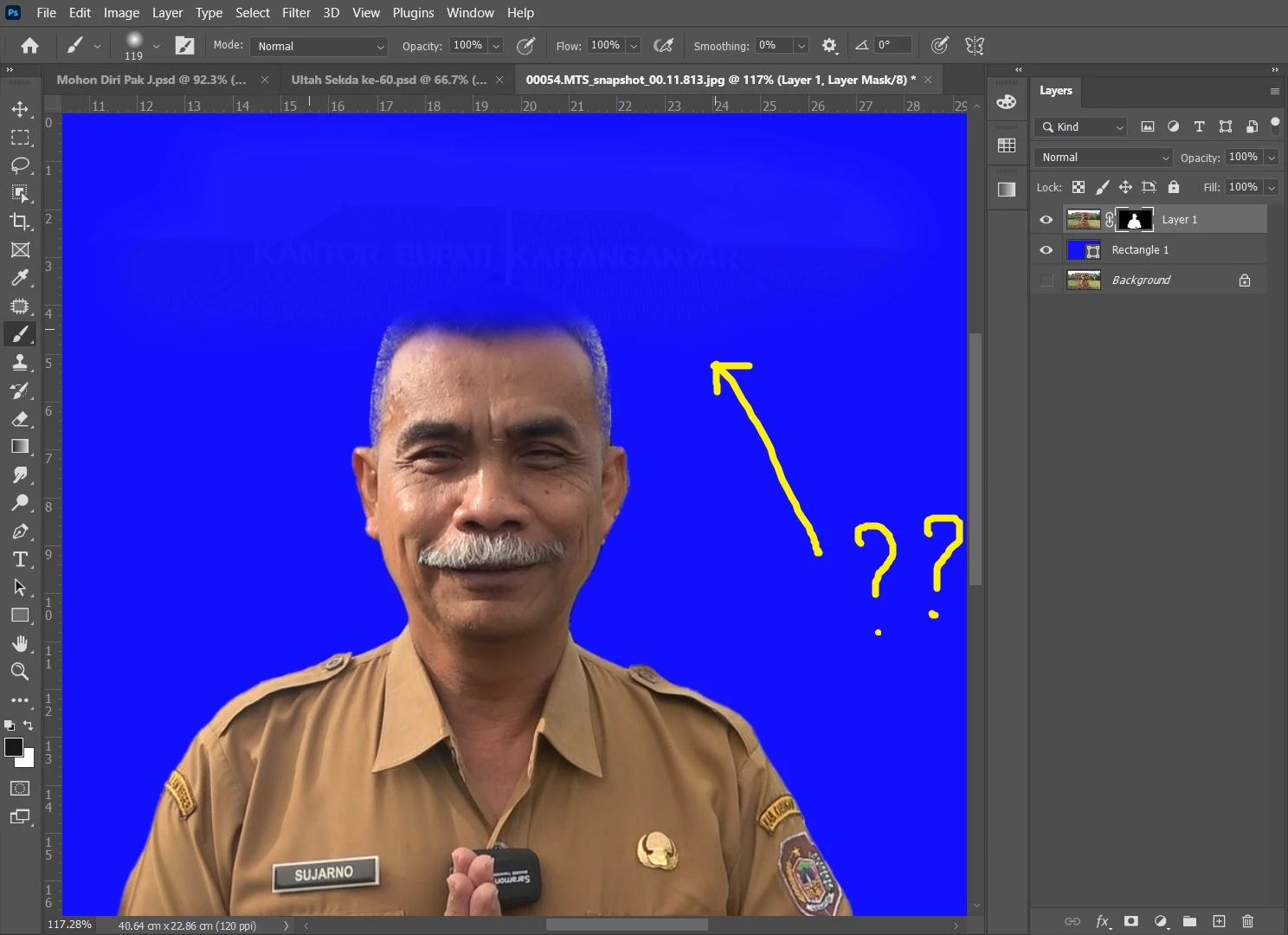
Really strange for me.

Hopefully many profesional here would help. Thanks.
This topic has been closed for replies.
Correct answer Trevor.Dennis

We can see from the pattern of the marching ants below that it has mad a poor job of that selection, and from I can see of the image, I would expect it to have done significantly better


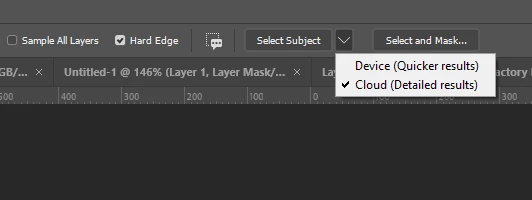
So, if you are not already doing so, set the Select Subject option to Cloud and try checking Hard Edge.  I think that will work better for you.


Your last screen shot shows you are painting with black in the layer mask.  Change that to White, abd it will reveal the full outline of the head.  You do need to make sure you are using a suitable brush though.  A slight soft round brush set to 100% opacity will work well.


Good luck.

1 reply

Trevor.Dennis
Community Expert
Trevor.DennisCommunity ExpertCorrect answer
Community Expert
January 30, 2023

We can see from the pattern of the marching ants below that it has mad a poor job of that selection, and from I can see of the image, I would expect it to have done significantly better


So, if you are not already doing so, set the Select Subject option to Cloud and try checking Hard Edge.  I think that will work better for you.


Your last screen shot shows you are painting with black in the layer mask.  Change that to White, abd it will reveal the full outline of the head.  You do need to make sure you are using a suitable brush though.  A slight soft round brush set to 100% opacity will work well.


Good luck.

Inspiring
January 30, 2023

Thanks Trevor

######Raizen 7, 40Gb Ram, RTX 3060, Win 11 -- All of Software in the world are just tools. Buy it if it works for you :)