
Participant
March 17, 2022
Question

Strange errors with scale and marquee tools

  • March 17, 2022
  • 2 replies
  • 731 views

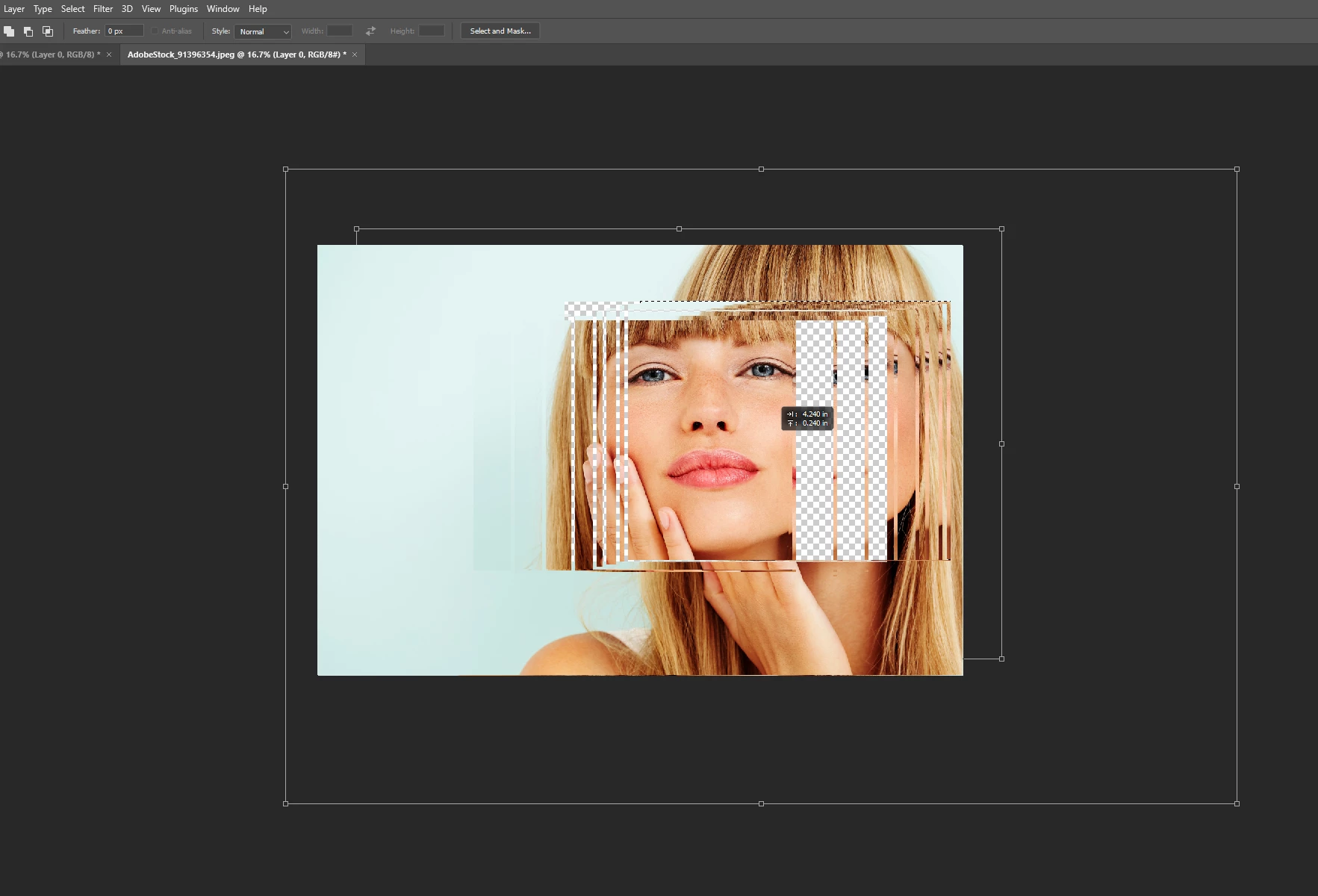
Im getting strange artifacts when I use the scale and marquee tools - the handles and white bounding boxes stay even after the scale is performed - sometimes the scale box fails to show up at all though you can still scale just the handles and white lines dont show up - if I resize the image to a different % the white ghost lines go away but it is definately messed up. Any thoughts? Heres an image of the ghosted scale tool and marquee errors:


This topic has been closed for replies.

2 replies

Mark C. Dahm
Community Manager
Community Manager
March 17, 2022

@SteveSchadt Are you using a ProPhoto profile with this image?

Participant
March 21, 2022

Hi,


deactivate native canvas worked i believe.


thanks!


ss

Mark.Dahm
Community Manager
Community Manager
March 21, 2022

@SteveSchadt , we'll be removing that option once we fix the issues that are happening while it's in use. Just wondering if ProPhoto monitor profile was in use here.

Legend
March 17, 2022

Go to Preferences > Technology Previews... and check "Disable Native Canvas" - then restart Photoshop. Does the problem still occur?