JDM24
Participant
June 25, 2020
Question

strange gradient behavior

  • June 25, 2020
  • 4 replies
  • 495 views


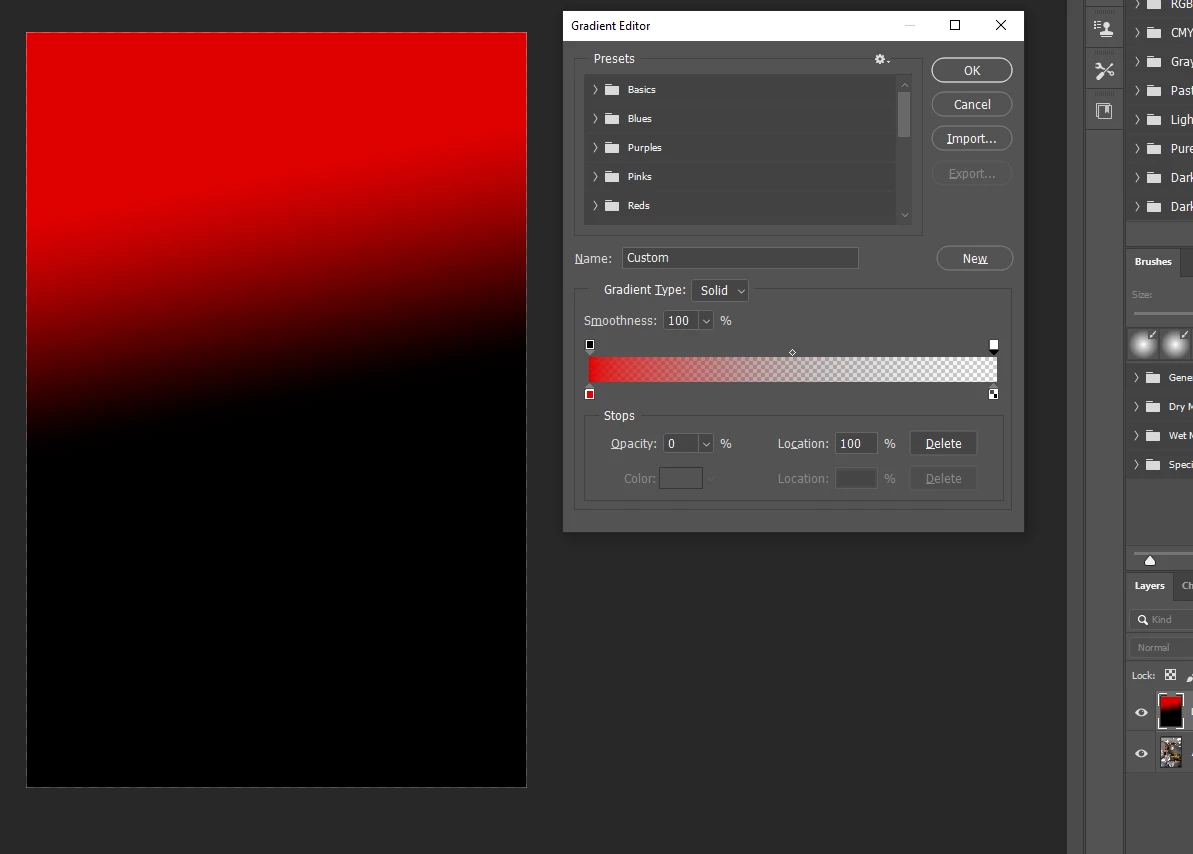
i try to setup from red to transparent insted i get from red to black.. 

am i doing something wrong?


This topic has been closed for replies.

4 replies

JDM24
JDM24Author
Participant
June 30, 2020

Really thx to you ALL , problem was solved 🙂 i didint notice in gradient TOOL is transparent option, need to be set to transparent work 🙂 in my previous screen i see it was set but still not work.. maybe some bug? now i see it's OK


thx a lot for support.. 🙂

JDM24
JDM24Author
Participant
June 30, 2020

yeah defintily some bugs in gradient tool , minute ago i have to restart PS to work it fine again but this time gradinet dont go with the line i set , i set it from left upper corner to right donw corner.. but PS gradient dont folow it . Restart make it better.. 🙂 

Chuck Uebele
Community Expert
Community Expert
June 26, 2020

Have you reset your preferences? Also uncheck, "Use Legacy Compositing' in the preferences. 

c.pfaffenbichler
Community Expert
Community Expert
June 25, 2020

Could you please create a Gradient Layer and post a screenshot with the pertinent Panels (Toolbar, Layers, Options Bar, …) visible? 

JDM24
JDM24Author
Participant
June 26, 2020

you welcom

i have background... i suppose background should be visible ? yes?

i have two layers background and gradient .. gradient form 100% opacity to 0% opacity

shouldn't see background there? where opacuty is 0%


c.pfaffenbichler
Community Expert
Community Expert
June 26, 2020

Please create a Gradient Layer (Layer > New Fill Layer > Gradient). 

If you have to use the Gradient Tool please post a meaniingful screenshot so we can see the Tool’s settings in the Options Bar, like the Blend Mode.

JJMack
Community Expert
Community Expert
June 25, 2020

Are you adding the gradient to a black layer?

JJMack
JDM24
JDM24Author
Participant
June 26, 2020

No layer was empty before i add gradient
