Strange workspace and cannot move palettes
Am using 27" iMac (late 2013) and have Photoshop by subscription.
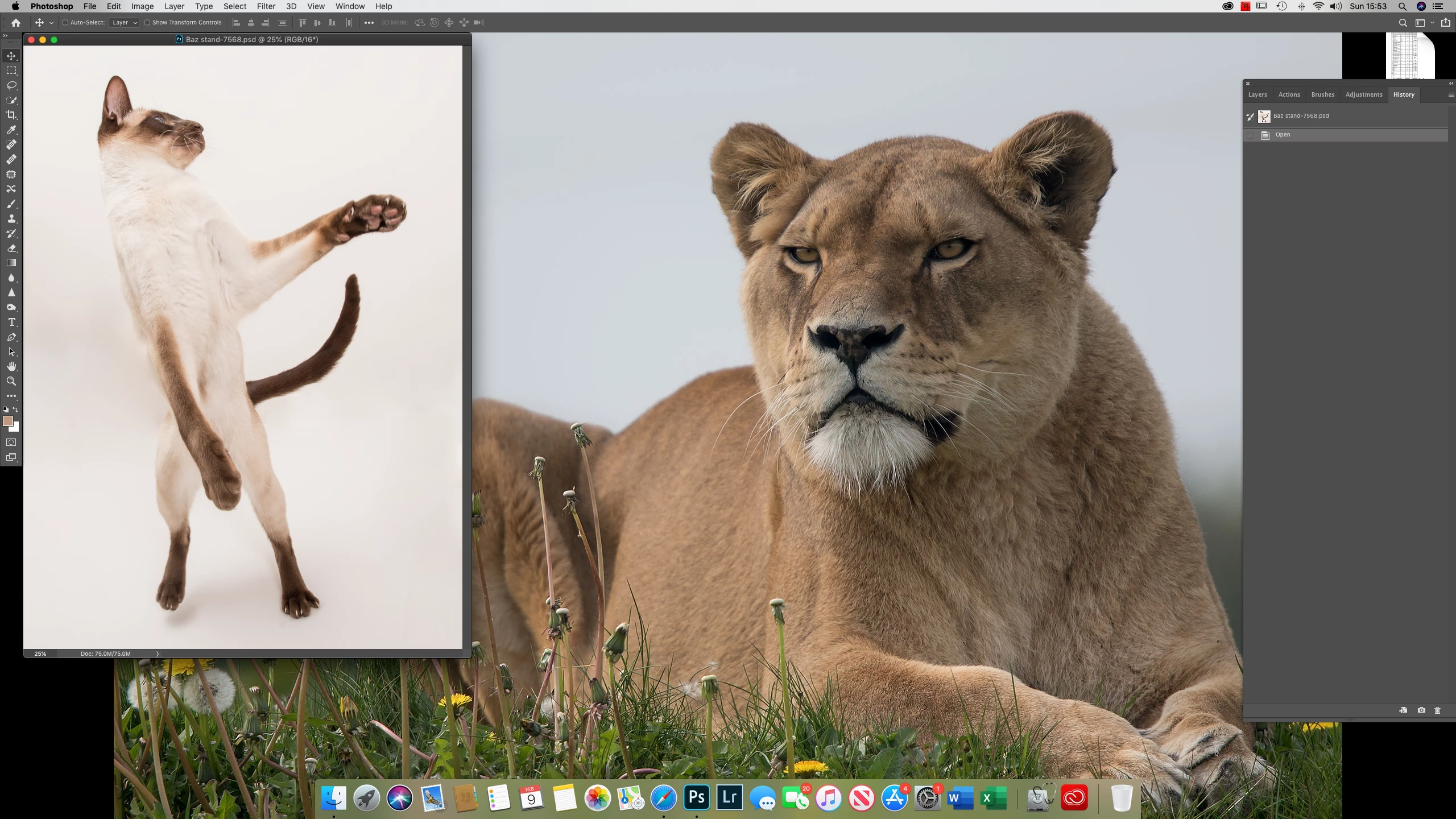
Since the recent PS update, my workspace is very strange.
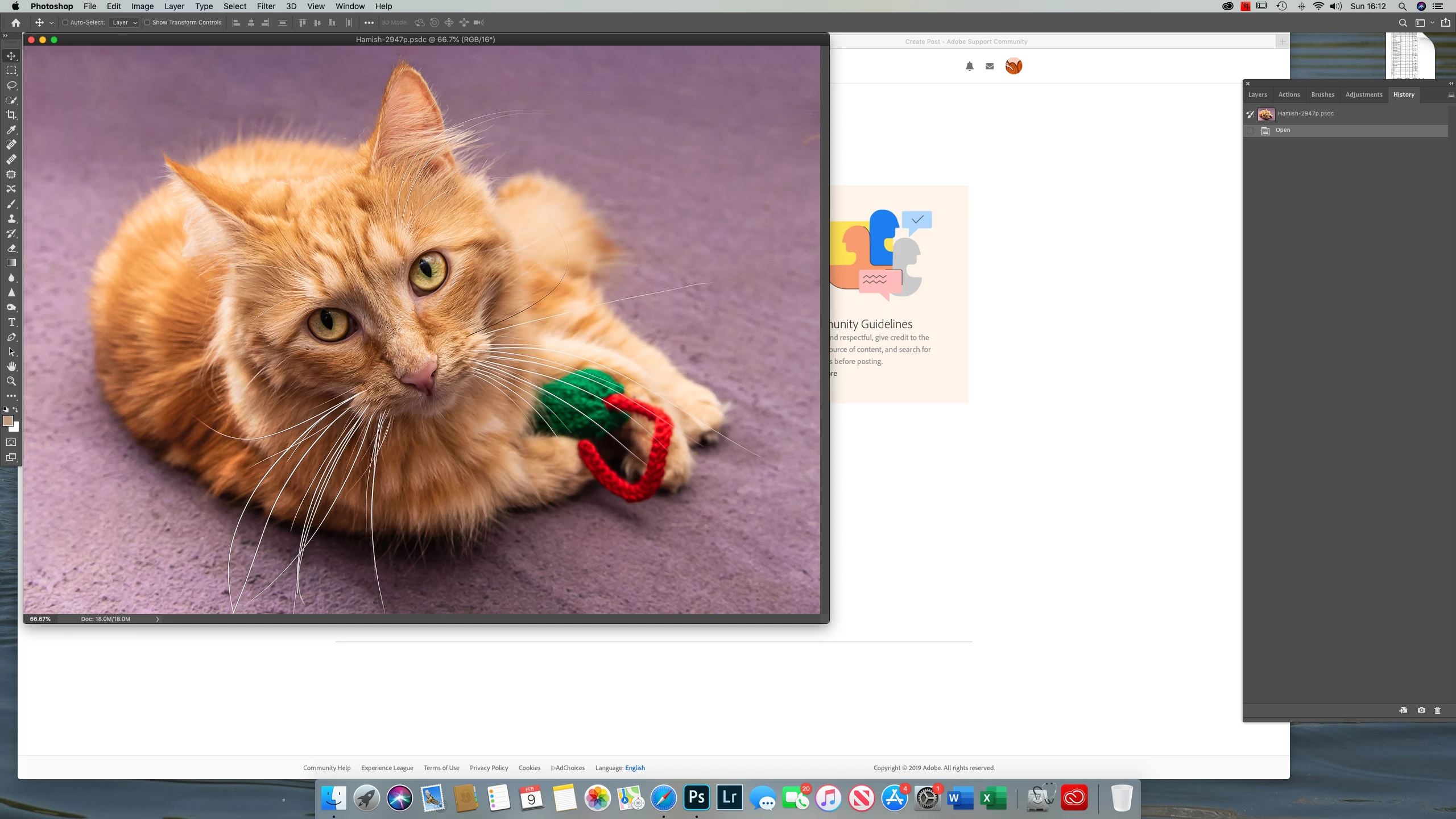
1) There is no grey area behind my file, so can see through to the desktop, which is confusing.
2) I work with palettes open on RHS (layers/history/adjustments/actions. Â I am unable to move these palettes around and sometimes they obscure the the photo I'm working on.
3) The tools don't work properly. Â Say, I've been using the healing tool, then want to use brush tool, as soon as I try to alter the size/hardness/whatever of the brush, the tool reverts back to the healing tool. Â I have to reboot to overcome this, merely close PS and re-opening it doesn't resolve the problem.
5) the photo i'm working on opens in only part of the screen and even if i click on the green maximise button, it doesn't size it to the full screen; i have to drag the corners to get it to full size. Or cycle through hitting F
I also have PS & LR on my MBP, running Catalina and don't have these problems.
I have deleted PS, rebooted and reinstalled it on my iMac, but still have the same problems.
I am a reasonably experienced PS user. Â As I do lots of composites, it's better to work with my 27" iMac screen than the 15" MBP.
I'd be very grateful if someone could help me resolve these issues 🙂
PS since writing the above, I have deleted PS, upgraded my iMac to Cataline OS and reinstalled PS. The problems all remain.
 AdChoices