
Participant
January 2, 2019
Answered

Stretching part of an image to fit a border

  • January 2, 2019
  • 2 replies
  • 1126 views

So, I wanted to put another image on top of one that I had (sorta like re-texturing) but the image is more slim than I need it and i'm not sure how to stretch it to be able to make it fit.

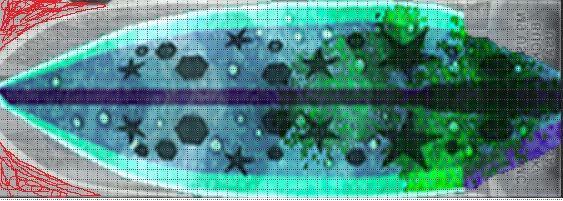
I'm trying to get the aqua blue on the left of the image to stretch and replace the light grey lines  and on the right of the image, trying to get it to fill up the whole part with the writing on it.
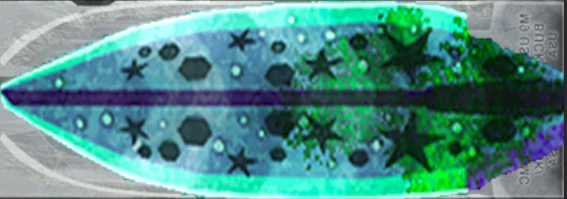
so basically I need to stretch the coloured image to fit onto the grey underneath but stopping at the red on the left, how do i do this?
    This topic has been closed for replies.
    Correct answer JimmyDddddd

    Yo all good actually, I've just found out what "warp" does ha

    2 replies

    davescm
    Community Expert
    Community Expert
    January 2, 2019

    Hi

    You could select the shape then copy to a new layer (Ctrl+J)

    Then use Transform - Warp to pull it into teh required shape, finishing off with a touch of cloning in the right corners

    Dave

    Participant
    January 2, 2019

    Oh that's very helpful, thanks Dave!!!

    JimmyDdddddAuthorCorrect answer
    Participant
    January 2, 2019

    Yo all good actually, I've just found out what "warp" does ha

    Trevor.Dennis
    Community Expert
    Community Expert
    January 2, 2019

    Also have a look at Liquify.  You don't have to do the who fix in one operation

    Participant
    January 2, 2019

    Oh I didn't know about that, thanks!!